


JetBrains IDEs
1. Open the JetBrains IDE.
2. Go to Settings/Preferences -> Tools -> AI Assistant -> Model Context Protocol (MCP).
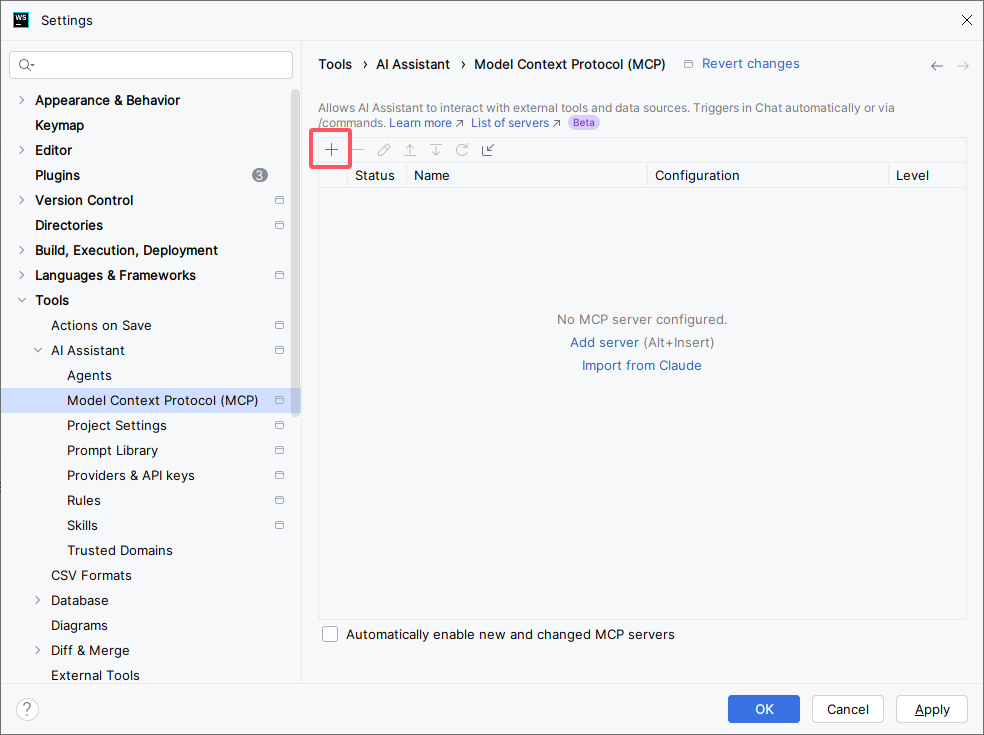
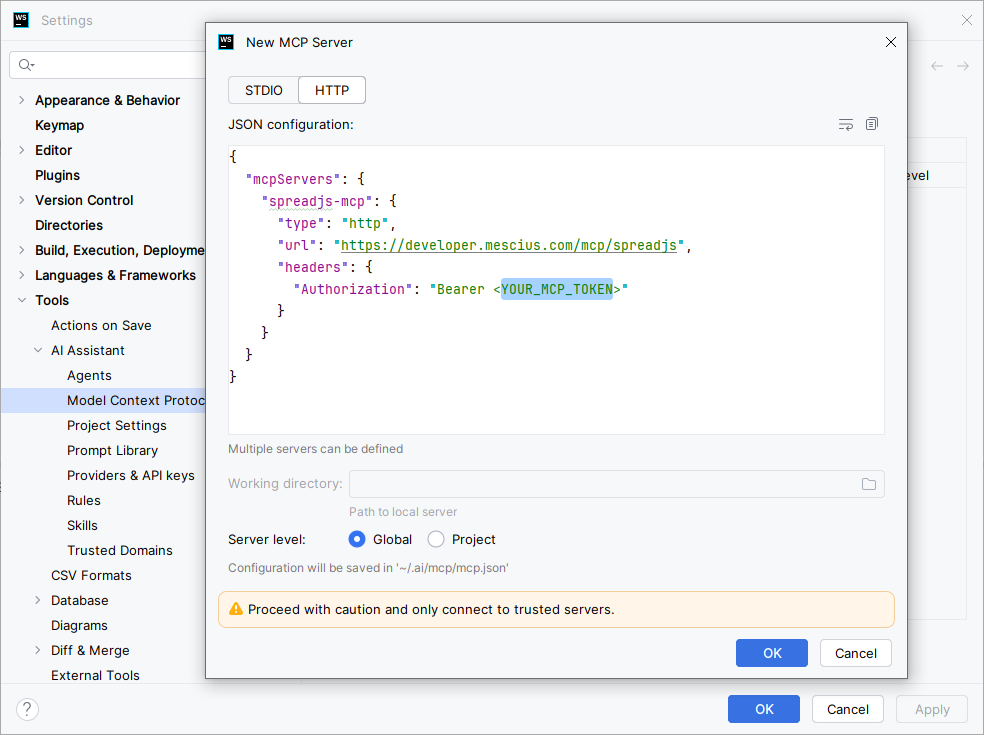
3. Click the + button to open the New MCP Server dialog, then enter the following MCP server configuration:
{
  "mcpServers": {
    "spreadjs-mcp": {
      "type": "http",
      "url": "https://developer.mescius.com/mcp/spreadjs",
      "headers": {
        "Authorization": "Bearer <YOUR_MCP_TOKEN>"
      }
    }
  }
}
4. Save the configuration. spreadjs-mcp should appear in the MCP Servers list.
Reference: MCP server - External client setup