


GitHub Copilot in Visual Studio 2022 / 2026
Use the same MCP configuration for Visual Studio 2022 and Visual Studio 2026. For Visual Studio 2022, use version 17.14 or later.
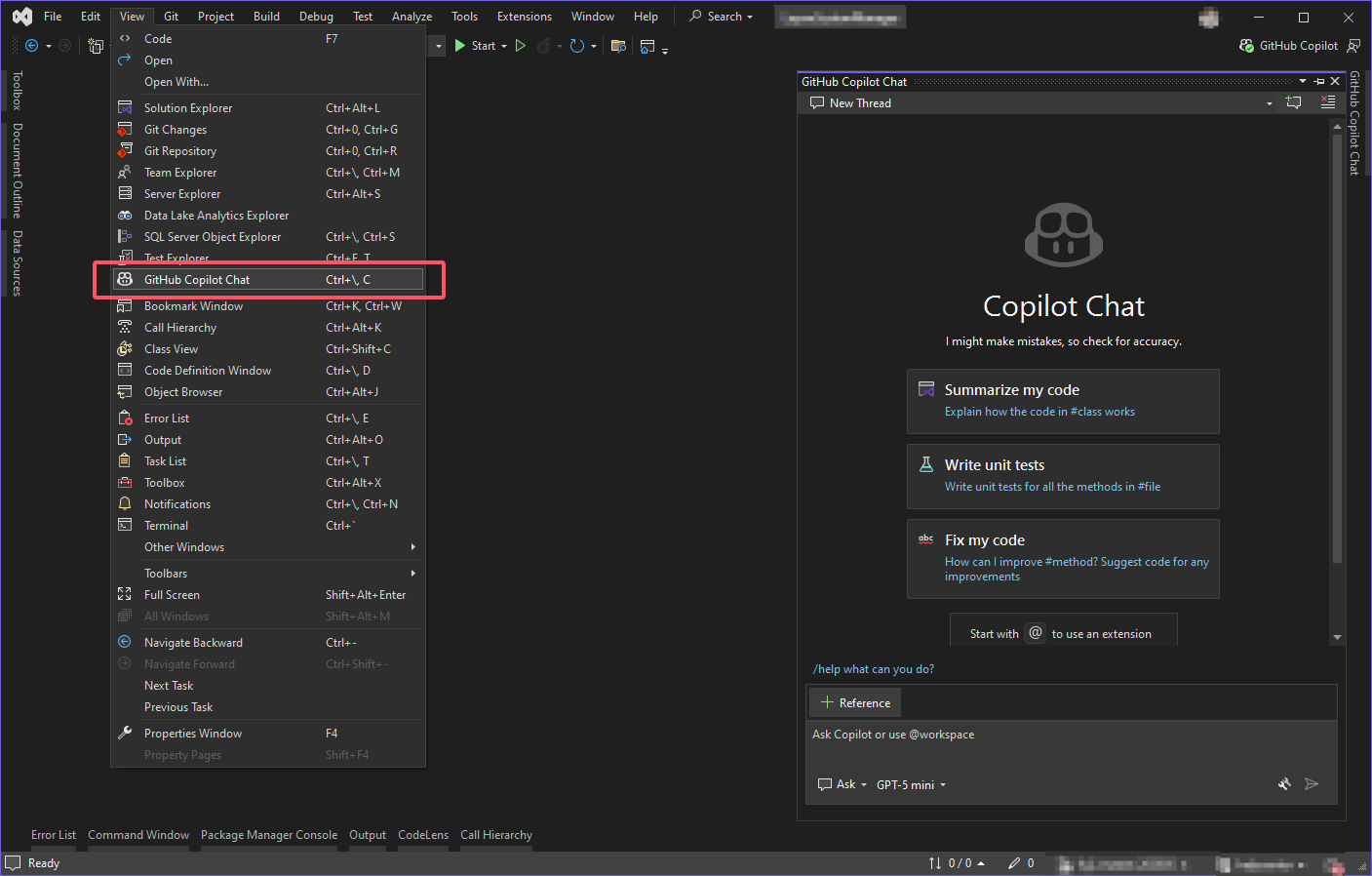
1. Open Visual Studio and open Copilot Chat panel from View → GitHub Copilot Chat
2. Switch the mode at the bottom of Chat to Agent.
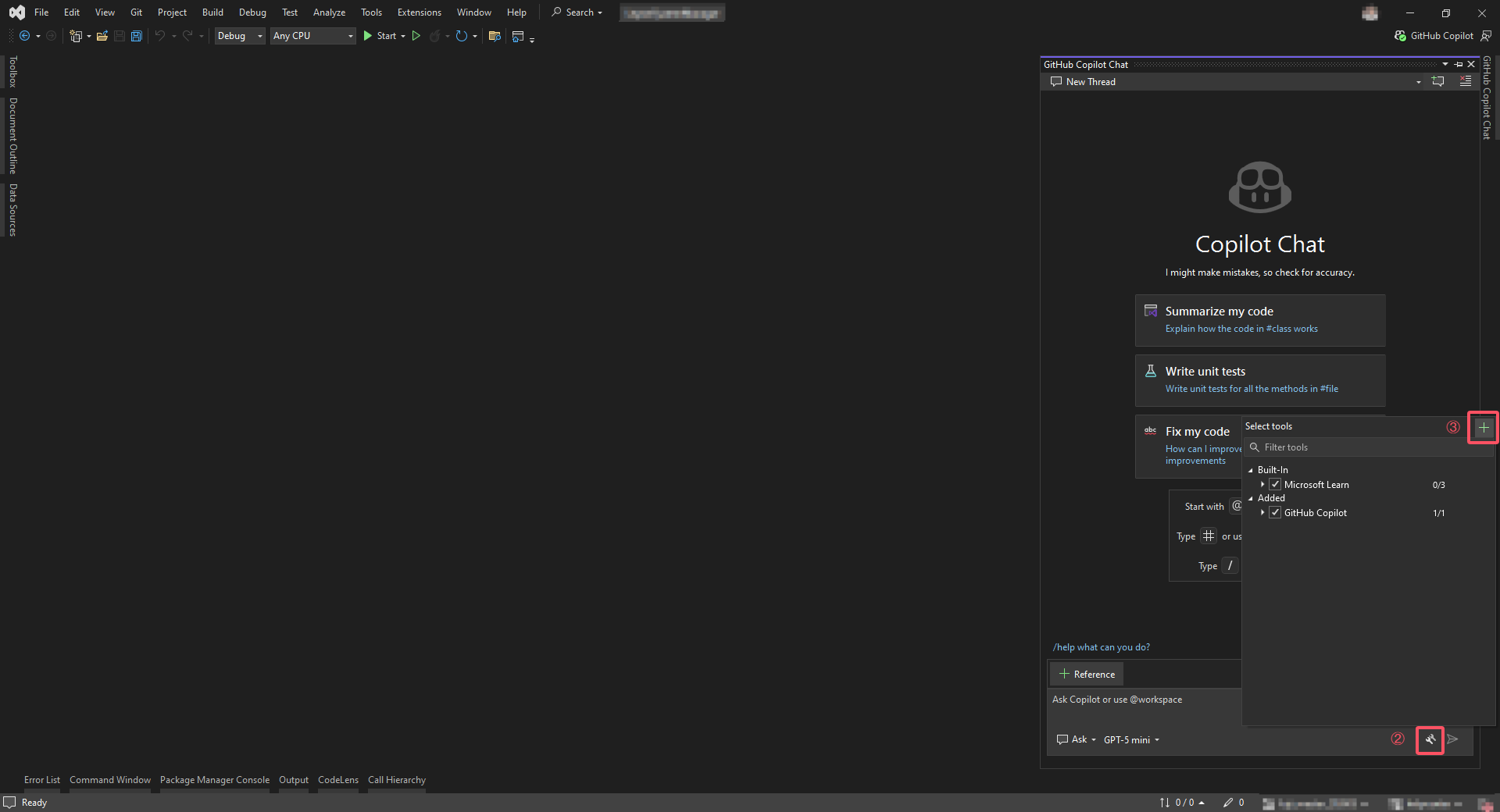
3. Click the tools icon, then click the green + icon to open Configure MCP server dialog.
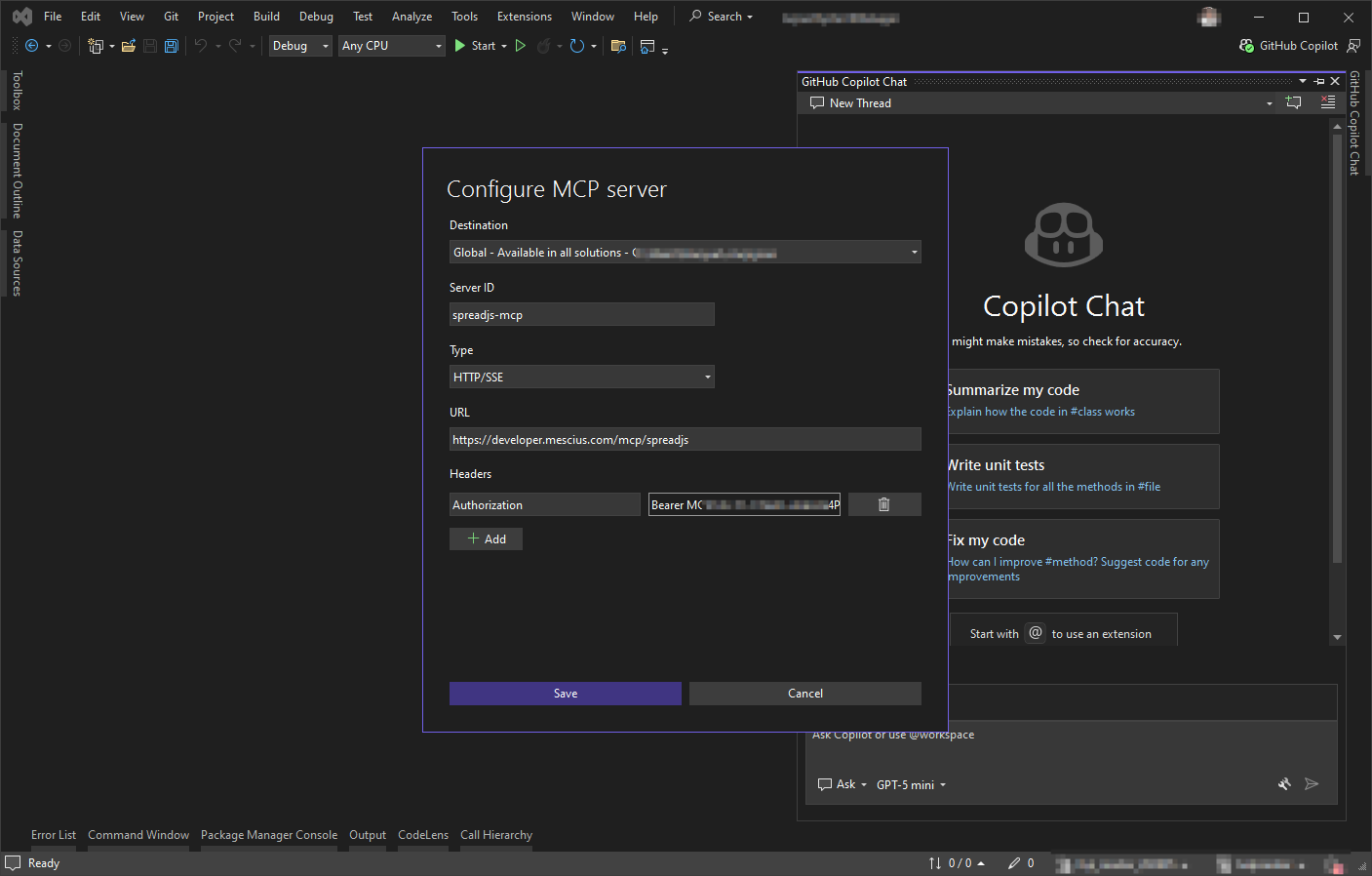
4. Enter the MCP server settings:
Destination:
GlobalServer ID:
spreadjs-mcpType:
HTTP/SSEURL:
https://developer.mescius.com/mcp/spreadjsHeaders name:
AuthorizationHeaders value:
Bearer <YOUR_MCP_TOKEN>
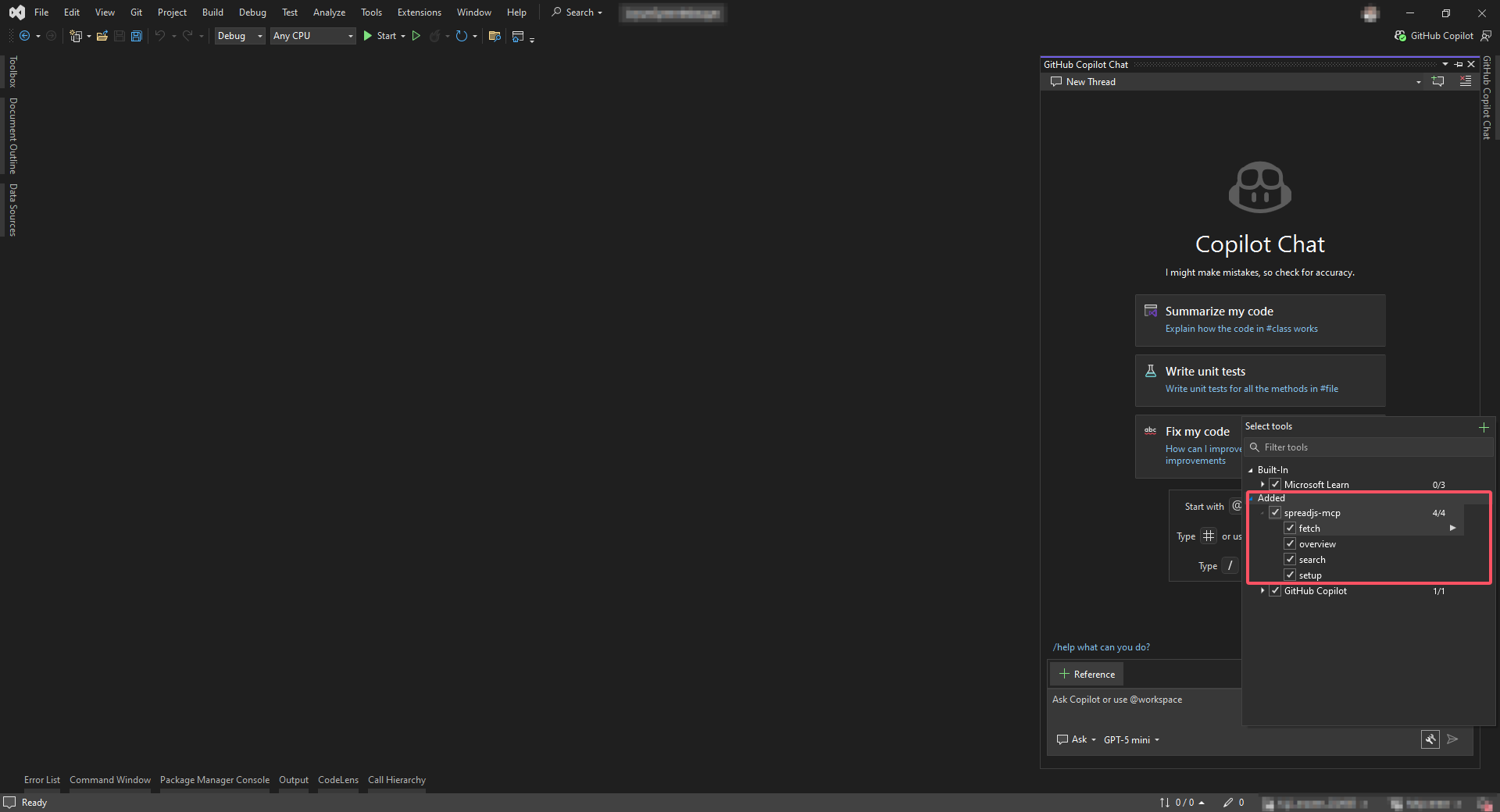
5. Save the configuration. Then click the tools icon again, then enable all tools of spreadjs-mcp
Reference: Microsoft Learn - Use MCP servers in Visual Studio