


GitHub Copilot in VS Code
1. Open the Command Palette with Ctrl+Shift+P on Windows/Linux or Cmd+Shift+P on macOS, then run MCP: Open User Configuration.
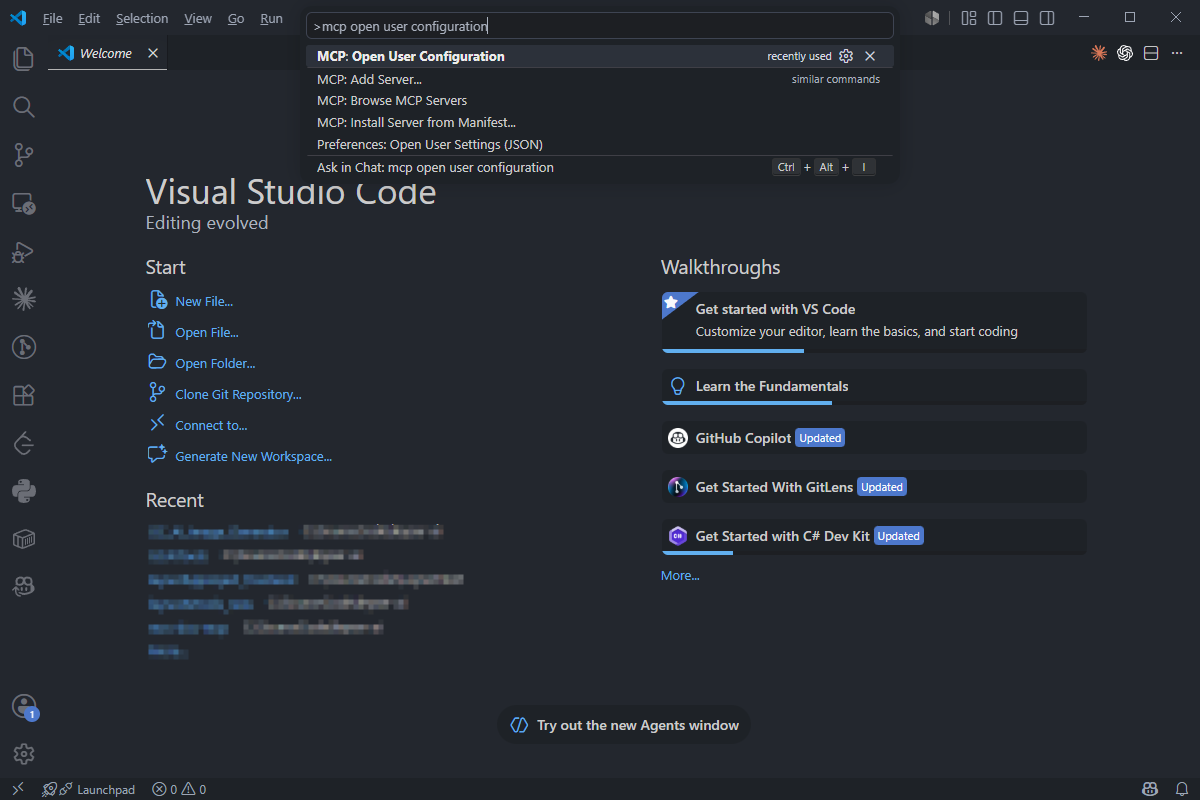
2. Add the following configuration in mcp.json:
{
  "servers": {
    "spreadjs-mcp": {
      "type": "http",
      "url": "https://developer.mescius.com/mcp/spreadjs",
      "headers": {
        "Authorization": "Bearer <YOUR_MCP_TOKEN>"
      }
    }
  }
}
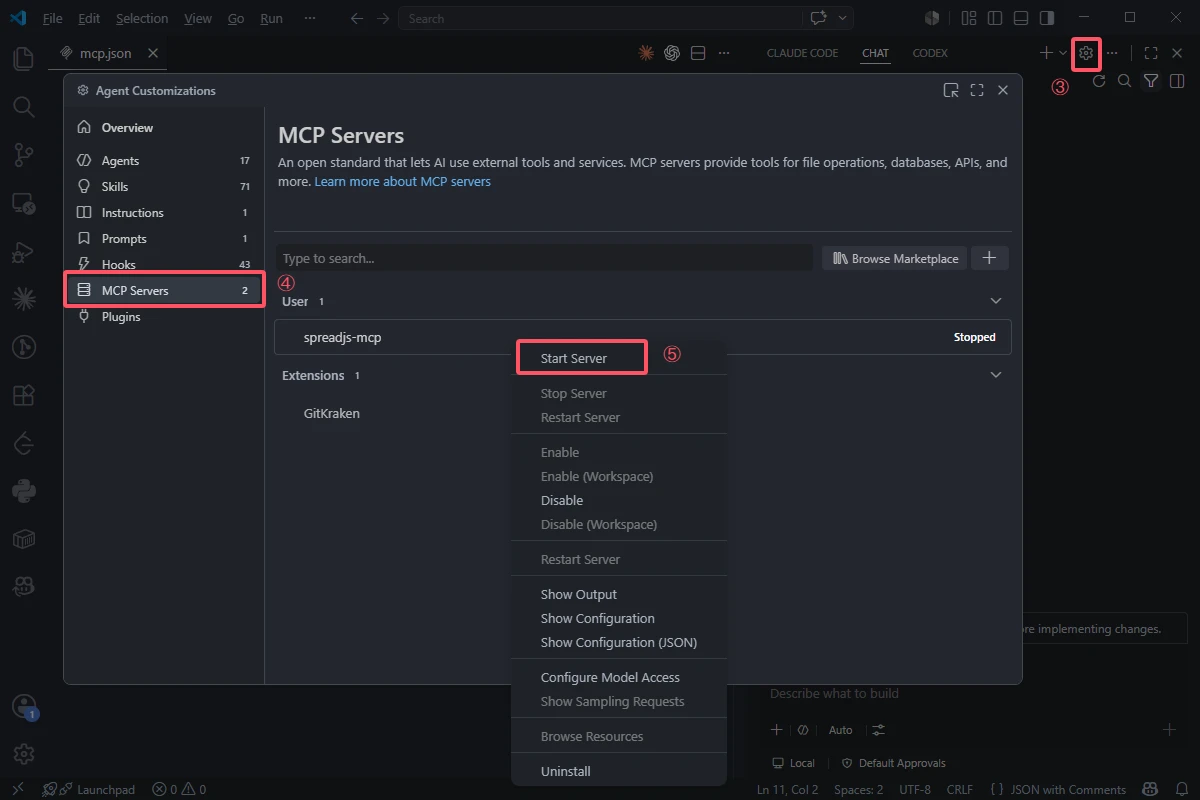
3. Open Copilot Chat and click the settings button in the upper-right corner.
4. Select the MCP Servers section.
5. Right-click spreadjs-mcp, then click Start Server.
Reference: MCP configuration reference