


OpenAI Codex App
Version note
As of July 9, 2026, the Codex app has been integrated into the ChatGPT app.
If you are using the new ChatGPT app, see OpenAI ChatGPT App
If you are using the legacy Codex app, continue with this document.
1. Open OpenAI Codex Desktop and go to Settings.
2. Open MCP servers and click Add Server.
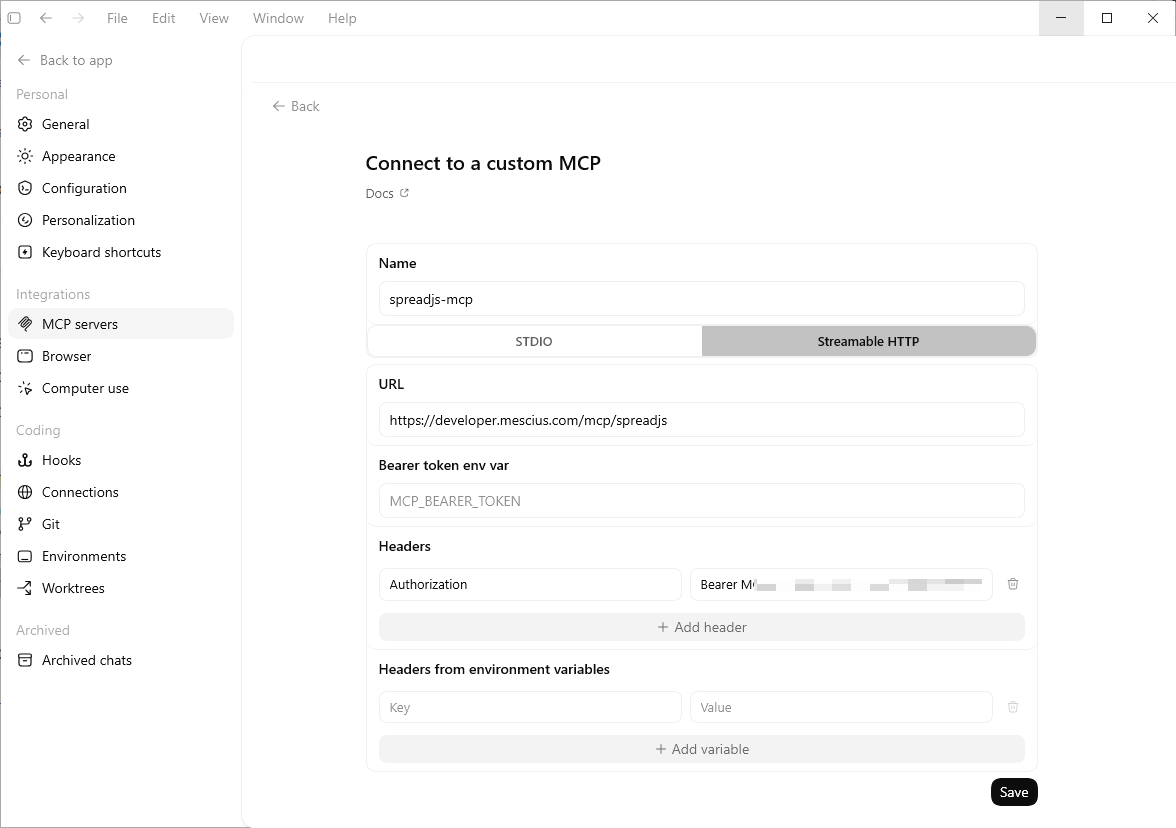
3. Enter the MCP server settings:
Name:
spreadjs-mcpType:
Streamable HTTPEndpoint:
https://developer.mescius.com/mcp/spreadjsHeader name:
AuthorizationHeader value:
Bearer <YOUR_MCP_TOKEN>
4. Click Save.
5. Restart Codex App. The MCP server may not take effect until the app is restarted.
6. After restarting, confirm that spreadjs-mcp appears in the MCP servers list.
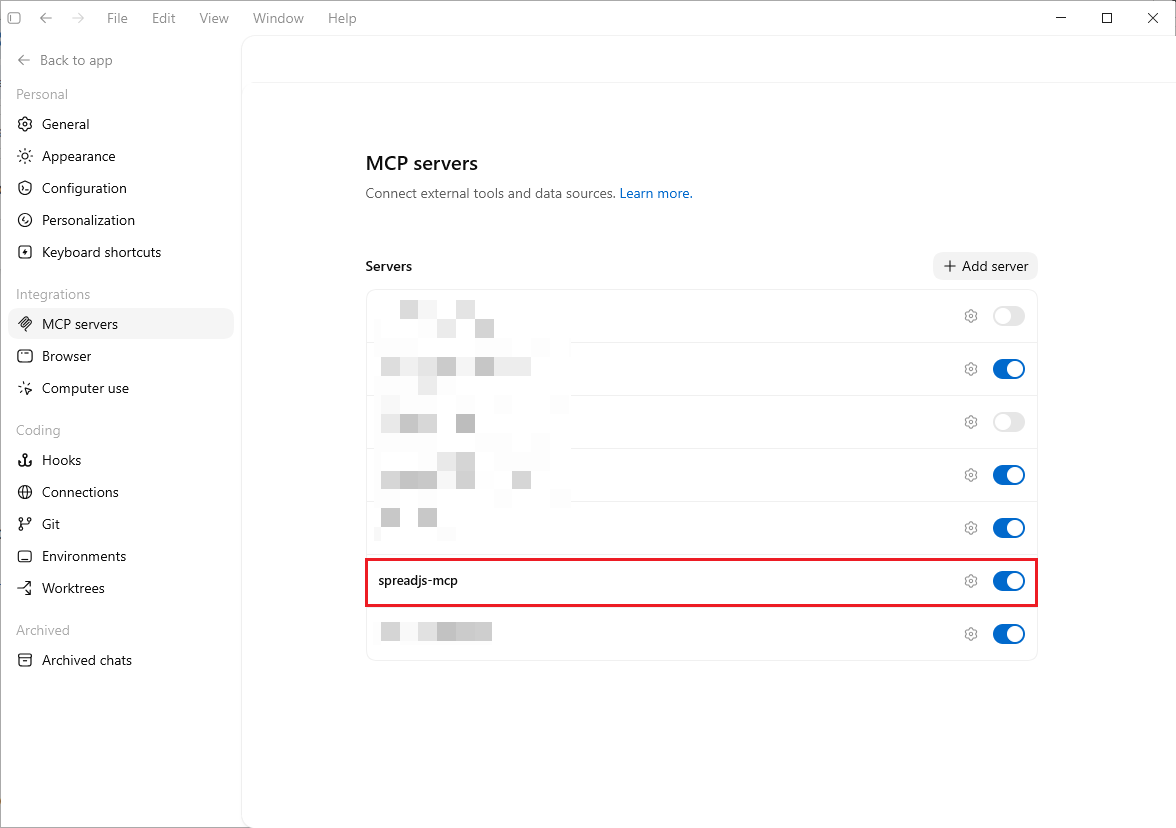
Reference: Codex app MCP setting