


LobeChat
1. Go to Settings -> Skills -> Add Custom MCP Skill.
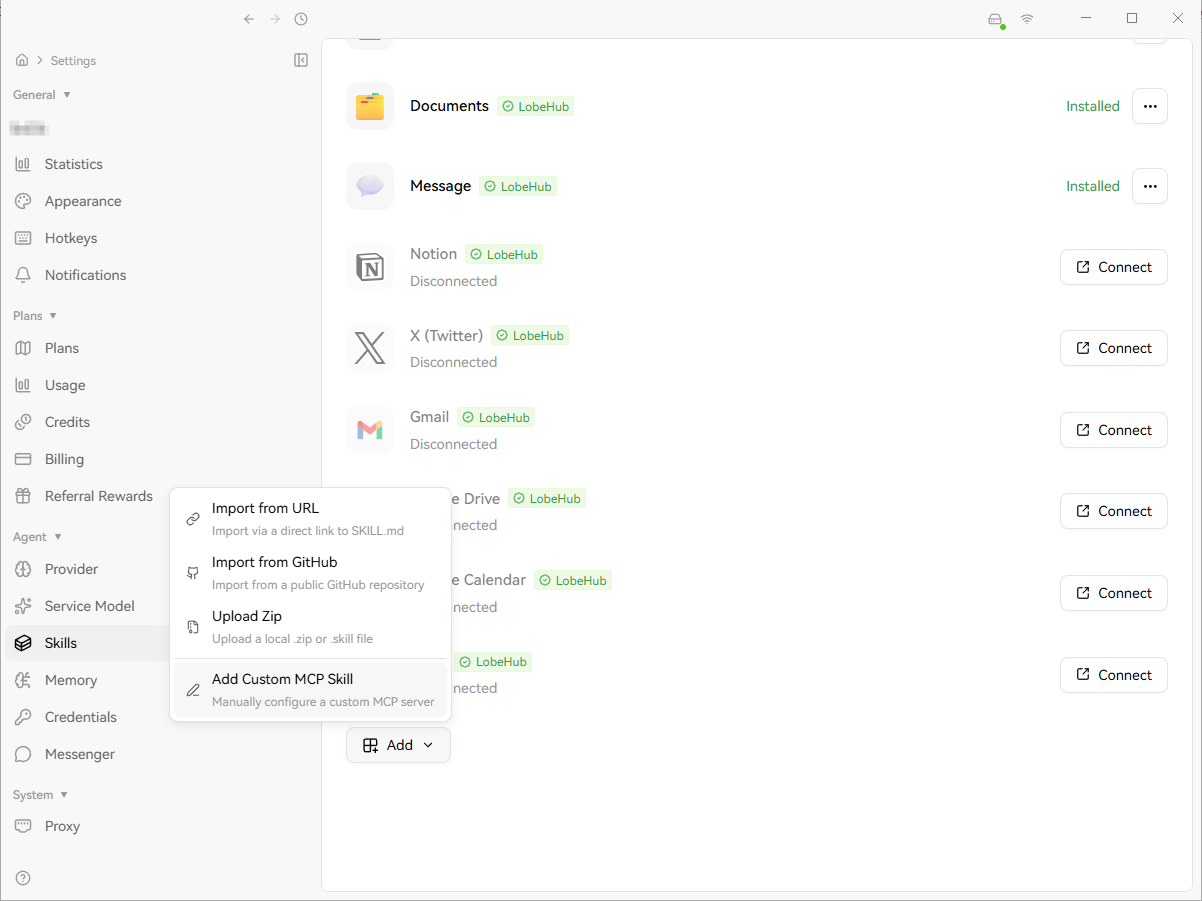
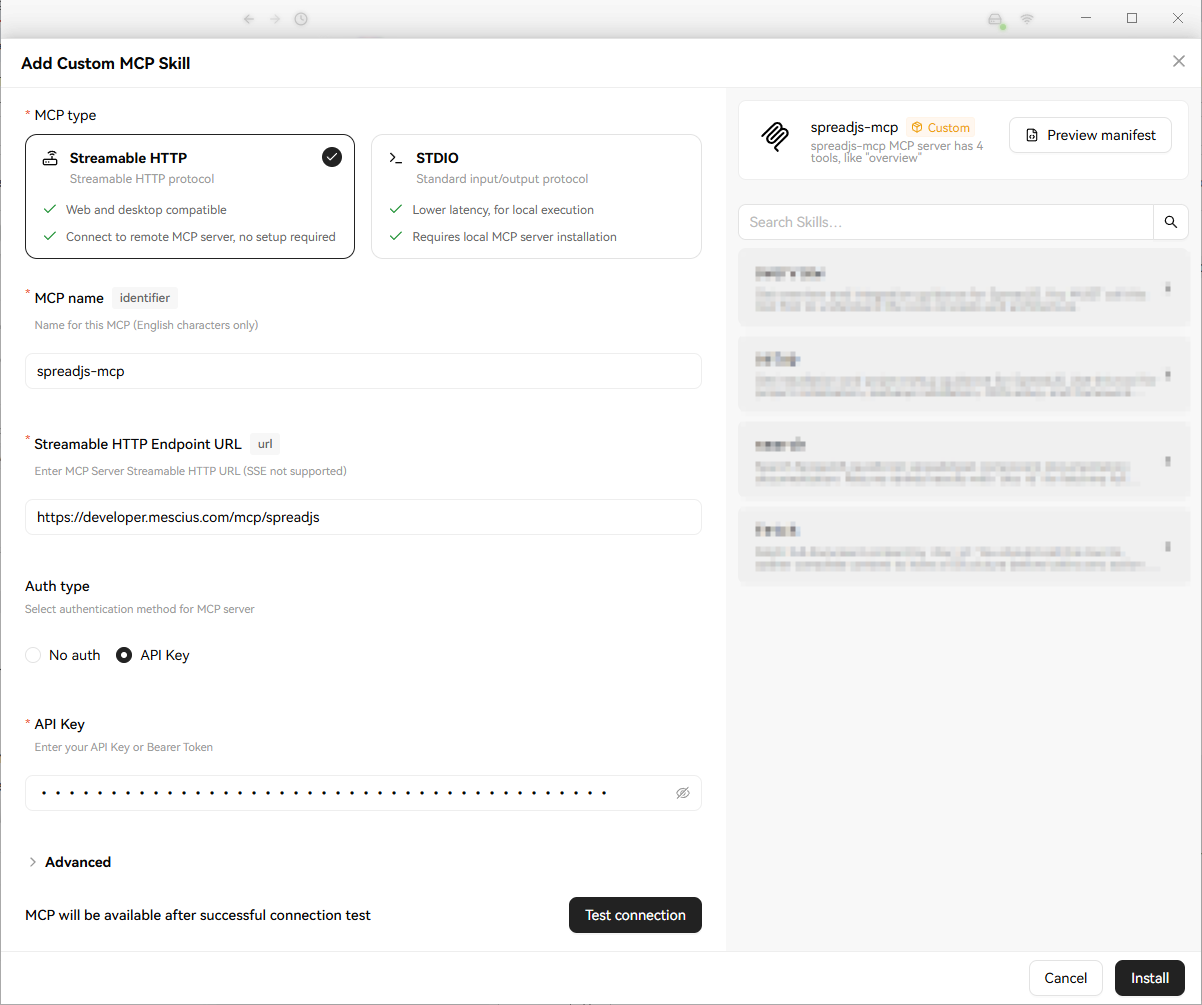
2. Enter the MCP server settings:
MCP type:
Streamable HTTPMCP name:
spreadjs-mcp.Streamable HTTP Endpoint URL:
https://developer.mescius.com/mcp/spreadjs.Auth type:
API KeyAPI Key:
<YOUR_MCP_TOKEN>
3. Click Test connection. After the connection succeeds, the right panel should show the MCP server information and available tools.
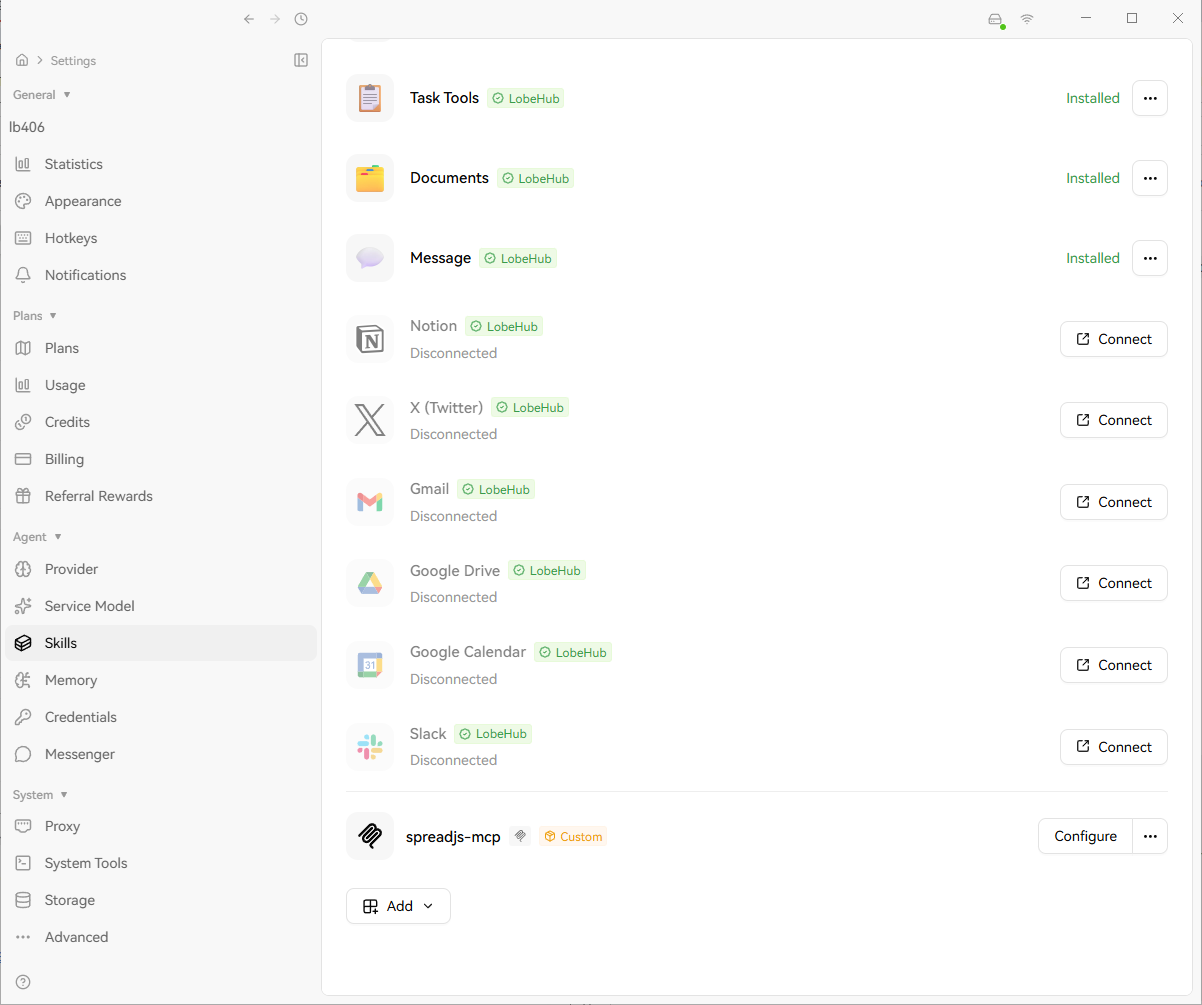
4. Click Install to save the configuration. spreadjs-mcp should appear in the Skills list.
Reference: How to set MCP in LobeHub