


Page Break
The page break property specifies whether to add a new page after a field or not.
If the template cell is located in the first column, horizontal page break is added.
If the template cell is located in the first row, vertical page break is added
If the template cell is located in any other location than the first row and first column, both a horizontal and a vertical page break is added
Value: Boolean
Pagebreak=True
Pagebreak=False (Default value)
Example
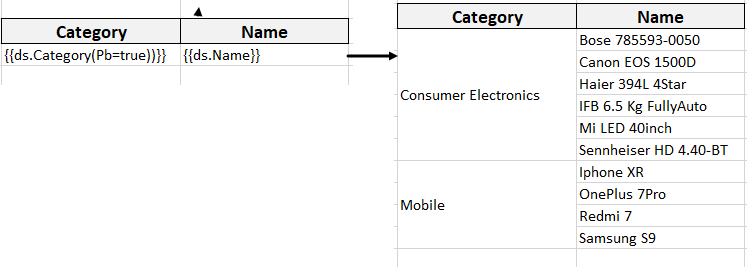
{{ds.field(Pagebreak=true)}}
The below image shows that a page break will be added after 'Category' field. You can also download the Excel template layout used in below example.
Note: In pagination mode, the Pagebreak template property is ignored.