


Assigning Contacts to an Appointment
At run time, assigning a contact or contacts to an appointment can be done through the Contacts dialog box. Clicking the Contacts button in the Appointment dialog box opens the Contacts dialog box.
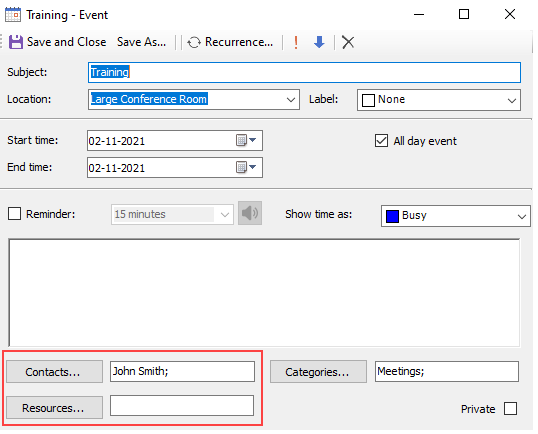
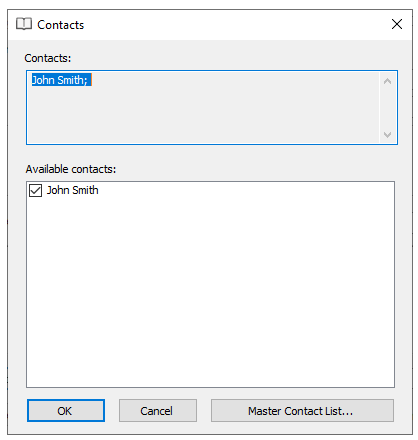
In the Contacts dialog box, check the contacts you would like to add to the appointment.
type=note
Note: By default, the Contacts dialog box does not contain any contacts. For information on how to add contacts to the Contacts dialog box, see Adding Contacts to the Master Contact List.