


Exporting
FlexChart supports serialization for saving and restoring chart definitions.
Save to Image
FlexChart provides the SaveImage method of FlexChartBase class that lets you save a chart as an image to the specified stream. This method takes four parameters, the stream, the image format, width and height of the image. The formats currently supported by the FlexChart control are .png, .jpeg, and .svg.
Also, the FlexChartBase class also provides the SaveImage (int w, int h) method to save the chart as image to the clipboard, with the method taking two parameters, the image width and height.
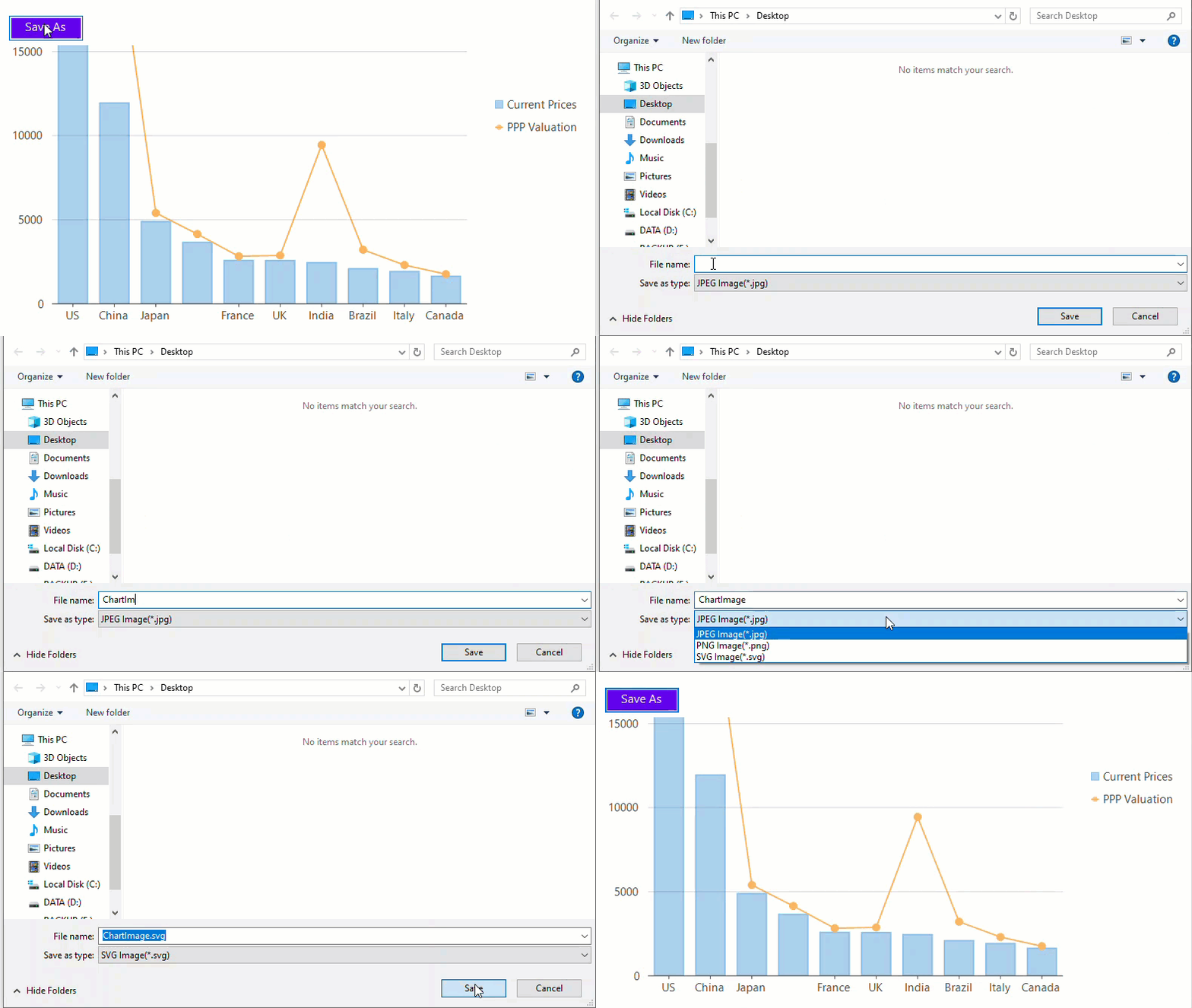
private void btnSave_Click(object sender, EventArgs e)
{
    var filter = "JPEG Image(*.jpg)|*.jpeg|PNG Image(*.png)|*.png|SVG Image(*.svg)|*.svg";
    SaveFileDialog sfd = new SaveFileDialog() { OverwritePrompt = true, Filter = filter };
    var format = ImageFormat.Jpg;
    if (sfd.ShowDialog() == DialogResult.OK)
    {
        using (var fileStream = sfd.OpenFile())
        {
            var fmt = Path.GetExtension(sfd.FileName);
            switch (fmt)
            {
                case ".png":
                    format = ImageFormat.Png;
                    break;
                case ".svg":
                    format = ImageFormat.Svg;
                    break;
            }
            //Saves chart as image to the specified stream
            flexChart1.SaveImage(fileStream, format, flexChart1.Width, flexChart1.Height);
            //Saves chart as image to the clipboard
            flexChart1.SaveImage(flexChart1.Width, flexChart1.Height);
        }
    }
}
Private Sub btnSave_Click(sender As Object, e As EventArgs)
Dim filter As String = "JPEG Image(*.jpg)|*.jpeg|PNG Image(*.png)|*.png|SVG Image(*.svg)|*.svg"
Dim sfd As New SaveFileDialog() With {
.OverwritePrompt = True,
.Filter = filter
}
Dim format As ImageFormat = ImageFormat.Jpg
If sfd.ShowDialog() = DialogResult.OK Then
Using fileStream As Stream = sfd.OpenFile()
Dim fmt As String = Path.GetExtension(sfd.FileName)
Select Case fmt
Case ".png"
format = ImageFormat.Png
Exit Select
Case ".svg"
format = ImageFormat.Svg
Exit Select
End Select
' Saves chart as image to the specified stream
flexChart1.SaveImage(fileStream, format, flexChart1.Width, flexChart1.Height)
' Saves chart as image to the clipboard
flexChart1.SaveImage(flexChart1.Width, flexChart1.Height)
End Using
End If
End Sub