Format Text
Editor provides options for formatting XHTML documents and their elements through the commands and style options available in EditorRibbon.
Align text
Use the alignment commands in the Paragraph group of EditorRibbon to configure paragraph alignment.

The following image shows document text with different alignment settings.
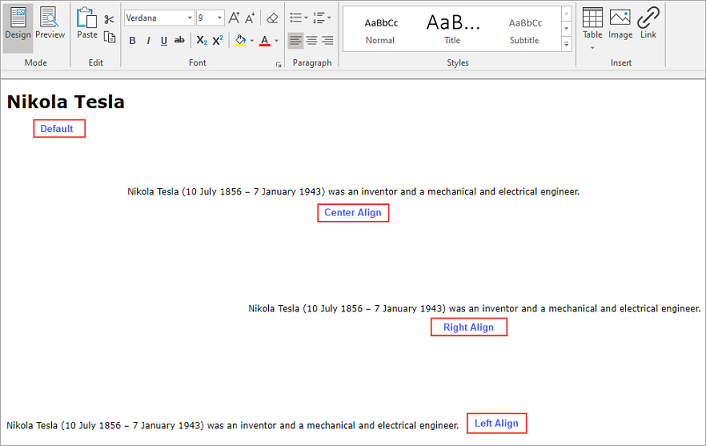
Note: Content aligns left by default.
Decorate Text
Use the FindAndDecorate method of the C1Editor class to apply style attributes to text that matches a specified pattern.
The pattern can contain plain text or a regular expression. Style attributes can configure the background color, foreground color, and other formatting properties. Separate multiple style declarations with semicolons.
For example, matching occurrences of a name can be displayed with a blue background and beige text.
c1Editor1.FindAndDecorate("Nikola", null, "background-color:blue; color:beige;");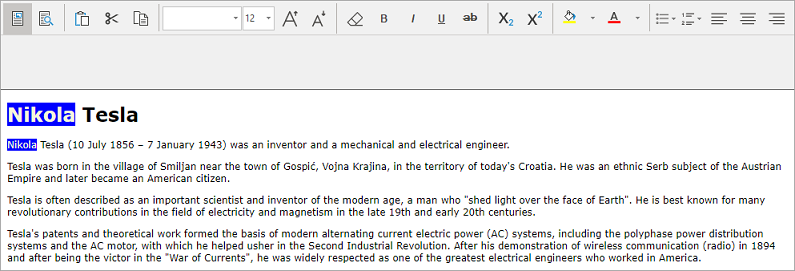
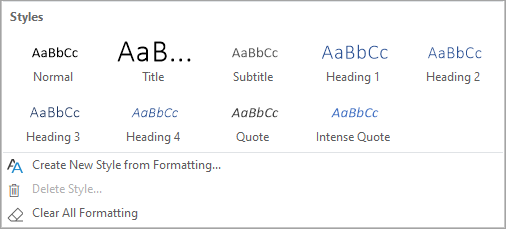
Use the Styles group in EditorRibbon to perform the following actions:
Apply a predefined style.
Create a custom style by selecting Create New Style from Formatting.
Remove applied formatting by selecting Clear All Formatting.
The following image shows the predefined style options available in EditorRibbon.