


Rename Tabs
The DockingTab control enables you to edit the text appearing on the tab by simply double-clicking it at runtime. Further, with the added keyboard support, you can also edit the text appearing on the selected tab by pressing the F2 key.
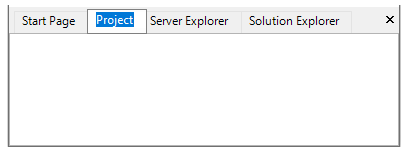
For this purpose, C1DockingTab class provides the CanRenameTabs property. This can be set through the Properties window, or by using the code snippet in the code editor as given below:
// Allow users to rename tab at runtime
dockingTab.CanRenameTabs = true;
With built-in keyboard support, DockingTab lets you perform the basic navigation operations such as moving the focus and renaming the tab. Below tables list the supported keys and their corresponding operations.
Arrow | The Left and Right arrow keys help to move the focus towards left and right tabs. |
|---|---|
F2 | The F2 key press helps to rename each tab, if the CanRenameTabs property is set to True. |