


Blazor Designer
Three samples are available for the Blazor Designer demonstration.
BlazorDesignerServer
The sample demonstrates creating a Blazor Server Application with the ActiveReports Blazor Designer, using local report service and remote report service.
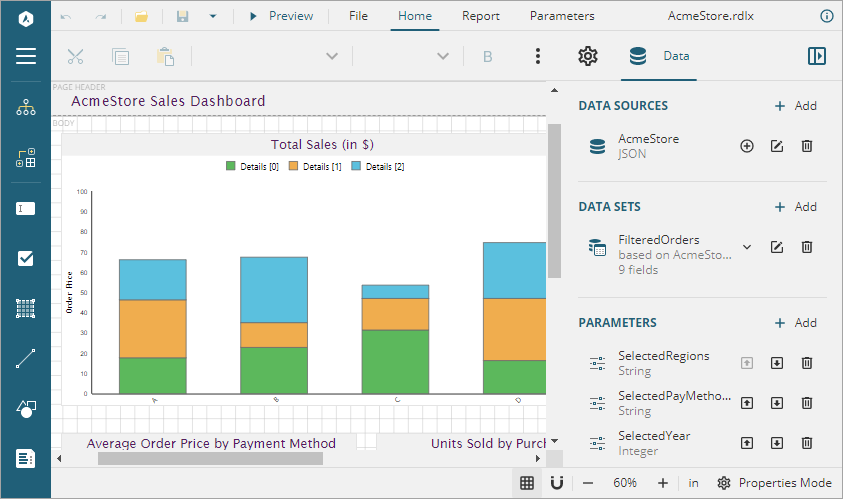
Sample Location
https://github.com/activereports/WebSamples20/tree/main/BlazorDesigner/BlazorDesignerServer
Details
When you run the sample, the Blazor Designer opens in your browser wherein you can create, edit, or modify your reports.
The project uses the MESCIUS.ActiveReports.Aspnetcore.Designer, MESCIUS.ActiveReports.Aspnetcore.Viewer, MESCIUS.ActiveReports.Blazor.Designer, and MESCIUS.ActiveReports.Blazor.Viewer NuGet packages.
The project consists of the following elements.
wwwroot: Contains designer CSS file for the Blazor application.
Pages: This folder contains Razor pages and supporting files.
_Imports.razor: The Razor template file to include the directives.
Program.cs file: Add services to container, configure HTTP request, and add CORS middleware.
ReportService
The sample demonstrates creating a remote report server that could be be used by the ActiveReports Blazor Designer.
Sample Location
https://github.com/activereports/WebSamples20/tree/main/BlazorDesigner/ReportService
Details
When you run the sample, the browser displays the report service as running. The project uses the MESCIUS.ActiveReports.Aspnetcore.Designer and MESCIUS.ActiveReports.Aspnetcore.Viewer NuGet packages.
The project consists of the following elements.
Program.cs: Contains necessary code to add services, configure the HTTP request and CORS.
Controllers folder: Contains DataSets and Templates controllers.
Datasets folder: Contains JSON datasets - Categories, Employees, Products, and Invoice.
Resources folder: Contains reports, themes, images, etc. that are used by the project to illustrate WebDesigner.
Services folder: Consists of classes that get datasets and templates information.
BlazorDesignerWebAssembly
The sample demonstrates how to make Blazor WebAssembly Application with the ActiveReports Blazor Designer using remote report service.
Sample Location
https://github.com/activereports/WebSamples20/tree/main/BlazorDesigner/BlazorDesignerWebAssembly
Details
You need to first build and run ReportService sample to start the report service if you want to use existing report templates. When you run the BlazorDesignerWebAssembly sample, the Blazor Designer opens in your browser and you can design a new report or open an existing one.
The project uses the MESCIUS.ActiveReports.Blazor.Designer, MESCIUS.ActiveReports.Blazor.Viewer, Microsoft.AspNetCore.Components.WebAssembly, and Microsoft.AspNetCore.Components.WebAssembly.DevServer NuGet packages.
The project consists of the following elements.
wwwroot: Contains index.html file for the Blazor application.
Pages: This folder contains Razor pages.
_Imports.razor: The Razor template file to include the directives.
Program.cs file: Create and run web host instance.