


Template Fields
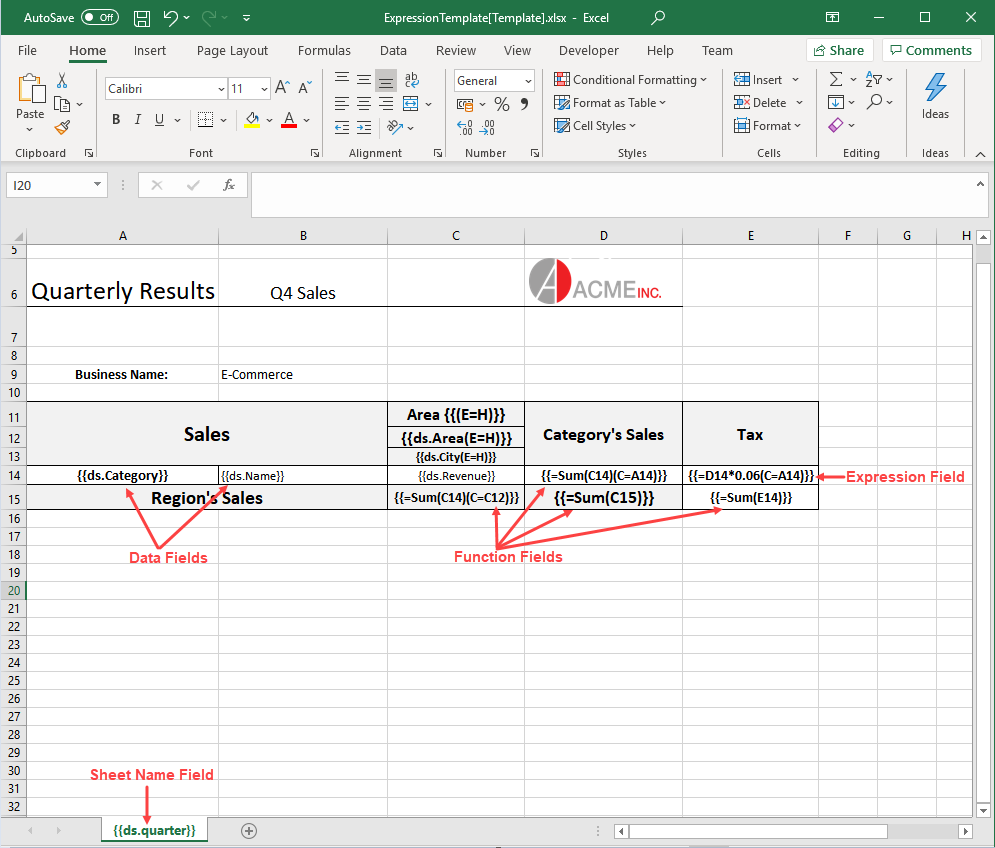
A template layout can contain various fields bound to the data source. The below image shows different template fields:
Data Fields
Data fields are the bound fields which are populated by the data in data source. These fields can be defined in different ways as shown in examples below:
Data field
The data bound fields are defined as: {{ds.FieldName}}, where ds is the alias of the datasource. For example, {{ds.grade}}
Nested data field
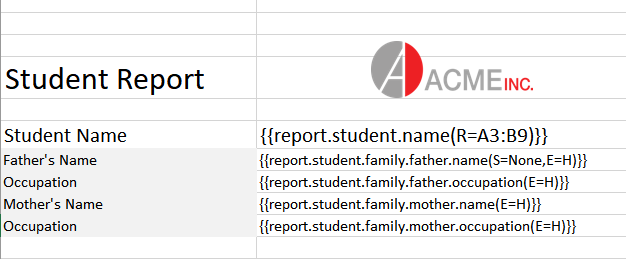
If the data is nested, you might want to arrange report as per an inner object field, it can be defined using nested data fields with the following syntax by separating the nested objects with a '.'
Inline data field
It is defined along with the text in a cell. For example, Date: {{task.dueDate}}
Also, you can define multiple inline data fields from different data sources as shown below:

Function Fields
Function fields are used to perform calculations in your reports. A function can be applied over a cell or a data field. The standard Excel functions which are supported in the function field are Sum, Count, Average, Max, Min, Product, StdDev, StdDevp, Var and Varp. For example:
{{=SUM(F4)}}
{{=SUM(team.score)}}
{{=Count(student.name)}}
Note: Function field supports only one parameter
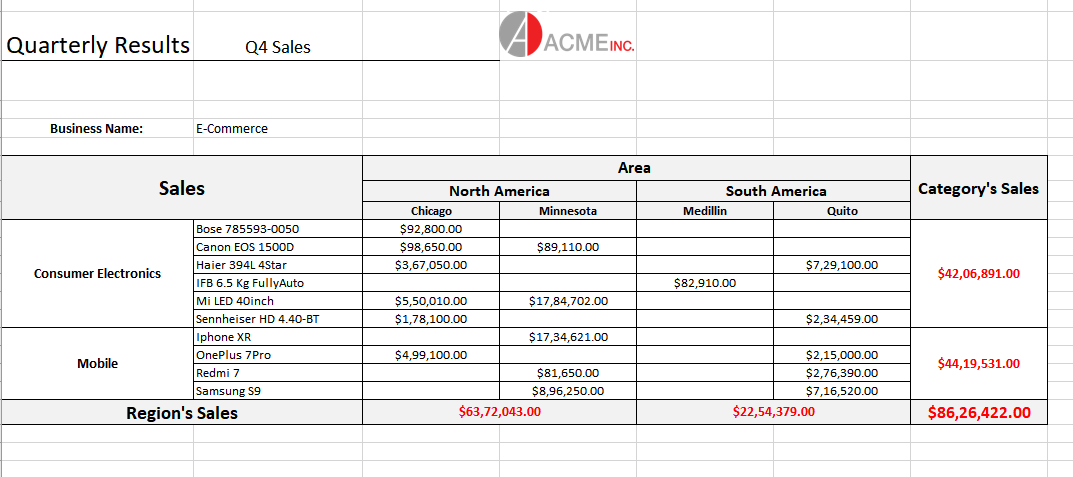
The function fields can also be calculated over a context. for example, in the below image cell D14 contains function field as well as the context property. The resultant value will be calculated, first by summing up the revenue in cell C14 and then summing up the values of the whole category (as A14 is its context)
You can also download the Excel template layout used in the below example.

Sheet Name
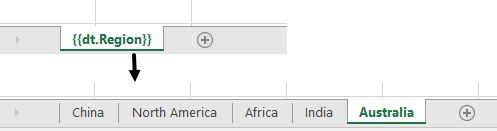
DsExcel supports using bound field in sheet name, which means, the field value of sheet name is populated by the data in data source and multiple worksheets are created. Each worksheet contains data corresponding to its value.
For example, if we specify {{dt.Region}} as the sheet name and the data source contains data for 5 regions, the final report will consist of 5 worksheets and the individual sheet will contain data for a specific region.
Note: Only the Sort and Group template properties are supported for sheet name field.