- Document Solutions for Excel .NET Overview
- Key Features
- Getting Started
-
Features
- Worksheet
- Workbook
- Comments
- Hyperlinks
- Sort
- Filter
- Group
- Conditional Formatting
- Data Validations
- Data Binding
- Import Data
- Digital Signatures
- Formulas
- Custom Functions
- Shapes
- Document Properties
- Styles
- Form Controls
- Barcodes
- Themes and Colors
- Chart
- Table
- Pivot Table
- Pivot Chart
- Sparkline
- Slicer
- Logging
- Defined Names
- AI Assistant
- Templates
- Formula Reference
- File Operations
- Tutorials
- Document Solutions Data Viewer
- API Reference
- Release Notes
AI.TEXTSENTIMENT
Users can use the AI.TEXTSENTIMENT function to analyze the sentiment of text in a cell, returning Positive, Negative, or Neutral results.
Syntax
AI.TEXTSENTIMENT(array, positive, negative, [neutral])
Arguments
This function has these arguments:
Argument | Description |
|---|---|
array | [Required] The array of data to be passed to the function, such as a range reference. |
positive | [Required] The value to return when the sentiment analysis result is positive. |
negative | [Required] The value to return when the sentiment analysis result is negative. |
neutral | [Optional] The value to return when the sentiment analysis result is neutral. |
Examples
Example 1: Customer Review Sentiment Analysis (OpenAI-compatible)
The following example shows how to invoke the OpenAI GPT-4.1 model and use the AI.TRANSLATE function for single sentence and batch text translation.
// To use this example, install the OpenAI dependency via NuGet Package Manager in your project.
// Configure the model request handler and choose different large model providers as needed. Here the example uses OpenAI GPT-4.1; replace with your API key when using.
Workbook.AIModelRequestHandler = new OpenAIModelRequestHandler("https://api.openai.com/v1", "sk-xxxx", "gpt-4.1");
// DeepSeek model.
// Workbook.AIModelRequestHandler = new OpenAIModelRequestHandler("https://api.deepseek.com/v1", "sk-xxxx", "deepseek-chat");
// Qwen model.
// Workbook.AIModelRequestHandler = new OpenAIModelRequestHandler("https://dashscope.aliyuncs.com/compatible-mode/v1", "sk-xxxx", "qwen-plus");

// Initialize the workbook and set data.
var workbook = new Workbook();
IWorksheet sheet = workbook.Worksheets[0];
sheet.Columns[0].ColumnWidth = 55;
sheet.Columns[1].ColumnWidth = 55;
sheet.Range["A1:B1"].Merge();
sheet.Range["A1"].Value = "Example: Customer Product Reviews";
sheet.Range["A1"].Font.Bold = true;
sheet.Range["A1"].Font.Size = 16;
sheet.Range["A1"].Font.Color = Color.White;
sheet.Range["A1"].Interior.Color = Color.FromArgb(90, 126, 158);
sheet.Range["A1"].HorizontalAlignment = HorizontalAlignment.Center;
sheet.Range["A1"].VerticalAlignment = VerticalAlignment.Center;
sheet.Range["A1"].RowHeight = 35;
sheet.Range["A3"].Value = "Formula:";
sheet.Range["A3"].Font.Bold = true;
sheet.Range["A3"].Font.Size = 11;
sheet.Range["A3"].Interior.Color = Color.FromArgb(217, 225, 242);
sheet.Range["B3"].Value = "=AI.TEXTSENTIMENT(A6:A13,\"Positive\",\"Negative\",\"Neutral\")";
sheet.Range["B3"].Font.Italic = true;
sheet.Range["B3"].Font.Color = Color.FromArgb(68, 114, 196);
sheet.Range["B3"].WrapText = true;
sheet.Range["A5:B5"].Value = new object[,] {
    { "Review Text", "AI Sentiment" }
};
sheet.Range["A5:B5"].Font.Bold = true;
sheet.Range["A5:B5"].Interior.Color = Color.FromArgb(155, 194, 230);
sheet.Range["A5:B5"].HorizontalAlignment = HorizontalAlignment.Center;
sheet.Range["A6:A13"].Value = new object[,] {
    { "I absolutely love this product! It exceeded all my expectations!" },
    { "This is the worst purchase I've ever made. Total waste of money." },
    { "The product is okay, nothing special but does the job." },
    { "Outstanding quality and excellent customer service!" },
    { "Disappointed with the quality. Not worth the price." },
    { "It's average. Works fine but could be better." },
    { "Amazing! Best product ever! Highly recommend to everyone!" },
    { "Terrible experience. Would not recommend to anyone." }
};
for (int i = 6; i <= 13; i++)
{
    if ((i - 6) % 2 == 0)
    {
        sheet.Range["A" + i].Interior.Color = Color.FromArgb(242, 242, 242);
    }
    sheet.Range["A" + i].Borders.LineStyle = BorderLineStyle.Thin;
    sheet.Range["A" + i].Borders.Color = Color.FromArgb(200, 200, 200);
    sheet.Range["A" + i].WrapText = true;
}
// Define an AI sentiment analysis formula that classifies the contents of the range A6:A13 as Positive, Negative, or Neutral.
sheet.Range["B6"].Formula2 = "=AI.TEXTSENTIMENT(A6:A13,\"Positive\",\"Negative\",\"Neutral\")";
for (int i = 6; i <= 13; i++)
{
    sheet.Range["B" + i].Font.Bold = true;
    sheet.Range["B" + i].Font.Size = 11;
    sheet.Range["B" + i].HorizontalAlignment = HorizontalAlignment.Center;
    sheet.Range["B" + i].Borders.LineStyle = BorderLineStyle.Medium;
    sheet.Range["B" + i].Borders.Color = Color.FromArgb(200, 200, 200);
}
// Apply conditional formatting to the sentiment analysis results.
IFormatCondition positiveCondition = (IFormatCondition)sheet.Range["B6:B13"].FormatConditions.Add(
    FormatConditionType.CellValue,
    FormatConditionOperator.Equal,
    "=\"Positive\"",
    null
);
positiveCondition.Interior.Color = Color.FromArgb(226, 239, 218);
positiveCondition.Font.Color = Color.FromArgb(0, 128, 0);
IFormatCondition negativeCondition = (IFormatCondition)sheet.Range["B6:B13"].FormatConditions.Add(
    FormatConditionType.CellValue,
    FormatConditionOperator.Equal,
    "=\"Negative\"",
    null
);
negativeCondition.Interior.Color = Color.FromArgb(255, 199, 206);
negativeCondition.Font.Color = Color.FromArgb(192, 0, 0);
IFormatCondition neutralCondition = (IFormatCondition)sheet.Range["B6:B13"].FormatConditions.Add(
     FormatConditionType.CellValue,
     FormatConditionOperator.Equal,
     "=\"Neutral\"",
     null
);
neutralCondition.Interior.Color = Color.FromArgb(255, 242, 204);
neutralCondition.Font.Color = Color.FromArgb(128, 100, 0);

// The AI function is executed as an asynchronous calculation, so you need to wait for the calculation to complete.
workbook.Calculate();
workbook.WaitForCalculationToFinish();

// Set the page to fit on a single page.
sheet.PageSetup.FitToPagesTall = 1;
sheet.PageSetup.FitToPagesWide = 1;
sheet.PageSetup.IsPercentScale = false;

// Save as a PDF file.
workbook.Save("AITEXTSENTIMENT.pdf");
/// <summary>
/// Implementation of IAIModelRequestHandler for OpenAI API.
/// This class handles HTTP communication with OpenAI-compatible APIs.
/// </summary>
public class OpenAIModelRequestHandler : IAIModelRequestHandler
{
private readonly string _apiEndpoint;
private readonly string _apiKey;
private readonly string _model;
private readonly OpenAIClient _openAIClient;
/// <summary>
/// Initializes a new instance of the <see cref="OpenAIModelRequestHandler"/> class.
/// </summary>
/// <param name="apiEndpoint">The API endpoint URL for OpenAI-compatible API.</param>
/// <param name="apiKey">The API key for authentication.</param>
/// <param name="model">The model name to use for requests.</param>
public OpenAIModelRequestHandler(string apiEndpoint, string apiKey, string model)
{
if (string.IsNullOrWhiteSpace(apiEndpoint))
throw new ArgumentException("API endpoint cannot be null or empty.", nameof(apiEndpoint));
if (string.IsNullOrWhiteSpace(apiKey))
throw new ArgumentException("API key cannot be null or empty.", nameof(apiKey));
_apiEndpoint = apiEndpoint.TrimEnd('/');
_apiKey = apiKey;
_model = model;
// Create OpenAI client with custom endpoint if not using default OpenAI endpoint
var clientOptions = new OpenAIClientOptions();
if (!_apiEndpoint.Contains("api.openai.com"))
{
clientOptions.Endpoint = new Uri(_apiEndpoint);
}
var apiCredentials = new ApiKeyCredential(_apiKey);
_openAIClient = new OpenAIClient(apiCredentials, clientOptions);
}
/// <summary>
/// Sends a model request to the OpenAI API asynchronously.
/// </summary>
/// <param name="request">The model request containing messages and options.</param>
/// <returns>A <see cref="Task{ModelResponse}"/> representing the asynchronous operation.</returns>
public async Task<AIModelResponse> SendRequestAsync(AIModelRequest request)
{
if (request == null)
{
Console.Error.WriteLine("Request cannot be null");
return new AIModelResponse
{
IsSuccess = false,
};
}
try
{
var chatMessages = new List<ChatMessage>();
foreach (var item in request.Messages)
{
ChatMessage message;
switch (item.Role.ToLowerInvariant())
{
case "system":
message = ChatMessage.CreateSystemMessage(item.Content);
break;
case "user":
message = ChatMessage.CreateUserMessage(item.Content);
break;
default:
throw new InvalidOperationException($"Unknown message role: {item.Role}");
}
chatMessages.Add(message);
}
if (chatMessages.Count == 0)
{
throw new InvalidOperationException("The request must contain at least one message.");
}
// Get chat client and make the request
var chatClient = _openAIClient.GetChatClient(_model);
var response = await chatClient.CompleteChatAsync(chatMessages);
if (response?.Value?.Content?.Count > 0)
{
var content = string.Join("", response.Value.Content.Select((ChatMessageContentPart c) => c.Text));
return new AIModelResponse
{
Content = content,
IsSuccess = true
};
}
else
{
Console.Error.WriteLine("No content received from the model.");
return new AIModelResponse
{
IsSuccess = false,
};
}
}
catch (HttpRequestException httpEx)
{
Console.Error.WriteLine($"HTTP request failed: {httpEx.Message}");
return new AIModelResponse
{
IsSuccess = false,
};
}
catch (TaskCanceledException tcEx) when (tcEx.InnerException is TimeoutException)
{
Console.Error.WriteLine("Request timed out.");
return new AIModelResponse
{
IsSuccess = false,
};
}
catch (Exception ex)
{
Console.Error.WriteLine($"An error occurred: {ex.Message}");
return new AIModelResponse
{
IsSuccess = false,
};
}
}
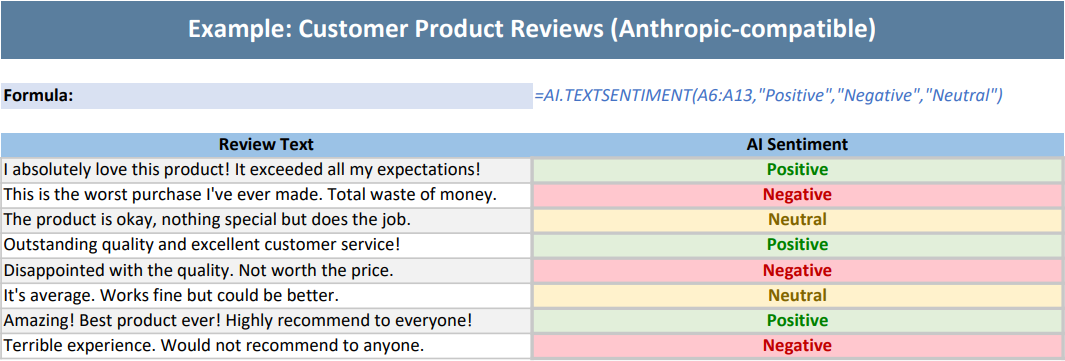
}The output is shown below:
Example 2: Customer Review Sentiment Analysis (Anthropic-compatible)
The following example uses the deepseek-v4-flash model to analyze the sentiment of customer reviews.
// To use this example, install the Anthropic dependency via NuGet Package Manager in your project.
// Configure the model request handler and choose different large model providers as needed. Here the example uses deepseek-v4-flash; replace with your API key when using.
Workbook.AIModelRequestHandler = new AnthropicAIModelRequestHandler("https://api.deepseek.com/anthropic", "sk-xxxx", "deepseek-v4-flash");
// Anthropic Claude model.
// Workbook.AIModelRequestHandler = new OpenAIModelRequestHandler("https://api.anthropic.com", "sk-xxxx", "claude-haiku-4-5");

// Initialize the workbook and set data.
var workbook = new Workbook();
IWorksheet sheet = workbook.Worksheets[0];
sheet.Columns[0].ColumnWidth = 55;
sheet.Columns[1].ColumnWidth = 55;
sheet.Range["A1:B1"].Merge();
sheet.Range["A1"].Value = "Example: Customer Product Reviews (Anthropic-compatible)";
sheet.Range["A1"].Font.Bold = true;
sheet.Range["A1"].Font.Size = 16;
sheet.Range["A1"].Font.Color = Color.White;
sheet.Range["A1"].Interior.Color = Color.FromArgb(90, 126, 158);
sheet.Range["A1"].HorizontalAlignment = HorizontalAlignment.Center;
sheet.Range["A1"].VerticalAlignment = VerticalAlignment.Center;
sheet.Range["A1"].RowHeight = 35;
sheet.Range["A3"].Value = "Formula:";
sheet.Range["A3"].Font.Bold = true;
sheet.Range["A3"].Font.Size = 11;
sheet.Range["A3"].Interior.Color = Color.FromArgb(217, 225, 242);
sheet.Range["B3"].Value = "=AI.TEXTSENTIMENT(A6:A13,\"Positive\",\"Negative\",\"Neutral\")";
sheet.Range["B3"].Font.Italic = true;
sheet.Range["B3"].Font.Color = Color.FromArgb(68, 114, 196);
sheet.Range["B3"].WrapText = true;
sheet.Range["A5:B5"].Value = new object[,] {
    { "Review Text", "AI Sentiment" }
};
sheet.Range["A5:B5"].Font.Bold = true;
sheet.Range["A5:B5"].Interior.Color = Color.FromArgb(155, 194, 230);
sheet.Range["A5:B5"].HorizontalAlignment = HorizontalAlignment.Center;
sheet.Range["A6:A13"].Value = new object[,] {
    { "I absolutely love this product! It exceeded all my expectations!" },
    { "This is the worst purchase I've ever made. Total waste of money." },
    { "The product is okay, nothing special but does the job." },
    { "Outstanding quality and excellent customer service!" },
    { "Disappointed with the quality. Not worth the price." },
    { "It's average. Works fine but could be better." },
    { "Amazing! Best product ever! Highly recommend to everyone!" },
    { "Terrible experience. Would not recommend to anyone." }
};
for (int i = 6; i <= 13; i++)
{
    if ((i - 6) % 2 == 0)
    {
        sheet.Range["A" + i].Interior.Color = Color.FromArgb(242, 242, 242);
    }
    sheet.Range["A" + i].Borders.LineStyle = BorderLineStyle.Thin;
    sheet.Range["A" + i].Borders.Color = Color.FromArgb(200, 200, 200);
    sheet.Range["A" + i].WrapText = true;
}
// Define an AI sentiment analysis formula that classifies the contents of the range A6:A13 as Positive, Negative, or Neutral.
sheet.Range["B6"].Formula2 = "=AI.TEXTSENTIMENT(A6:A13,\"Positive\",\"Negative\",\"Neutral\")";
for (int i = 6; i <= 13; i++)
{
    sheet.Range["B" + i].Font.Bold = true;
    sheet.Range["B" + i].Font.Size = 11;
    sheet.Range["B" + i].HorizontalAlignment = HorizontalAlignment.Center;
    sheet.Range["B" + i].Borders.LineStyle = BorderLineStyle.Medium;
    sheet.Range["B" + i].Borders.Color = Color.FromArgb(200, 200, 200);
}
// Apply conditional formatting to the sentiment analysis results.
IFormatCondition positiveCondition = (IFormatCondition)sheet.Range["B6:B13"].FormatConditions.Add(
    FormatConditionType.CellValue,
    FormatConditionOperator.Equal,
    "=\"Positive\"",
    null
);
positiveCondition.Interior.Color = Color.FromArgb(226, 239, 218);
positiveCondition.Font.Color = Color.FromArgb(0, 128, 0);
IFormatCondition negativeCondition = (IFormatCondition)sheet.Range["B6:B13"].FormatConditions.Add(
    FormatConditionType.CellValue,
    FormatConditionOperator.Equal,
    "=\"Negative\"",
    null
);
negativeCondition.Interior.Color = Color.FromArgb(255, 199, 206);
negativeCondition.Font.Color = Color.FromArgb(192, 0, 0);
IFormatCondition neutralCondition = (IFormatCondition)sheet.Range["B6:B13"].FormatConditions.Add(
     FormatConditionType.CellValue,
     FormatConditionOperator.Equal,
     "=\"Neutral\"",
     null
);
neutralCondition.Interior.Color = Color.FromArgb(255, 242, 204);
neutralCondition.Font.Color = Color.FromArgb(128, 100, 0);

// The AI function is executed as an asynchronous calculation, so you need to wait for the calculation to complete.
workbook.Calculate();
workbook.WaitForCalculationToFinish();

// Set the page to fit on a single page.
sheet.PageSetup.FitToPagesTall = 1;
sheet.PageSetup.FitToPagesWide = 1;
sheet.PageSetup.IsPercentScale = false;

// Save as a PDF file.
workbook.Save("AITEXTSENTIMENT.pdf");
public class AnthropicAIModelRequestHandler : IAIModelRequestHandler
{
private readonly string _model;
private readonly AnthropicClient _anthropicClient;
private const string MessagesPath = "/v1/messages";
/// <summary>
/// Initializes a new instance of the AnthropicAIModelRequestHandler class.
/// </summary>
/// <param name="apiKey">The API key used for authentication.</param>
/// <param name="model">The model name used for requests.</param>
public AnthropicAIModelRequestHandler(string apiEndpoint, string apiKey, string model)
{
if (string.IsNullOrWhiteSpace(apiEndpoint))
throw new ArgumentException("API endpoint cannot be null or empty.", nameof(apiEndpoint));
if (string.IsNullOrWhiteSpace(apiKey))
throw new ArgumentException("API key cannot be null or empty.", nameof(apiKey));
if (string.IsNullOrWhiteSpace(model))
throw new ArgumentException("Model cannot be null or empty.", nameof(model));
_model = model;
_anthropicClient = new AnthropicClient(new ClientOptions
{
ApiKey = apiKey,
BaseUrl = GetBaseUrl(apiEndpoint)
});
}
private static string GetBaseUrl(string apiEndpoint)
{
var endpoint = apiEndpoint.TrimEnd('/');
return endpoint.EndsWith(MessagesPath, StringComparison.OrdinalIgnoreCase)
? endpoint.Substring(0, endpoint.Length - MessagesPath.Length)
: endpoint;
}
/// <summary>
/// Asynchronously sends a request from the AI function to the Anthropic API.
/// </summary>
/// <param name="request">The model request containing the message structure and options.</param>
/// <returns>
/// A <see cref="Task{AIModelResponse}"/> representing the asynchronous operation and containing the AI response.
/// </returns>
public async Task<AIModelResponse> SendRequestAsync(AIModelRequest request)
{
if (request == null)
{
Console.Error.WriteLine("Request cannot be null.");
return FailedResponse();
}
try
{
var systemPrompt = string.Join("\n\n", request.Messages
.Where(message => message.Role.Equals("system", StringComparison.OrdinalIgnoreCase))
.Select(message => message.Content));
var messages = new List<MessageParam>();
foreach (var message in request.Messages
.Where(message => !message.Role.Equals("system", StringComparison.OrdinalIgnoreCase)))
{
if (!message.Role.Equals("user", StringComparison.OrdinalIgnoreCase))
throw new InvalidOperationException($"Unknown message role: {message.Role}");
messages.Add(new MessageParam
{
Role = Role.User,
Content = message.Content
});
}
if (messages.Count == 0)
throw new InvalidOperationException("The request must contain at least one user message.");
var parameters = new MessageCreateParams
{
Model = _model,
MaxTokens = 4096,
Messages = messages,
System = string.IsNullOrEmpty(systemPrompt) ? null : systemPrompt
};
var response = await _anthropicClient.Messages.Create(parameters);
var content = string.Concat(response.Content
.Select(block => block.TryPickText(out var text) ? text.Text : null));
if (string.IsNullOrEmpty(content))
{
Console.Error.WriteLine("No text content received from the model.");
return FailedResponse();
}
return new AIModelResponse
{
Content = content,
IsSuccess = true
};
}
catch (TaskCanceledException tcEx) when (tcEx.InnerException is TimeoutException)
{
Console.Error.WriteLine("Request timed out.");
return FailedResponse();
}
catch (Exception ex)
{
Console.Error.WriteLine(ex);
return FailedResponse();
}
}
private static AIModelResponse FailedResponse()
{
return new AIModelResponse { IsSuccess = false };
}
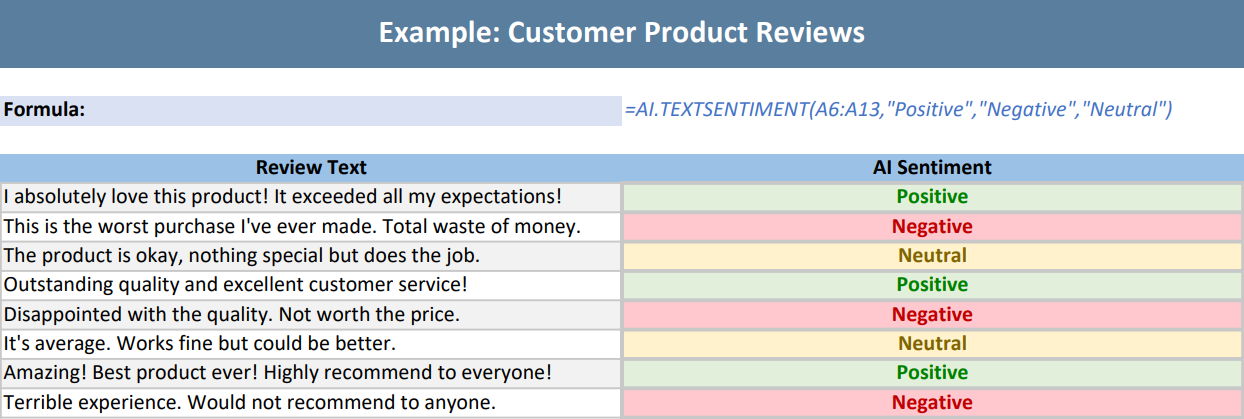
}The output is shown below: