


Apply Themes
GanttView supports built-in ComponentOne themes available in C1.WPF.Theming library. You can apply any of the available C1 themes to the GanttView control and provide a customized and consistent appearance to the application. To understand how themes can be used effectively, see Theming.
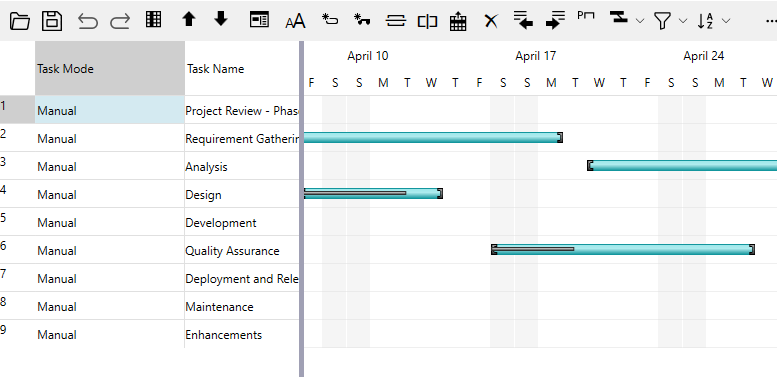
The following image shows a GanttView with System theme applied to it.
The following steps illustrate how to apply C1 themes to GanttView. This example uses the sample created in the Quick start.
Create a Quick start application and install the following NuGet packages using the NuGet Package Manager.
- C1.WPF.Themes
- C1.WPF.Themes.System
Switch to the MainWindow.xaml.cs file and add the following import statements.
- using C1.WPF.Themes;
Create a class, say MyTheme, to create an object of the C1Themes class.
public class MyThemes
{
    private static C1Theme _myTheme = null;
    public static C1Theme MyTheme
    {
        get
        {
            if (_myTheme == null)
            {
                _myTheme = new C1ThemeSystem();
            }
            return _myTheme;
        }
    }
}
Add the following code in the loaded event to apply the System theme to the GanttView control.
//Apply C1 theme to GanttView
C1Theme.ApplyTheme(gv, MyThemes.MyTheme);