


Step 5: Running the Project
In this step, you will run the project to see the chart.
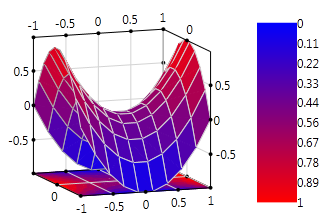
Select Start | Debugging or press the F5 key. You will see the Chart3D and legend.
Congratulations! You have completed the Chart3D for WPF quick start.
[]
In this step, you will run the project to see the chart.
Select Start | Debugging or press the F5 key. You will see the Chart3D and legend.
Congratulations! You have completed the Chart3D for WPF quick start.