


Filtered View
C1FilterEditor, available in the C1.Win.DataFilter namespace, provides the View property to access the result set generated by the currently applied filter. The property returns the filtered records as an IReadOnlyList<object>.
public IReadOnlyList<object> View { get; }The View collection can be assigned to a data-bound control, such as FlexGrid, to display the records that match the current filter expression.
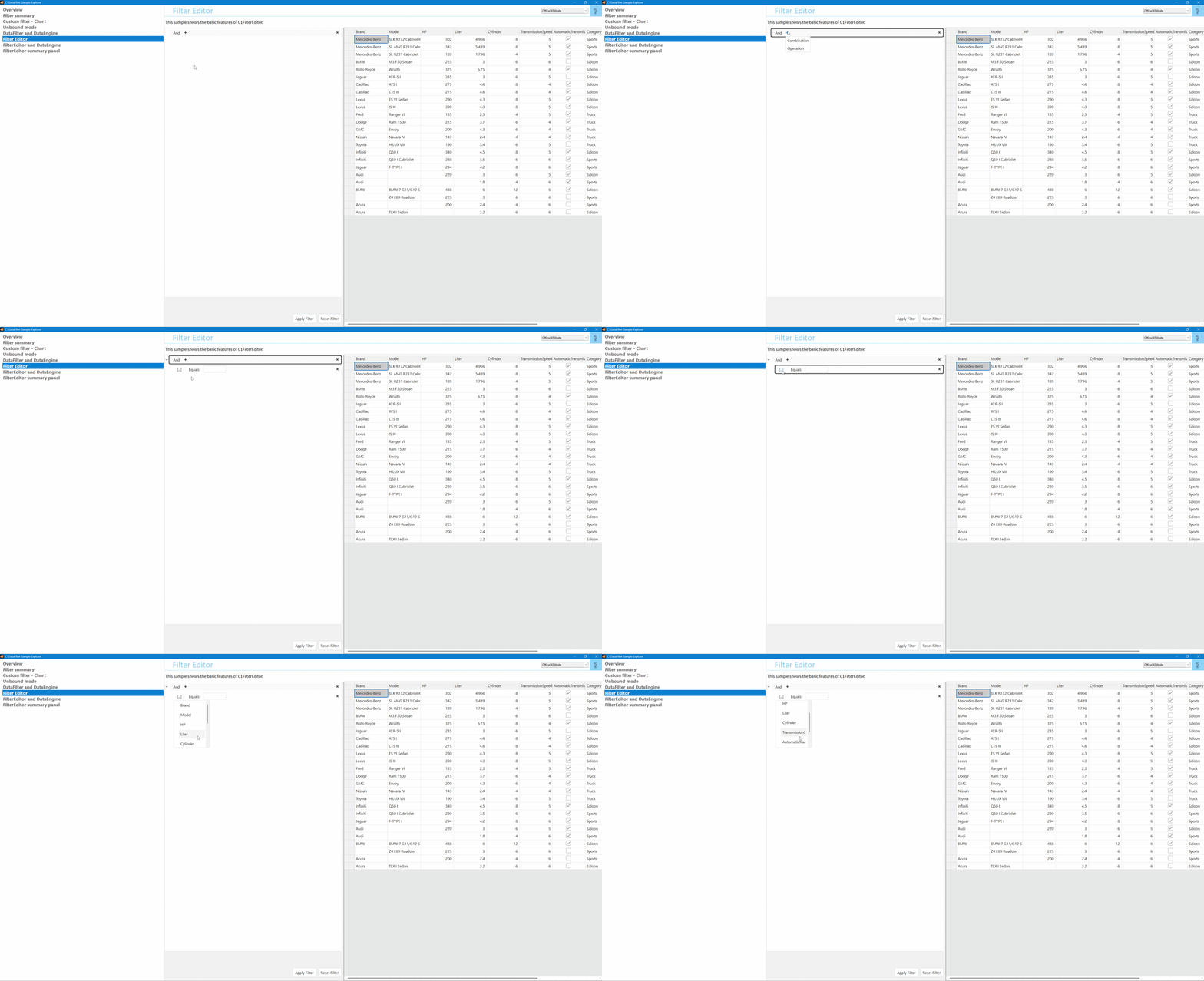
View Property for Filtered Results
The View property reflects the filter applied to the data assigned to C1FilterEditor.DataSource. The following steps configure the filter and display the resulting records:
Assign the source data to the DataSource property.
Define a filter expression through the FilterEditor UI or programmatically by using a
CombinationExpressionorOperationExpression.Apply the filter expression by using the ApplyFilterAsync() method.
Assign the
Viewcollection to the target data display control.Handle the FilterChanged event to keep the displayed data synchronized with changes to the filter.
The following code applies a predefined filter and assigns filterEditor.View to flexGrid.DataSource. The FilterChanged event updates the grid when the filter state changes.
using C1.Win.DataFilter;

public partial class FilterEditor : UserControl
{
    public FilterEditor()
    {
        InitializeComponent();
        filterEditor.CustomEditorInitializing += FilterEditor_CustomEditorInitializing;
    }

    private void ApplyDataSource()
    {
        var dt = DataService.GetDataSource();
        filterEditor.DataSource = dt;
        flexGrid.DataSource = dt; // Initial bind — full, unfiltered data
    }

    private async Task ApplyFilterAsync()
    {
        var filterExpression = GetPredefinedFilter();
        filterEditor.SetExpression(filterExpression);
        await filterEditor.ApplyFilterAsync(); // Apply the expression asynchronously
        flexGrid.DataSource = filterEditor.View; // Refresh the grid from the filtered View
    }

    // Keep the grid synced any time the user changes the filter in the UI
    private void filterEditor_FilterChanged(object sender, EventArgs e)
    {
        flexGrid.DataSource = filterEditor.View;
    }
}
Note: FilterEditor.DataSource retains the original data source. After filtering, FlexGrid.DataSource uses FilterEditor.View to display the current filtered result set.
Filtering API Reference
The following members support filter configuration, application, and access to filtered results in C1FilterEditor.
Member | Description |
|---|---|
DataSource property | Represents the complete, unfiltered data set used to generate filter fields. |
DataMember property | Gets or sets the name of a specific record set within the |
GetExpression() method | Gets the current filter expression. |
SetExpression() method | Sets the filter expression, including filter operations and logical combinations. |
ApplyFilterAsync() method | Applies the current filter expression to |
ClearFilter() method | Removes all filter expressions from the current filter configuration. |
View property | Provides the filtered result set as an |
FilterChanging event | Occurs before the filter state changes and allows the pending filter operation to be canceled. |
FilterChanged event | Occurs after the filter state changes or a filter is applied, providing access to the updated |
CustomEditorInitializing event | Occurs before the filter editor is initialized and allows custom editor configuration during initialization. |