Graphics
Adding graphics improves a document’s presentation and visual structure. C1Word supports the following shapes: Arc, Bezier, Ellipse, Line, Pie, Polygon, and Rectangle.
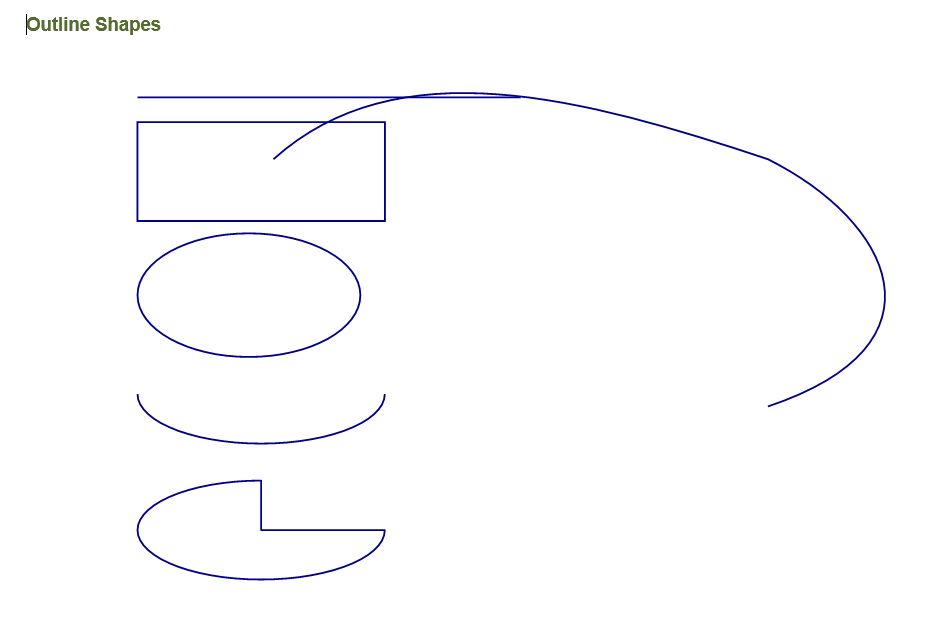
The following example shows how to draw outlined shapes (lines, rectangles, ellipses, arcs, pies, and Béziers) and filled shapes in a document.
Outlines
using System.Drawing;
using C1.Word;
using GcPen = GrapeCity.Documents.Drawing.Pen; // The Draw methods expect a GrapeCity.Documents.Drawing.Pen

C1WordDocument doc = new C1WordDocument();

GcPen pen = new GcPen(Color.DarkBlue, 2);

doc.DrawLine(pen, new PointF(90, 50), new PointF(400, 50));
doc.DrawRectangle(pen, new RectangleF(90, 70, 200, 80));
doc.DrawEllipse(pen, new RectangleF(90, 160, 180, 100));
doc.DrawArc(pen, new RectangleF(90, 250, 200, 80), 0f, 180f);
doc.DrawPie(pen, new RectangleF(90, 360, 200, 80), 0f, 270f);
doc.DrawBeziers(pen, new PointF[]
{
    new PointF(200, 100), new PointF(300, 10), new PointF(450, 50),
    new PointF(600, 100), new PointF(700, 150), new PointF(750, 250),
    new PointF(600, 300)
});
The resulting document looks like the following:
Filled Shapes
using System.Drawing;
using C1.Word;

C1WordDocument doc = new C1WordDocument();

doc.FillRectangle(Color.LightSalmon, new RectangleF(90, 50, 200, 80));
doc.FillRectangle(Color.LightSteelBlue, new RectangleF(90, 160, 200, 80), new SizeF(15, 15));
doc.FillEllipse(Color.Salmon, new RectangleF(90, 250, 180, 100));
doc.FillPie(Color.CornflowerBlue, new RectangleF(90, 470, 180, 100), 0f, 270f);
The resulting document looks like the following:

Drawing Canvas
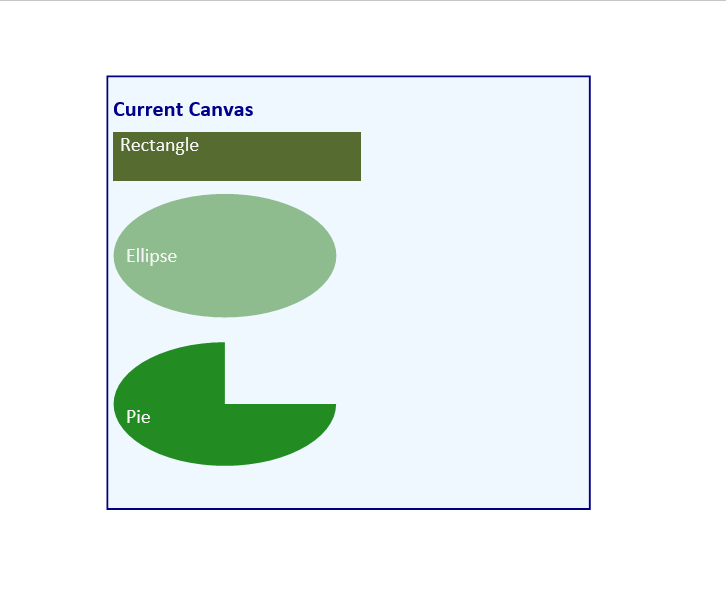
A canvas is an isolated rectangular area within the document flow where you can draw shapes and text independently of the main content. Use the AddCanvas method to create a canvas, and set the CurrentCanvas property to make it the active drawing surface.
using System.Drawing;
using C1.Word;
using GcPen = GrapeCity.Documents.Drawing.Pen;

C1WordDocument doc = new C1WordDocument();

// Add a canvas at a specific position and size
var canvas = doc.AddCanvas(new RectangleF(90, 0, 400, 360));
doc.CurrentCanvas = canvas;

// Draw inside the canvas
doc.FillRectangle(Color.AliceBlue, new RectangleF(5, 5, 390, 350));
doc.DrawRectangle(new GcPen(Color.Navy, 2), new RectangleF(5, 5, 390, 350));
doc.DrawString("Current Canvas", new C1.Util.Font("Calibri", 18, C1.Util.FontStyle.Bold),
    Color.DarkBlue, new RectangleF(10, 20, 380, 40));

doc.FillRectangle(Color.DarkOliveGreen, new RectangleF(10, 50, 200, 40));
doc.DrawString("Rectangle", new C1.Util.Font("Calibri", 16),
    Color.WhiteSmoke, new RectangleF(15, 50, 200, 40));

doc.FillEllipse(Color.DarkSeaGreen, new RectangleF(10, 100, 180, 100));
doc.DrawString("Ellipse", new C1.Util.Font("Calibri", 16),
    Color.WhiteSmoke, new RectangleF(20, 140, 200, 40));

doc.FillPie(Color.ForestGreen, new RectangleF(10, 220, 180, 100), 0f, 270f);
doc.DrawString("Pie", new C1.Util.Font("Calibri", 16),
    Color.WhiteSmoke, new RectangleF(20, 270, 200, 40));
The resulting document looks like the following: