- Introduction
- Report Readers
- Report Authors
- DevOps
-
Developers
- Quick Start
- Breaking Changes
- ActiveReports Version Compatibility and Migration
- License ActiveReports
- Configure ActiveReports Using Code
- Work with Reports using Code
- Report Parts
-
Create Designer and Viewer Applications
- .NET Viewer Application
- Web Viewer and Web Designer Middlewares
-
Js Viewer Application
- ASP.NET MVC Core Integration
- Integration to Angular Application
- Integration to React Application
- Integration to VueJS Application
- Load Reports
- Switch Between Render Formats
- Update Security Token in Report Service
- Caching Reports
- Prevent Cross-Site Scripting Attacks
- Customize UI
- Customize Page View
- Animation
- View Reports from Different Domains using CORS
- Predefined Export Settings
- Js Viewer API
- Customizing Report Items Appearance
- ASP.NET WebViewer Application
- Blazor Viewer Application
- WebDesigner Application
- Blazor WebDesigner Application
- End User Report Designer in WinForms Application
- Themes in WebDesigner and Js Viewer Components
- Role Based Authorization with JWT
- Extensibility in ActiveReports
- External Customizations in ActiveReports
- Export Reports
- Print Reports
- Plugins Development
- Samples
- Troubleshooting
Customizing Report Items Appearance
Custom TextBox and CheckBox Styles
You can customize the appearance of TextBox and CheckBox report items using the CustomCSSClasses property. This allows you to apply specific CSS classes to these elements when they are rendered in the JS Report Viewer.
This feature is particularly useful for UI enhancements, such as styling standard text boxes to resemble interactive buttons within your report.
Pre-defined Styles
The JS Report Viewer deliverables include a default custom stylesheet, jsViewer.custom.styles.css. This file contains pre-defined classes such as:
ar-buttonar-button-pressed
You can utilize these styles out-of-the-box or create your own custom CSS file to define unique visual behaviors.
Configuration
To enable custom styles, you must configure the viewer to load your CSS file. Set the reportItemsStyles.cssUri property to the location of your stylesheet during viewer initialization.
Ensure that the CSS file is accessible via a URL within the application scope.
import { createViewer } from '@mescius/activereportsnet-viewer';

const viewer = createViewer({
  reportItemsStyles: {
    // Point this to your custom CSS or the default file provided
    cssUri: 'jsViewer.custom.styles.css'
  }
})
Implementation Example
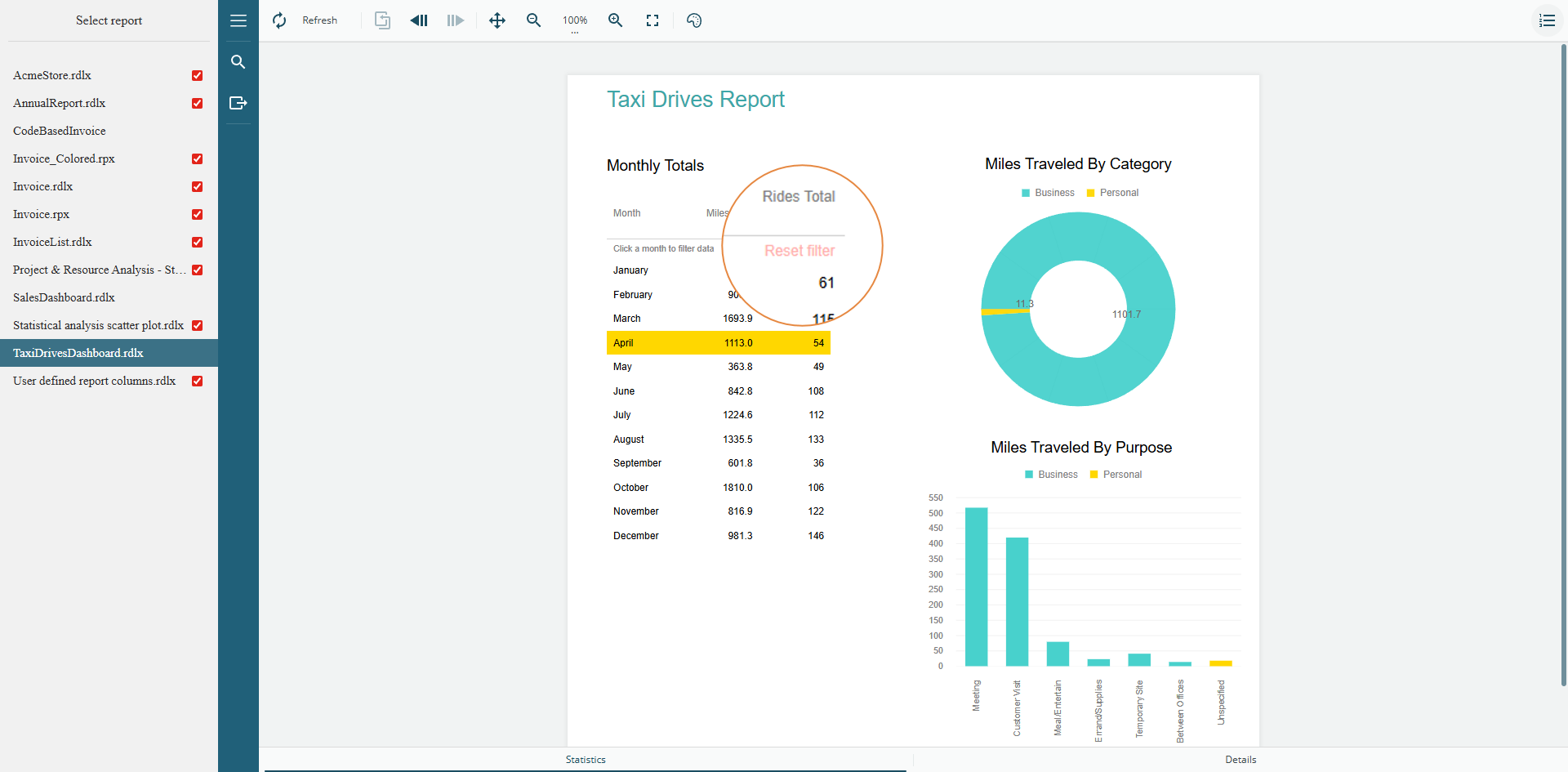
You can see this feature in action in the JSViewer sample.
In the TaxiDriveReport example, the Reset Filter button utilizes the ar-reset-link style, which is defined in the project's wwwroot\custom.styles.css file.