- Introduction
- Report Readers
- Report Authors
- DevOps
-
Developers
- Quick Start
- Breaking Changes
- ActiveReports Version Compatibility and Migration
-
License ActiveReports
- License Types
- Upgrading License from Trial to Purchase
- Licensing a Developer Machine
- Licensing a Project
- Licensing Compiled Code
- Activating CI/CD Build Agents with a Pipeline License
- Submitting a Reactivation Request
- Fixing Licensing Errors
- Contacting Support
- Document Solutions APIs in ActiveReports
- Configure ActiveReports Using Code
- Work with Reports using Code
- Report Parts
- Create Designer and Viewer Applications
- Extensibility in ActiveReports
- External Customizations in ActiveReports
- Export Reports
- Print Reports
- Plugins Development
- Samples
- Troubleshooting
Licensing a Developer Machine
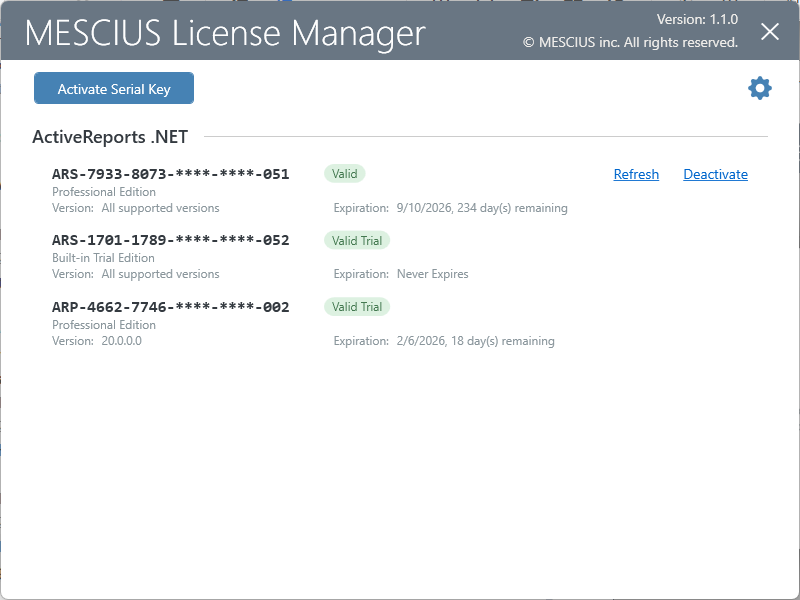
MESCIUS License Manager
The ActiveReports installation includes the MESCIUS License Manager that you can use to manage licensed on a developer machine. You can also install this tool using the sa3client NuGet package
Activating ActiveReports license
ActiveReports runs the MESCIUS License Manager upon closing if you check the
Activate Nowcheckbox: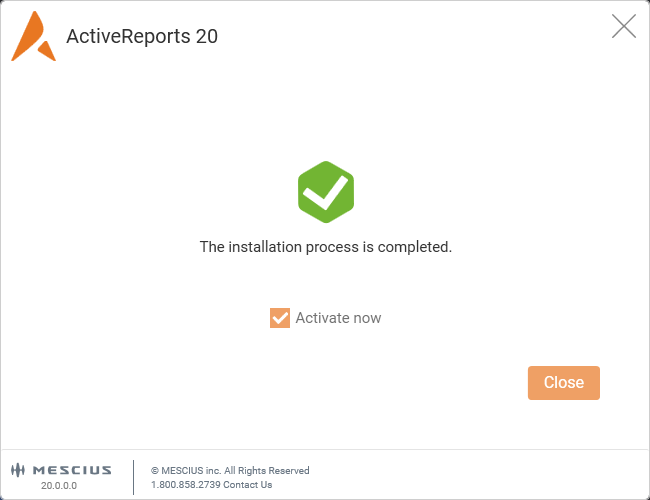
Alternatively, you can run the MESCIUS License Manager from the start menu's MESCIUS folder.
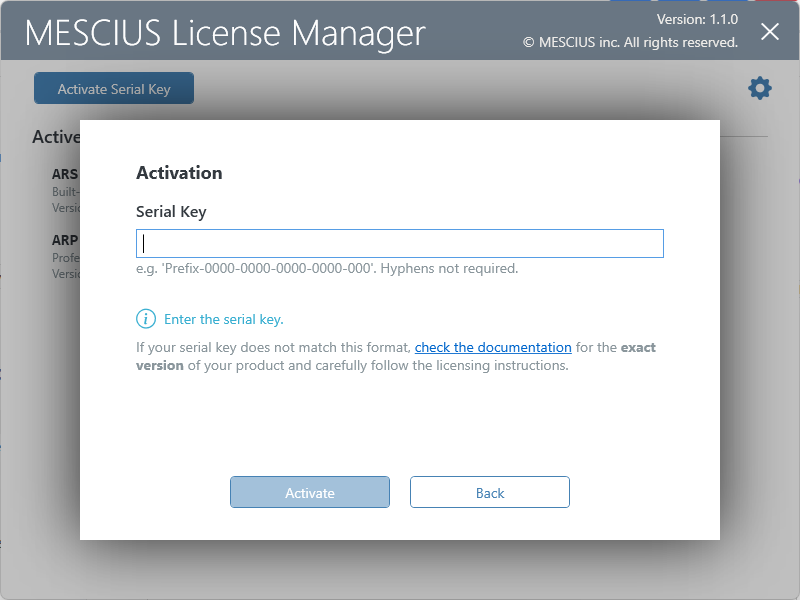
In the MESCIUS License Manager UI, click Activate Serial Key.
Enter the serial key you have received from MESCIUS (including all the capital letters and special characters), and click Activate.
If the license key is valid, the license will be activated and the UI will display the corresponding message:
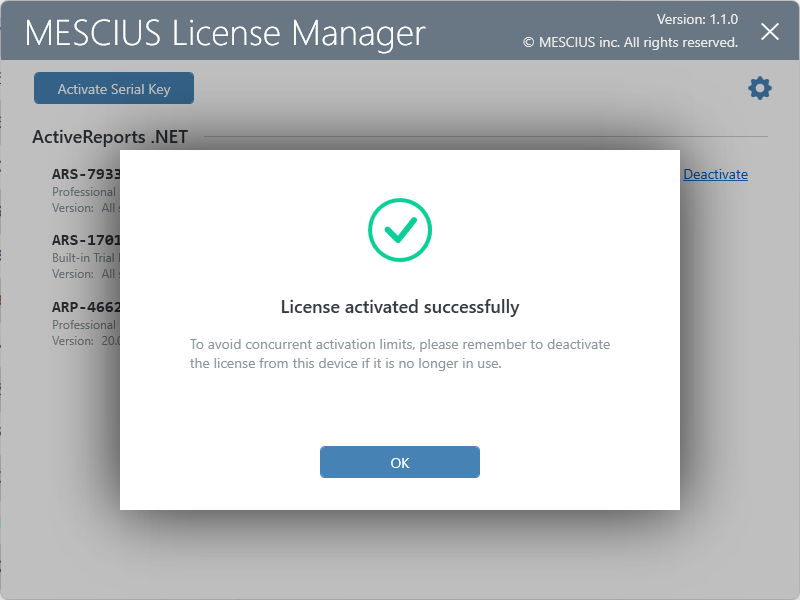
The new record in the MESCIUS License Manager will indicate your license and you can Refresh or Deactivate it using the corresponding buttons: