SpreadJS with Nuxt
SpreadJS works seamlessly with Nuxt 3 and Nuxt 4.
This tutorial shows how to integrate SpreadJS in a Nuxt project, configure it for client‑side rendering, and optionally enable the Designer Component for Excel‑like editing tools.
Integrating SpreadJS in a Nuxt App
Step 1: Set up the Nuxt project
You can use any existing Nuxt 3 or Nuxt 4 project.
If you want to start from a clean setup, run:
npm create nuxt@latest nuxt-with-spreadjs
cd nuxt-with-spreadjs
npm install
Then launch the app:
npm run devOnce verified that the base Nuxt app runs (http://localhost:3000), you can start integrating SpreadJS.
Step 2: Install and Configure SpreadJS
Install the SpreadJS package
Create a folder called components, if it does not exist in the applications' root folder.
npm install --save @mescius/spread-sheets-vueAdd a SpreadJS component
In the
componentsfolder, create a file namedSpreadsheet.vueand define the component as shown below.You can also enter your SpreadJS license key before initializing the control.
<template>
  <div>
    <gc-spread-sheets class="hostClass" @workbookInitialized="initSpread">
      <gc-worksheet> </gc-worksheet>
    </gc-spread-sheets>
  </div>
</template>

<script setup>
import "@mescius/spread-sheets/styles/gc.spread.sheets.excel2016colorful.css";
import { GcSpreadSheets, GcWorksheet } from "@mescius/spread-sheets-vue";
import * as GC from "@mescius/spread-sheets";

var data = [
  {
    jobTitleName: "Developer",
    preferredFullName: "Romin Irani",
    region: "CA",
    phoneNumber: "408-1234567",
  },
  {
    jobTitleName: "Developer",
    preferredFullName: "Neil Irani",
    region: "CA",
    phoneNumber: "408-1111111",
  },
  {
    jobTitleName: "Program Directory",
    preferredFullName: "Tom Hanks",
    region: "CA",
    phoneNumber: "408-2222222",
  },
];

let initSpread = function (spread) {
  var sheet = spread.getSheet(0);
  sheet.setDataSource(data);
};
</script>
<style scoped>
.hostClass {
  width: 600px;
  height: 600px;
}
</style>
Use the component in your main app
Replace the default content of
app.vuewith:<template> <div> <h1> Adding Spreadsheets to a Jamstack Application </h1> <p> Nuxt.JS + SpreadJS Demo </p> <SpreadSheet /> </div> </template>Update Nuxt config (optional)
// https://nuxt.com/docs/api/configuration/nuxt-config
export default defineNuxtConfig({
  //...

  ssr: false,
  components: true,
})
Note:
SpreadJS relies on browser APIs and runs only on the client side. When using Nuxt in SSR mode, wrap the SpreadJS component in a <client-only> tag or register it as a client-only plugin (e.g. plugins/spreadjs.client.ts).
Step 3: Run and Verify the Integration
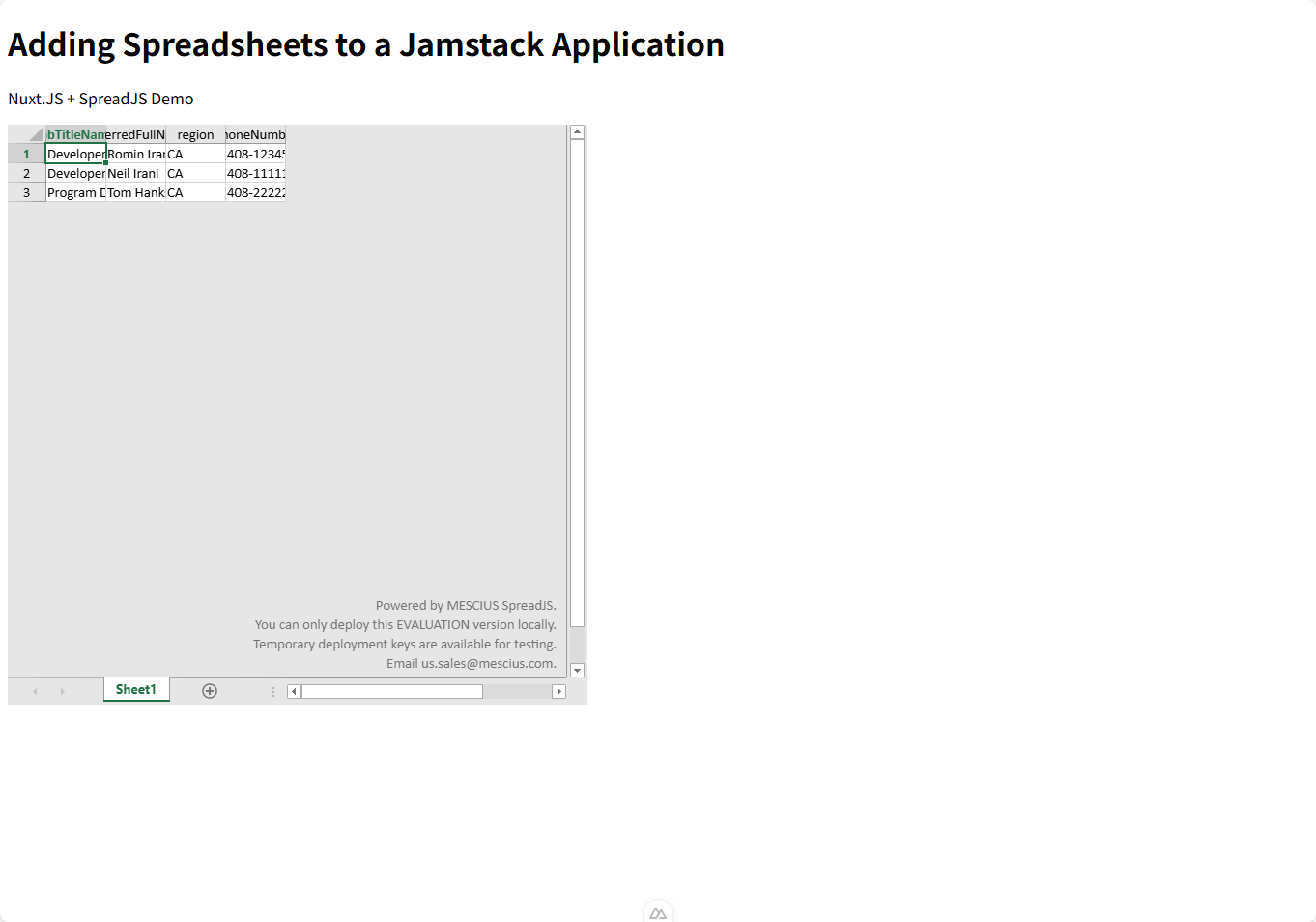
npm run devThe app should be available at http://localhost:3000, rendering the SpreadJS component within the Nuxt app.
Step 4 (Optional): Add the SpreadJS Designer Component
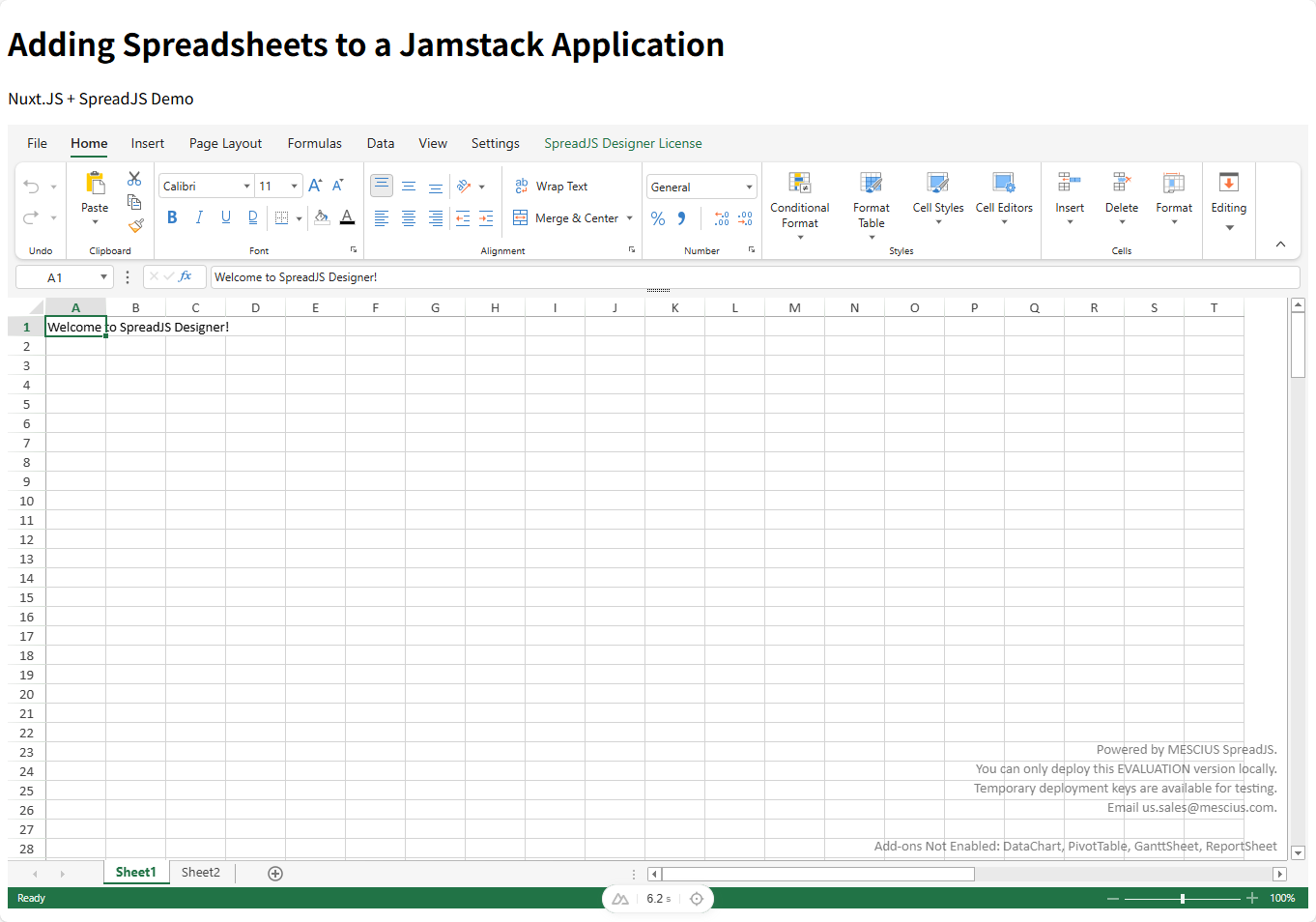
You can enhance the user interface by adding the Designer component, which provides Excel‑style formatting and editing commands. See SpreadJS Designer Component for a detailed setup guide.
Install packages
npm i --save @mescius/spread-sheets @mescius/spread-sheets-barcode @mescius/spread-sheets-charts @mescius/spread-sheets-datacharts-addon @mescius/spread-sheets-designer @mescius/spread-sheets-designer-resources-en @mescius/spread-sheets-designer-vue @mescius/spread-sheets-formula-panel @mescius/spread-sheets-ganttsheet @mescius/spread-sheets-io @mescius/spread-sheets-languagepackages @mescius/spread-sheets-pdf @mescius/spread-sheets-print @mescius/spread-sheets-pivot-addon @mescius/spread-sheets-reportsheet-addon @mescius/spread-sheets-shapes @mescius/spread-sheets-slicers @mescius/spread-sheets-tablesheetReplace the default content of
Spreadsheet.vuewith:<template> <div id="gc-designer-container"> <gc-spread-sheets-designer :styleInfo="styleInfo" :config="config" :spreadOptions="spreadOptions" @designerInitialized="initDesigner" /> </div> </template> <script setup> import "@mescius/spread-sheets/styles/gc.spread.sheets.excel2013white.css"; import "@mescius/spread-sheets-designer/styles/gc.spread.sheets.designer.light.min.css"; import "@mescius/spread-sheets-print"; import "@mescius/spread-sheets-shapes"; import "@mescius/spread-sheets-datacharts-addon"; import "@mescius/spread-sheets-slicers"; import "@mescius/spread-sheets-pivot-addon"; import "@mescius/spread-sheets-tablesheet"; import "@mescius/spread-sheets-ganttsheet"; import "@mescius/spread-sheets-reportsheet-addon"; import "@mescius/spread-sheets-formula-panel"; import "@mescius/spread-sheets-io"; import "@mescius/spread-sheets-designer-resources-en"; import * as GCDesigner from "@mescius/spread-sheets-designer"; import GcSpreadSheetsDesigner from "@mescius/spread-sheets-designer-vue"; const styleInfo = { height: "85vh", width: "100%" }; const config = GCDesigner.Spread.Sheets.Designer.DefaultConfig; const spreadOptions = { sheetCount: 2 }; let designer = null; function initDesigner(value) { designer = value; console.log("Designer initialized:", designer); const spread = designer.getWorkbook(); if (spread) { const sheet = spread.getSheet(0); sheet.setValue(0, 0, "Welcome to SpreadJS Designer!"); } } </script> <style scoped> #gc-designer-container { width: 100%; height: 100%; } </style>Run and Verify the Integration
npm run dev