Template Formula Usage
DsExcel provides the following three types of function usage in the template, enabling you to add functions to the template for various calculations:
Excel Function
DsExcel allows you to use functions such as "=A1" or "=Sum(A1)" . Since these functions are not template nodes (not included in "{{ }}" ), they will not expand. DsExcel will adjust the cell reference parameter based on the insert cell, column, or row behavior, just like Excel.
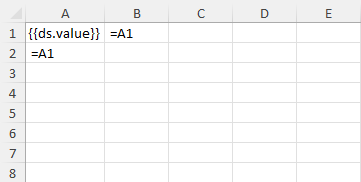
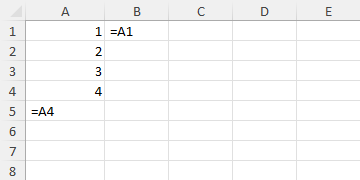
Example: The function "=A1" in cell A2 changes to "=A4" because its location moved from A2 to A5, but the function "=A1" in cell B1 stays the same. DsExcel will adjust the cell reference with the offset of the cell location if the location of a cell containing an Excel function changes due to the template expanding.
Template Function
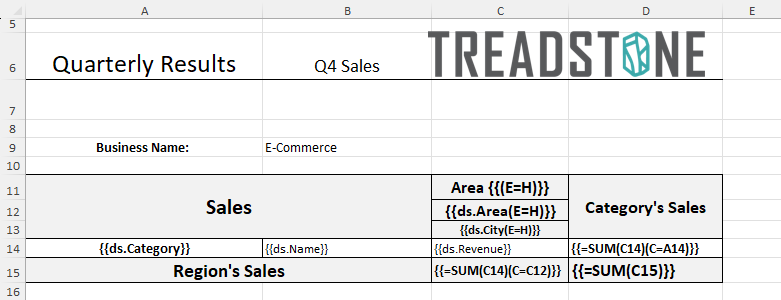
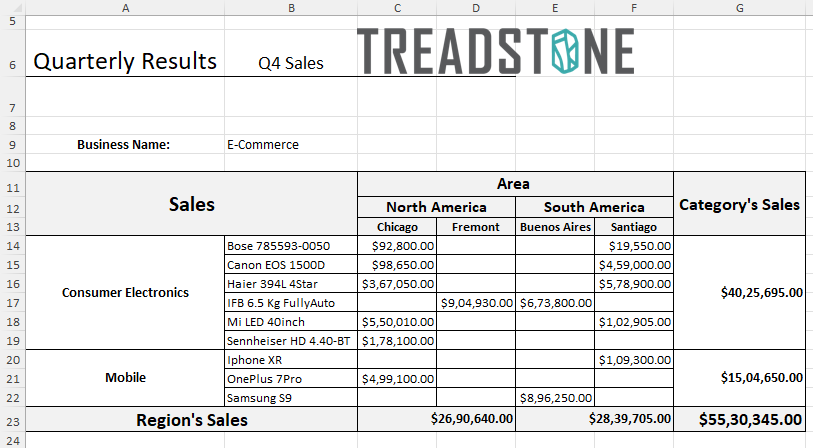
DsExcel supports Template Functions that enable you to use functions such as "{{=A1}}" or "{{=Sum(A1)}}" that are used to perform calculations in the reports. These functions will expand if the location of the cell containing the function changes as a result of the template expanding. A function can be applied to a cell or a data field.
Example: The function "{{=Sum(C14)(C=A14)}}" in cell D14 contains the template function as well as the context property. DsExcel will calculate the resultant value first by summing up the revenue in cell C14, summing up the values of the whole category (as A14 is its context), and then it will adjust the cell references according to the result of the expansion and the location of the template cell it references.
Double Equation Template Function
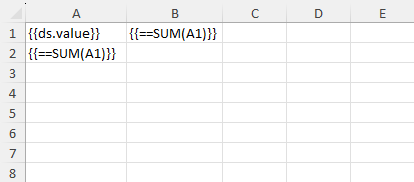
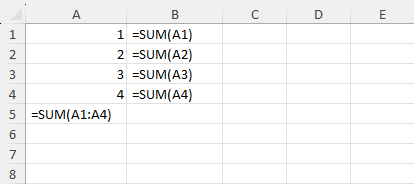
DsExcel supports Double Equation Template Function that enables you to use functions such as "{{==A1}}" or "{{==Sum(A1)}}" that export Excel functions in the report instead of values as the result of the Template Function.
There are two types of double equation functions in template language:
Single-cell reference with operators:
{{==A1}}
{{==A1+B1}}
Functions with specific functions:
{{==SUM(A1)}}
{{==ABS(A1)}}
Example 1: The function "{{==A1}}" in cell A2 will not change because it refers to "A1", but the function "{{==A1}}" in cell B1 expands to "B1:B4" because its left parent is "A1," which expands to "A1:A4". DsExcel will adjust the cell reference according to the result of the expansion and the location of the template cell it references.

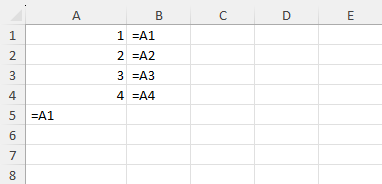
Example 2: The function "{{==SUM(A1)}}" in cell A2 does not have a parent, so the reference will be expanded to "A1:A4", but the function "{{==SUM(A1)}}" in cell B1 expands to "B1:B4" because its left parent is "A1," which expands to "A1:A4". DsExcel will expand the cell reference with the template cell it refers to when it has no context (parent).