


Data Access and Binding
Connections
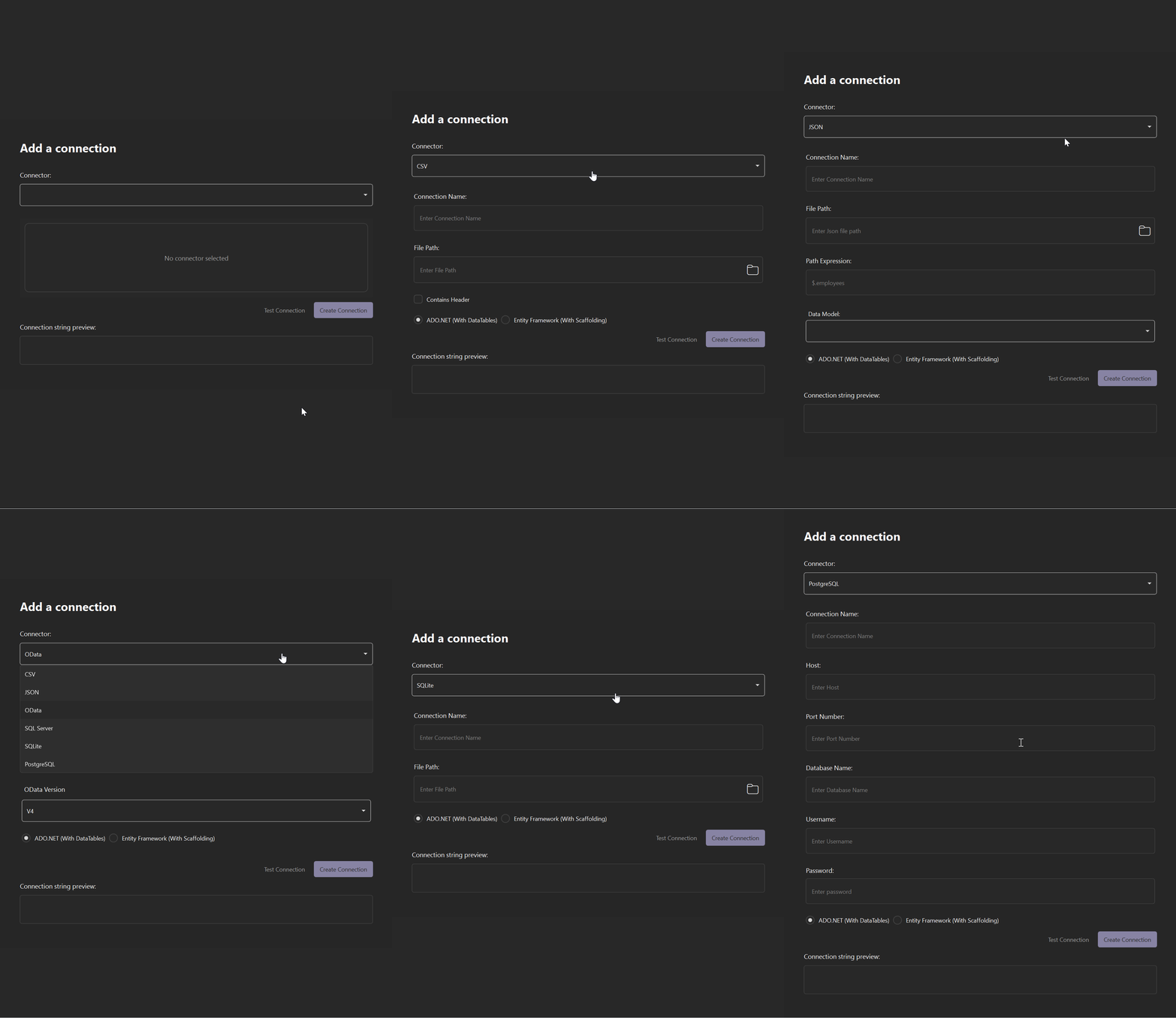
A connection is a configured, tested link to a data source. Each connection is created through a connector, which defines the required fields. Data Wizard writes the connection string to the project App.config file.
The connection form previews the constructed connection string as fields are edited.
Each connection has one of two data access modes, selected when the connection is created:
ADO.NET (With DataTables): Retrieves data into
DataTableobjects.Entity Framework (With Scaffolding): Scaffolds a
DbContextand entity classes from the database schema. See Entity Framework Scaffolding.
A project supports one connection. An existing connection cannot be edited. The tool window marks Entity Framework connections with an EF label.
Data Views
A Data View is a named query defined against a connection. The Query Builder composes the query, and Result Preview displays the resulting data and generated query before the Data View is saved. Data Wizard lists each Data View under its connection in the tool window. A Data View can be bound to one or more controls on the designer form.
Note: A Data View name cannot be changed after creation.
Data Binding
Data binding associates a Data View with a control on the designer form. Data Wizard generates the binding code, and the control displays the Data View data at run time.
Data binding applies to DataGridView and C1FlexGrid controls. Bind is available only when a supported control is selected on the designer form.
Entity Framework Scaffolding
Entity Framework scaffolding reverse engineers a DbContext and entity classes from an existing database schema, so an application can work with the database through Entity Framework Core.
Data Wizard performs scaffolding when a connection is created with the Entity Framework (With Scaffolding) option. For Entity Framework connections, code view in Result Preview displays a LINQ query.
Note: Entity Framework scaffolding is not supported in .NET Framework projects.