


JSViewer React(Hooks)
This sample demonstrates the use of the ActiveReports JSViewer with a ReactJS app using hooks and the ASP.NET Core back end.
Sample Location
https://github.com/activereports/WebSamples20/tree/main/JSViewer_React_Hooks
Details
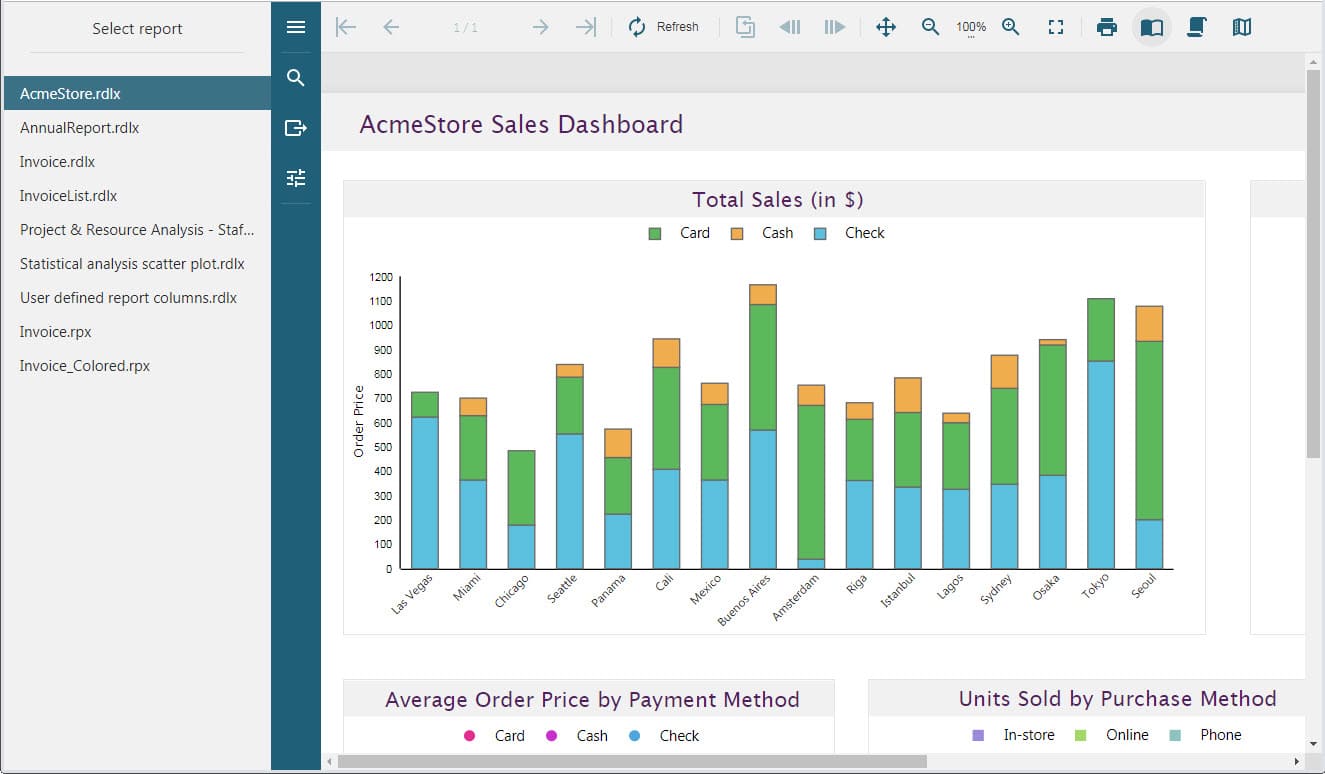
When you run the sample, the JSViewer opens in your browser. The viewer provides links to reports to demonstrate the ActiveReports JSViewer using Hooks with a ReactJS app and the ASP.NET Core back end.
Clicking the report link in the left panel opens the report for preview. You can preview the following reports.
AcmeStore.rdlx
AnnualReport.rdlx
Invoice.rdlx
Invoice.rpx
InvoiceList.rdlx
Invoice_Colored.rpx
Project & ResourceAnalysis - Staff Performance Analysis.rdlx
Statistical analysis scatter plot.rdlx
User defined report columns.rdlx
The project consists of the following elements.
Controllers folder: This folder contains the HomeController that handles the user interaction and returns the main Index view.
ClientApp folder: This folder contains a standard Angular CLI app that is used for all UI concerns.
readme: This file contains the instructions on how to build and run the sample project.
Startup.cs: The startup file adds the UseReportViewer() middleware to configure the middleware for ActiveReports API and handlers, and the UseCors() middleware to enable CORS. The AddCors() service call adds CORS services to the app's service container.
wwwroot: Contains designer CSS and JavaScript files.