


What's New in ActiveReports.NET v20.0
AI-Powered Report Design
ActiveReports.NET v20 introduces powerful new AI capabilities designed to accelerate your report creation workflow. By leveraging advanced intelligence, you can now move from concept to complete report faster than ever before.
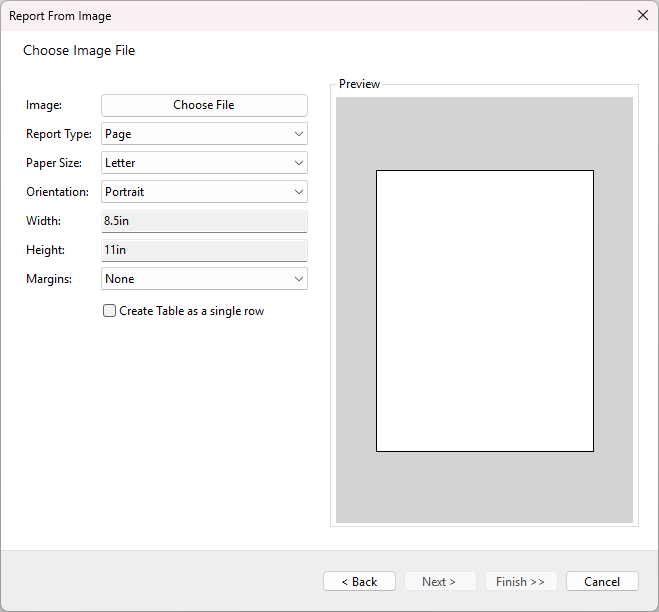
Generate Report Layout from Image
Transform static mockups into fully functional reports in seconds. Using Azure Document Intelligence, the Report Wizard can now analyze an image file—such as a scan of an existing form or a design mockup—and automatically generate a corresponding report layout. Find out more in the Creating Report From Image documentation page.
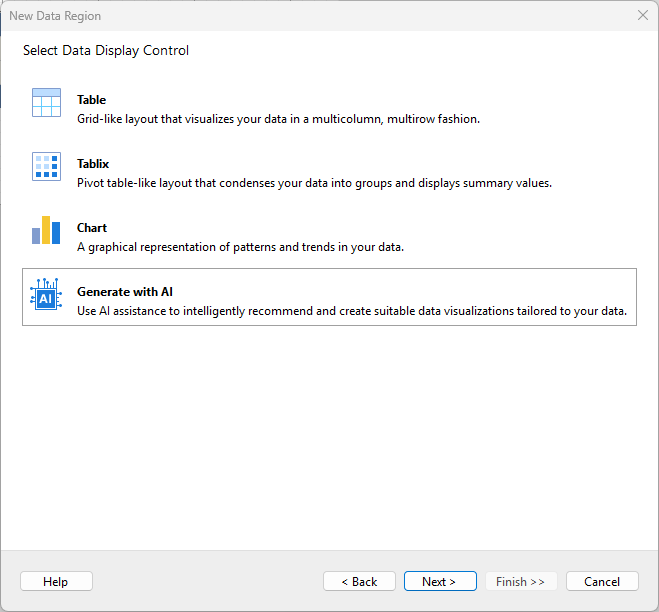
AI-Assisted Data Visualization
Eliminate the guesswork in choosing the right chart or grid. The new AI Data Display Control wizard analyzes your dataset's schema—field names and data types—to recommend the most effective visualization strategies, allowing you to generate multiple styled controls instantly. Find out more in the Generating Data Controls using AI documentation page.
Visual Studio 2026 & .NET 10 Support
ActiveReports.NET v20 ensures you stay on the cutting edge with full support for the latest Microsoft platforms. Build high-performance reporting applications targeting .NET 10 and enjoy a seamless design-time experience within Visual Studio 2026. For a complete list of supported environments, visit the System Requirements page.
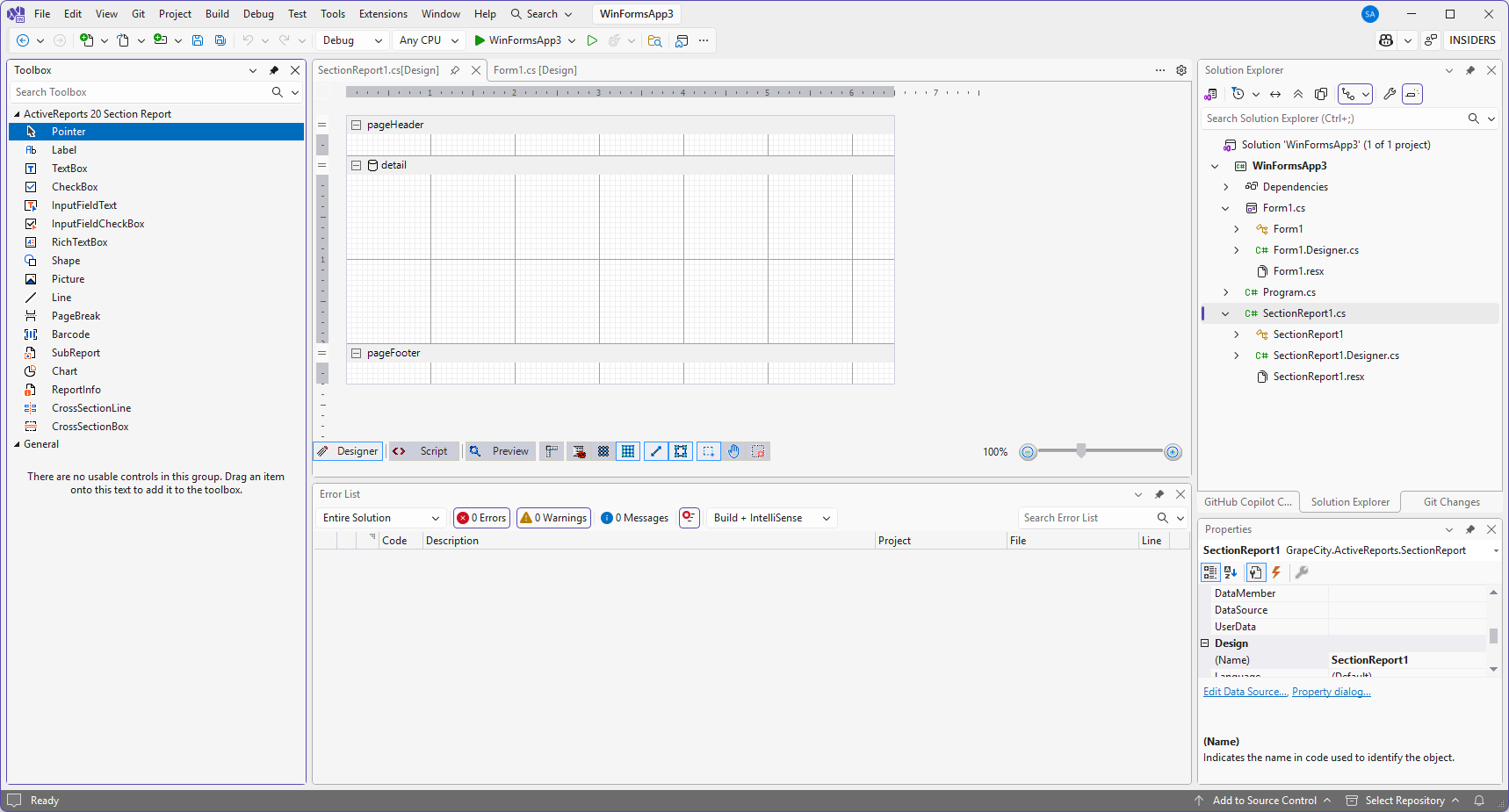
Code-Based Section Report Designer in .NET
ActiveReports.NET v20 extends design-time support for code-based Section Reports to modern .NET projects. You can now visually design and code your reports directly within Visual Studio for applications targeting .NET 8+. For step-by-step instructions, refer to the Designing Code-Based Section Reports in Visual Studio tutorial.
Modernized Configuration Architecture
ActiveReports.NET v20 introduces a completely redesigned configuration system, built for clarity, modularity, and long-term maintainability. This new format addresses the complexity of modern deployment environments by clearly separating runtime engine settings from desktop-specific design-time options. For a detailed breakdown of the new schema, visit the Configuration Guide.
Design time enhancements
Modernized Visual Studio Experience
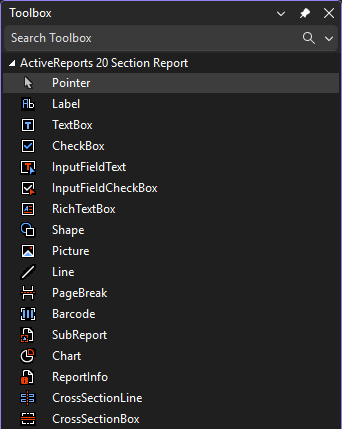
The Visual Studio integrated designer has received a visual overhaul to match the aesthetics of modern development environments. We have redesigned the Toolbox and Toolbar icons with a cleaner, high-contrast style. This refresh improves icon legibility and visual clarity, making it easier to identify controls and tools while designing reports within Visual Studio.
Marquee Zoom Tool
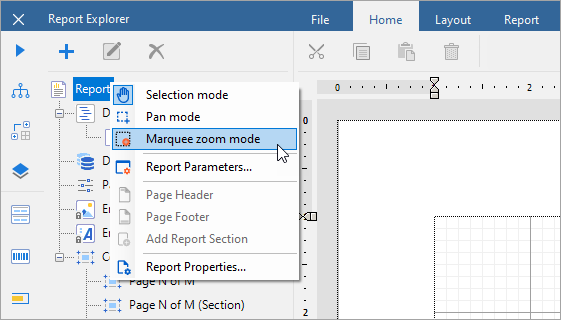
Navigating large or complex report layouts is now faster and more precise. ActiveReports.NET v20 introduces the Marquee Zoom mode for all report types. Similar to the experience in Adobe Acrobat, this tool allows you to click and drag a rectangular selection on the design surface to instantly zoom into that specific area for detailed editing.
For more details on design tools, refer to the Standalone Designer documentation.
Report Snapshots (.rdlx-snap)
ActiveReports.NET v20 introduces the .rdlx-snap format, a pre-rendered report file that encapsulates both data and layout at the moment of generation. Because snapshots do not require a database connection to open, they are ideal for long-term archiving, compliance auditing, and offline distribution. Snapshots can be viewed, exported, and printed using the standard ActiveReports APIs. For implementation details, refer to the Working with Snapshots documentation.
High-Performance Direct2D Printing
ActiveReports.NET v20 upgrades desktop printing with a new Direct2D rendering pipeline, delivering faster processing and sharper output for RDLX, and CrossPlatform Section Reports. See the Print Reports page for more information.
Automatic Image Orientation
ActiveReports.NET v20 simplifies image handling by automatically respecting EXIF orientation metadata. This ensures that photos captured on mobile devices or digital cameras display with the correct rotation, eliminating the need for manual pre-processing. The new ApplyExifOrientation property is available on the RDLX Image Item and the Section Report Picture Control.
PDF Custom Properties
ActiveReports.NET v20 expands PDF export capabilities, enabling the inclusion of user-defined Custom Properties. For the API details, refer to the RDLX Reports PDF Export and Section Reports PDF Export documentation.