ActiveReportsJS: What's New in version 6.1
ActiveReportsJS CLI Tool
To simplify project maintenance and upgrades, we have introduced the ActiveReportsJS CLI. This command-line utility is designed to automate repetitive tasks, starting with project migration. For more information visit the Installation Page
Report Designer UI enhancements
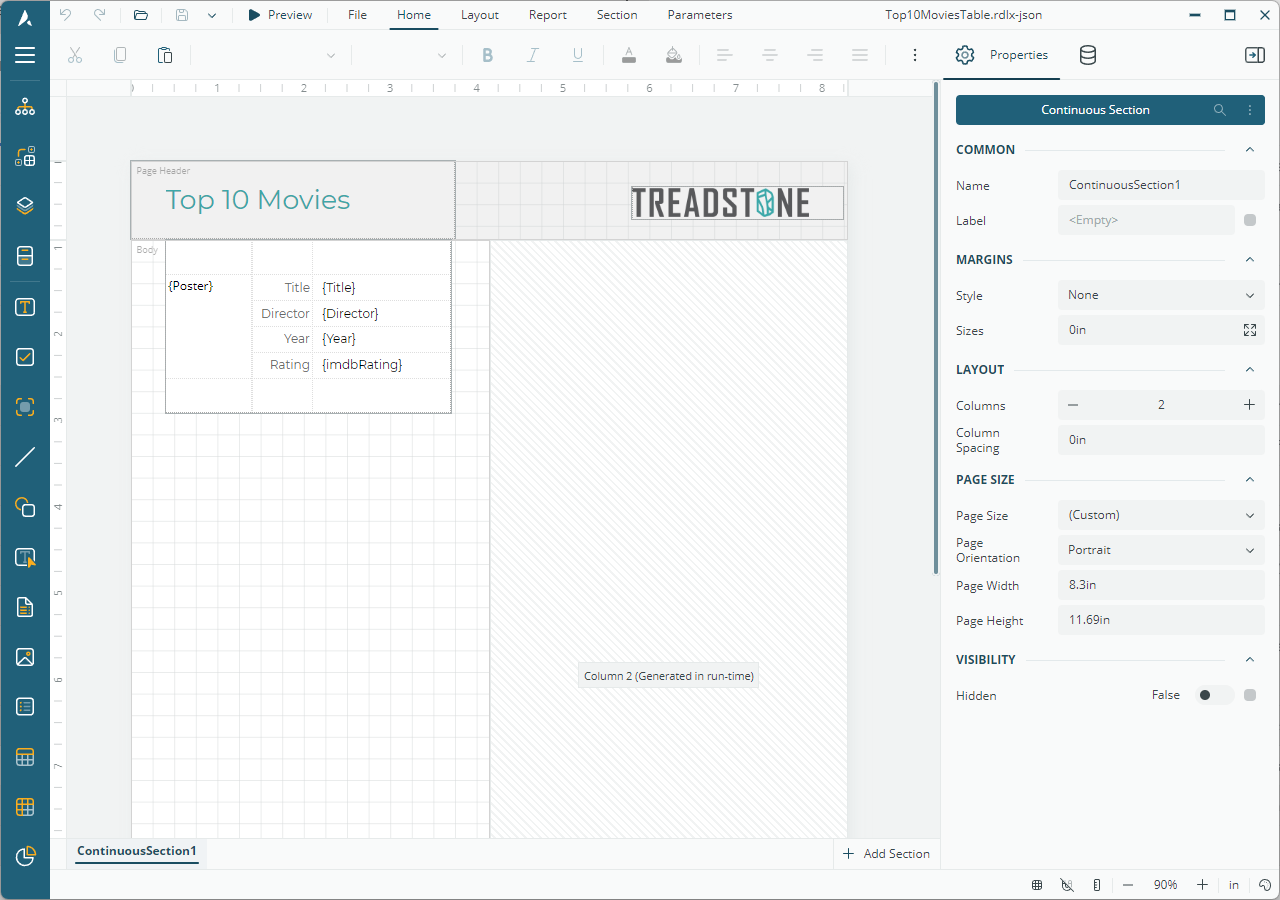
Enhanced Multi-Column Report Design
We’ve significantly improved the design-time experience for multi-column reports. The designer now provides clear visual feedback by displaying the column split directly on the design surface. To ensure layout accuracy, the interface allows you to add controls to the primary column, while subsequent columns are automatically generated at runtime to accommodate the growing content.
Experience this new design workflow firsthand by visiting our live demo and clicking the "Edit in Designer" button.
Pinable Toolbox
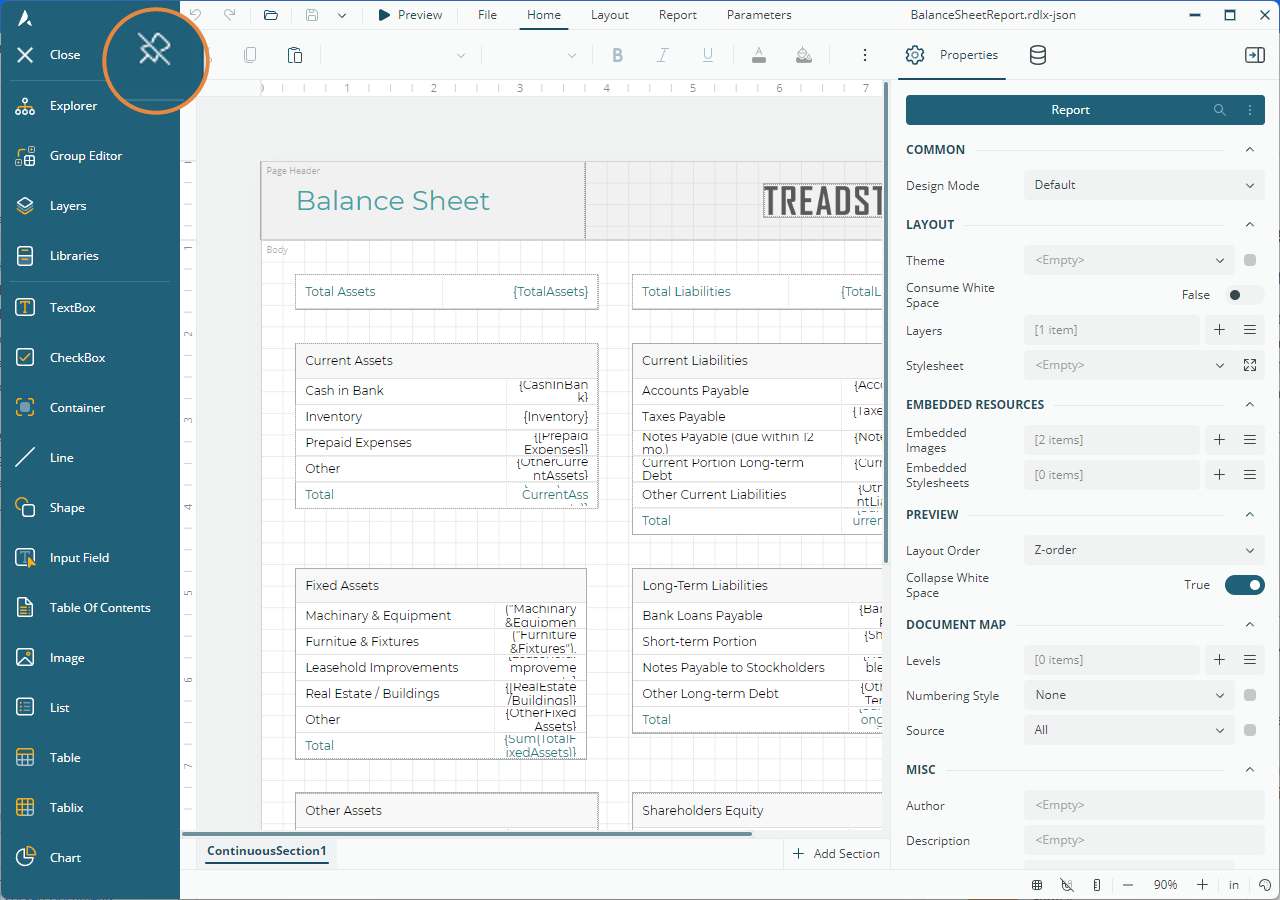
The ActiveReportsJS Report Designer now includes a Pin button at the top of the toolbox sidebar. This enhancement allows you to dock the toolbox in a fixed open position, ensuring that report components are always accessible for a faster drag-and-drop experience.
Context-Aware Report Defaults
The ActiveReportsJS Report Designer now automatically detects your operating system's regional settings to set the default design units and page sizes. For systems using Metric settings, the app initializes with centimeters (cm) and A4 page size, while US-based systems will default to inches (in) and Letter page size.
Automatic "First" Aggregate for Data Fields
Mapping data is now faster with the introduction of automatic field aggregation. When you drag-and-drop a data set field into an unbound area of the report, the designer now applies the "First" aggregate function by default to the Value expression.
Report Viewer Enhancement
Improved Expression Error Handling
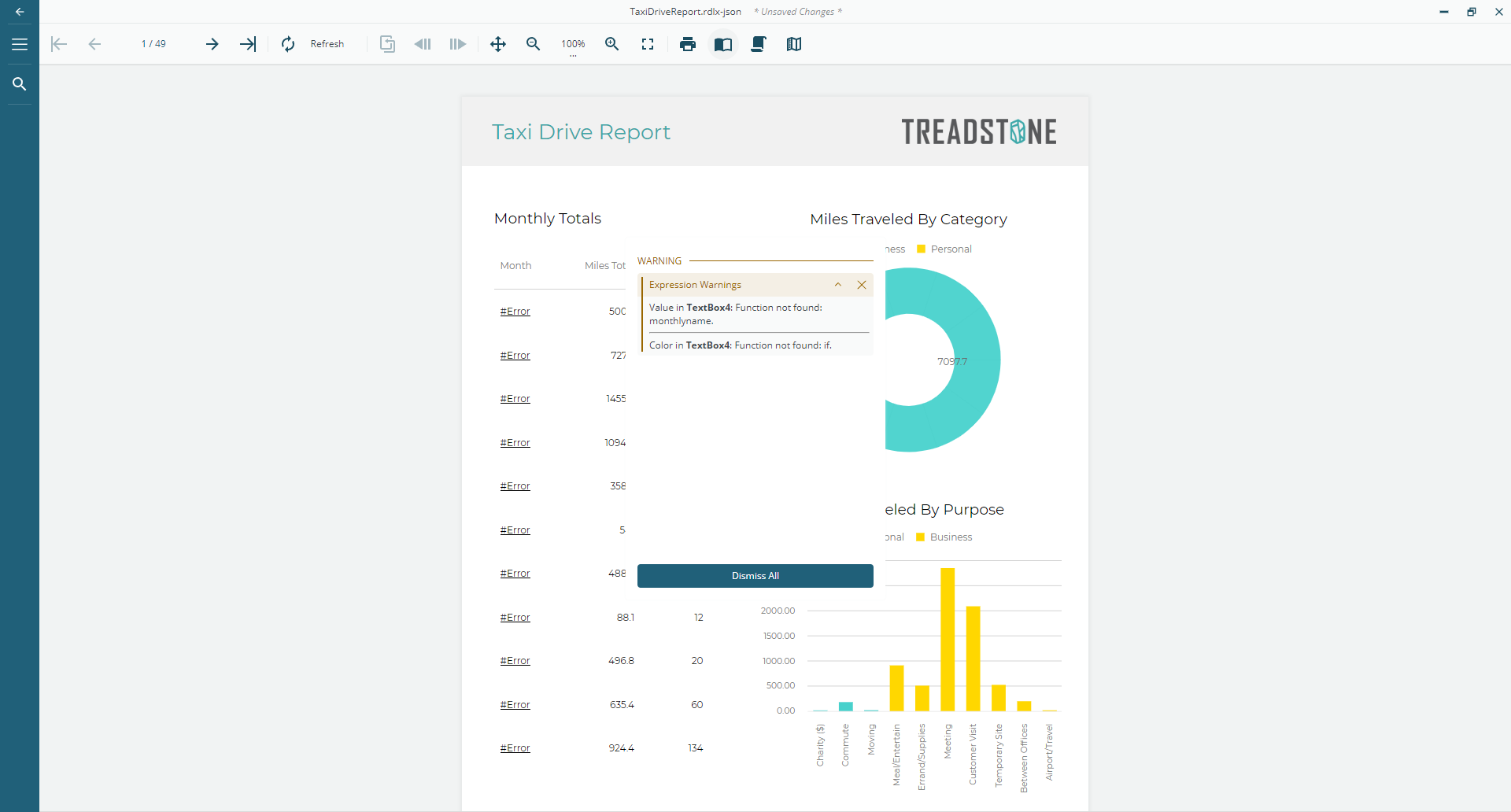
ActiveReportsJS now highlights dynamic expression errors more clearly during preview:
In-Place Errors: If the Value property of a TextBox, CheckBox, Barcode, Image, or Bullet is invalid, an
#Errormessage is displayed directly in the report. You can configure this behavior in your application by setting theshowEvaluationErrorsproperty in the Report Viewer initialization options.Panel Warnings: Invalid expressions for any other control properties are listed in the Warning/Error panel.You can configure this behavior in your application by setting the
showExpressionWarningsproperty in the Report Viewer initialization options.
The following image shows the Report Viewer displaying a report where "TextBox4" contains errors in both its Value and Color properties.
Advanced Toolbar Customization
The Report Viewer API has been updated to provide granular access to every individual button and control within the toolbar. This improvement allows you to easily update or remove built-in items—including specific sub-items within the navigation, history, and zoom groups—offering more precise control over the user interface without the need for complex workarounds. For more information and detailed code samples, refer to the Customizing the Report Viewer UI page.
Enhanced Interactivity
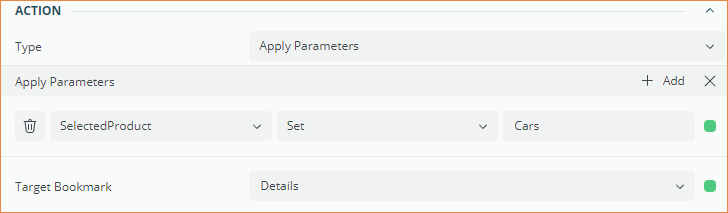
We have enhanced the Apply Parameters action with a new Target Bookmark property, allowing the report viewer to automatically jump to a specific report bookmark after re-rendering with updated parameters values. This improvement streamlines navigation in complex reports, and full details can be found in the updated Apply Parameters documentation.
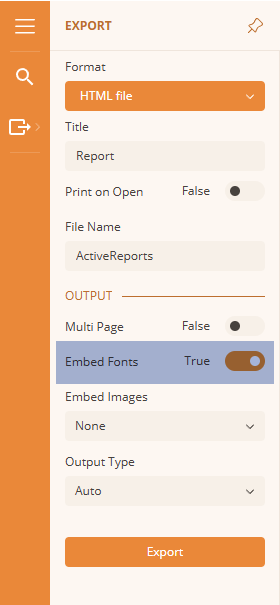
Improved HTML Export: Font Embedding
The HTML export now allows producing the output that includes the registered fonts files within a bundled ZIP archive. By enabling the new Embed Fonts property, all fonts registered via the registerFont method are packaged alongside the HTML document. This ensures that your report's typography remains perfectly intact and prevents the browser from falling back to default fonts when the file is opened in a standalone environment or on a different machine.