# Node Navigation
Learn about node navigation with Wijmo's TreeView component in this documentation topic
## Content
The simplest and most common use for the __TreeView__ control is navigation. The TreeView's hierarchical structure and auto-search functionality makes it easy for users to drill-down and find the items they are interested in. TreeView supports both mouse and keyboard navigation of nodes.
You can use the __selectedItemChanged__ or __itemClicked__ events for navigation. The difference is that __selectedItemChanged__ occurs when the user moves the selection with the keyboard, and __itemClicked__ occurs when the user clicks an item or presses the Enter key.
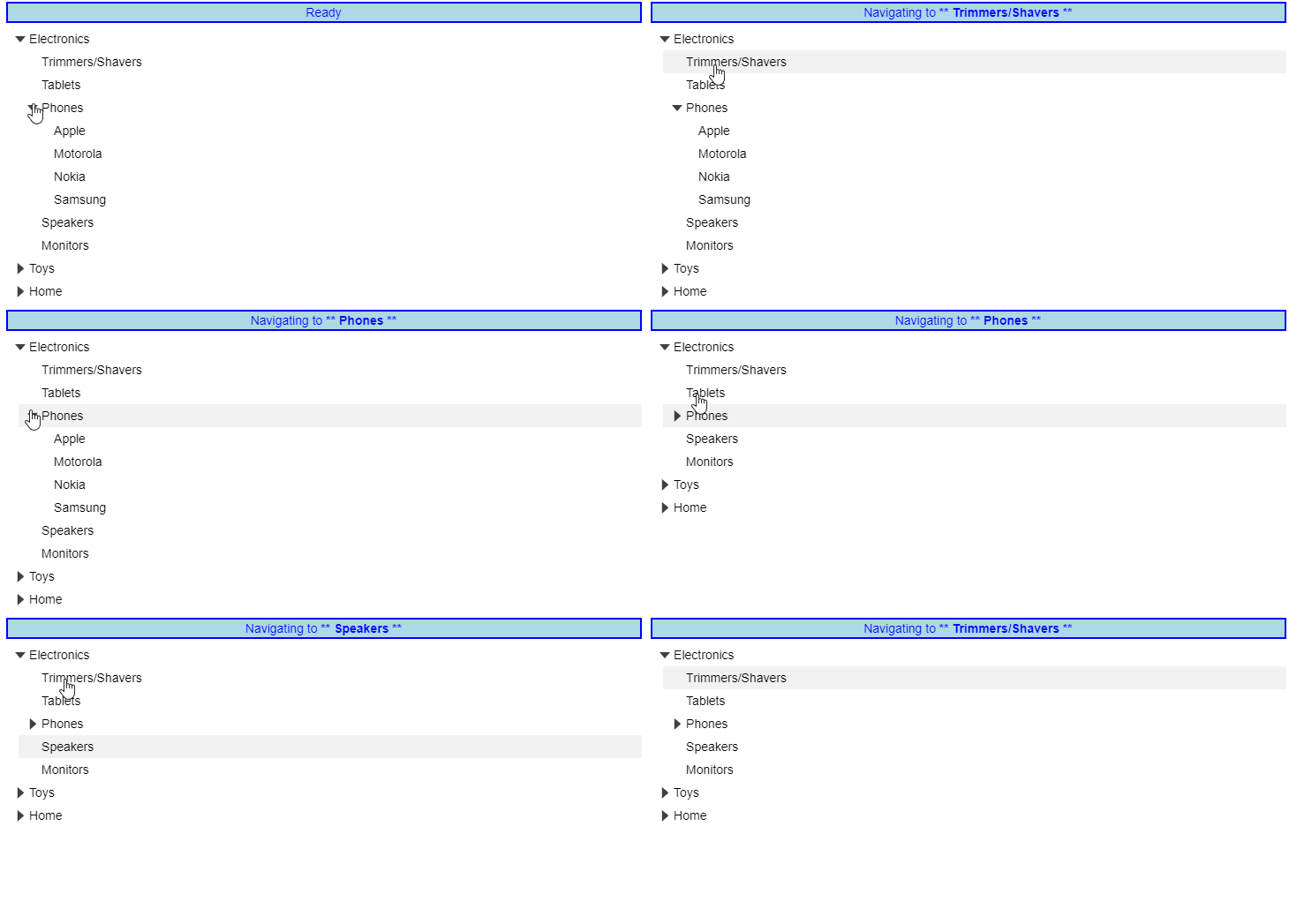
Example: Uses the __itemClicked__ event and __selectedItemChanged__ event to track and display the current navigation.
##### HTML
```html
```
##### CSS
```css
.msg
{
margin-top: 5px;
margin-bottom: 5px;
text-align: center;
color: blue;
border: 2px solid blue;
background: lightblue;
}
```
##### Javascript
```javascript
onload = function() {
// create the tree
var tree = new wjNav.TreeView('#theTree', {
itemsSource: getData(),
displayMemberPath: 'header',
childItemsPath: 'items',
//Display the navigation message on clicking an item
itemClicked: function(s, e) {
msg(s.selectedItem);
},
//Display the navigation message on keyboard navigation
selectedItemChanged: function(s, e) {
msg(s.selectedItem);
}
});
//Generate the navigation message
function msg(item) {
var msg = document.getElementById('msg');
msg.innerHTML = wijmo.format('Navigating to ** {header} **', item);
}
// get the tree data
function getData() {
return [{
header: 'Electronics',
img: 'resources/electronics.png',
items: [{
header: 'Trimmers/Shavers'
},
{
header: 'Tablets'
},
{
header: 'Phones',
img: 'resources/phones.png',
items: [{
header: 'Apple'
},
{
header: 'Motorola',
newItem: true
},
{
header: 'Nokia'
},
{
header: 'Samsung'
}
]
},
{
header: 'Speakers',
newItem: true
},
{
header: 'Monitors'
}
]
},
{
header: 'Toys',
img: 'resources/toys.png',
items: [{
header: 'Shopkins'
},
{
header: 'Train Sets'
},
{
header: 'Science Kit',
newItem: true
},
{
header: 'Play-Doh'
},
{
header: 'Crayola'
}
]
},
{
header: 'Home',
img: 'resources/home.png',
items: [{
header: 'Coffeee Maker'
},
{
header: 'Breadmaker',
newItem: true
},
{
header: 'Solar Panel',
newItem: true
},
{
header: 'Work Table'
},
{
header: 'Propane Grill'
}
]
}
];
}
}
```