Adding a Context Menu
In This Topic
You can add a context menu to the form for the chart control so that when you right-click on the chart, you see the context menu. You can add the context menu at design time or with code. For more information on using code, see the ContextMenuStrip property.
Using the Designer
- Add a context menu control to the form.
- Add a chart control to the form using the Spread Designer.
- Click on the Spread Chart smart tag or verb.
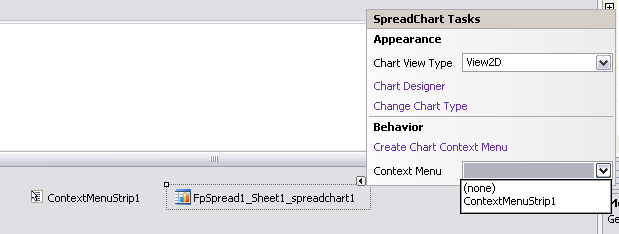
- Select the context menu you wish to associate with the chart control.