# SJS.AI.QUERY
## Content
## Summary
**SJS.AI.QUERY** is a function in SpreadJS that sends prompts and optional worksheet data to a registered AI model. You can provide one or more prompt and data arguments, and SpreadJS combines them in order to create the request sent to the AI model.
## Syntax
```javascript
=SJS.AI.QUERY(prompt1, [data1], [prompt2], [data2], ...)
```
## Arguments
| Parameter | Description |
| --------- | ----------- |
| **prompt1**
Required | Text that describes the task or asks a question for the AI model. |
| **data1**
Optional | A cell or range reference that provides context or data for the AI model. |
| **prompt2, data2, ...**
Optional | Additional prompt text and data references. Arguments are combined in order to form the request sent to the AI model. |
**Remarks:**
* `SJS.AI.QUERY` is an asynchronous formula and returns `#BUSY!` while the request is being processed.
* The function only uses data provided through its arguments. It does not read other workbook data automatically.
* Results depend on the registered AI model and may vary.
* Avoid using `SJS.AI.QUERY` for financial reporting, mathematical calculations, data lookup, or other high-risk scenarios that require deterministic results.
## Examples
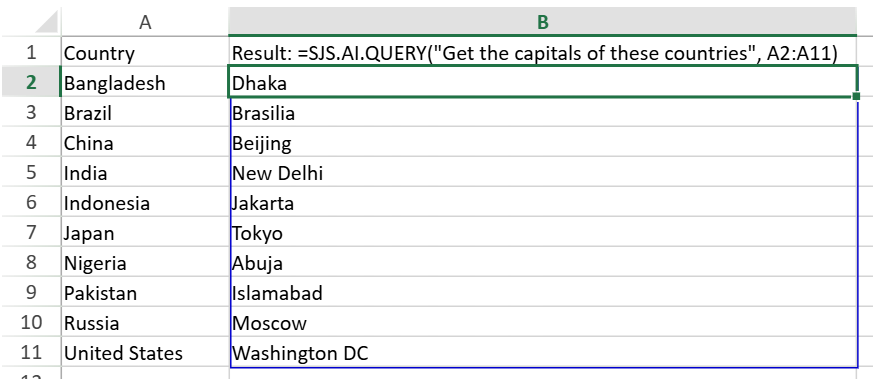
**Use a Prompt and a Data Range**
This formula reads country names from range **A2:A11** and returns their corresponding capital cities.
```auto
=SJS.AI.QUERY("Get the capitals of these countries", A2:A11)
```
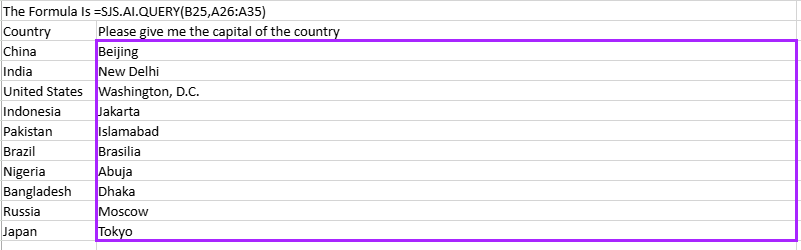
**Use a Prompt from a Cell**
```auto
=SJS.AI.QUERY(B25, A26:A35)
```
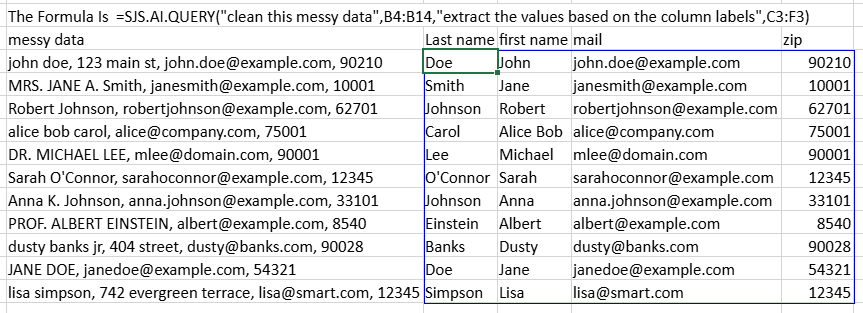
**Combine Multiple Prompts and Data Ranges**
```auto
=SJS.AI.QUERY("Clean this messy data", B4:B14, "Extract the values based on the column labels", C3:F3)
```
**Use Reference Data as Context**
```auto
=SJS.AI.QUERY("Return the category of each item", B9:B23, "Based on these categories", B27:B31)
```

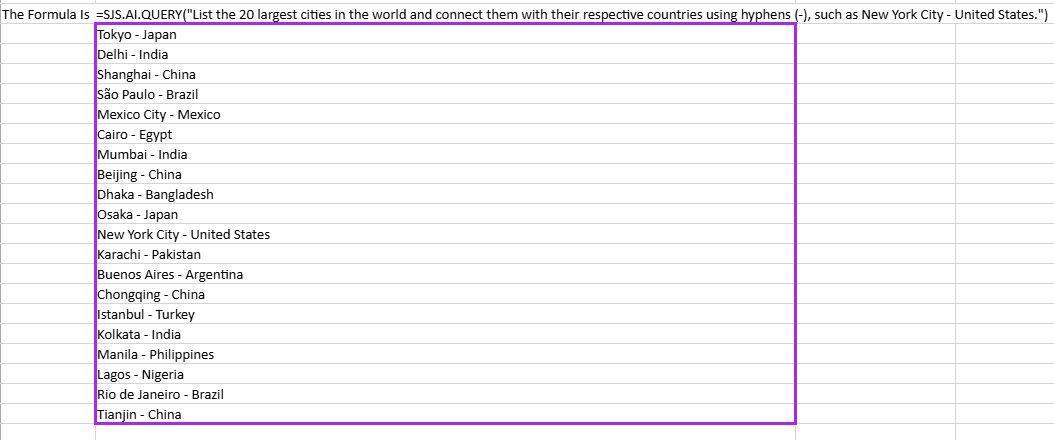
**Ask a Question**
```auto
=SJS.AI.QUERY("List the 20 largest cities in the world and connect them with their respective countries using hyphens (-), such as New York City - United States.")
```