# Context Menus

An explanation of the different context menus that appear when clicking on different parts of the SpreadJS Designer Component interface

## Content

You can display additional menus by right-clicking on various areas of the SpreadJS Designer interface:

|  |  |
| --- | --- |
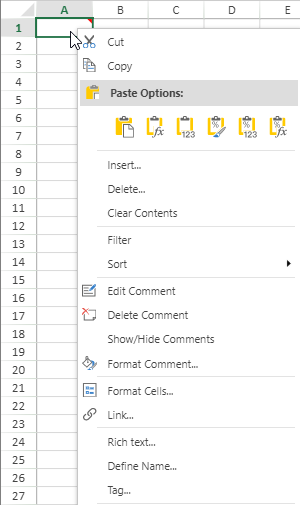
| Context menu for a cell. | ![designerCell](https://cdn.mescius.io/document-site-files/images/df1fe1ee-eb3c-4da7-8c20-a0d8d2b7e734/designerCell.8399fc.png?width=300) |
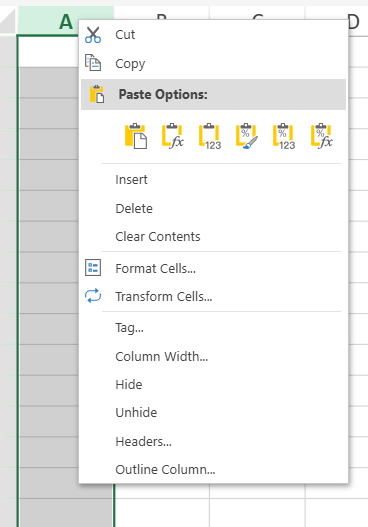
| Context menu for a column. | ![](https://cdn.mescius.io/document-site-files/images/8d606653-16a0-474d-b9dc-e2b4d01c2446/images/designercolumn.png?width=300) |
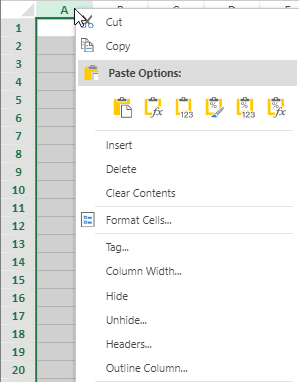
| Context menu for a column header. | worksheet:<br>![image](https://cdn.mescius.io/document-site-files/images/7719ad0a-f083-46d7-aff6-f63e2e187c15/image.765204.png?width=300)<br>others:<br>![](https://cdn.mescius.io/document-site-files/images/8d606653-16a0-474d-b9dc-e2b4d01c2446/images/designercolumnheader.png?width=300) |
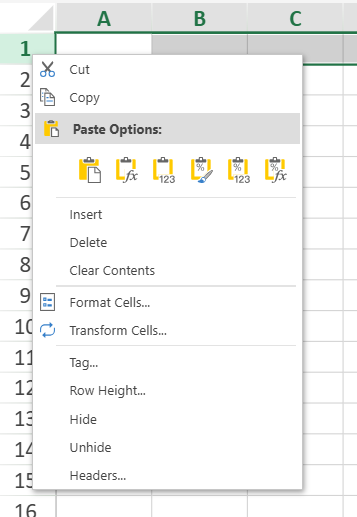
| Context menu for a row. | ![](https://cdn.mescius.io/document-site-files/images/8d606653-16a0-474d-b9dc-e2b4d01c2446/images/designerrow.png?width=300) |
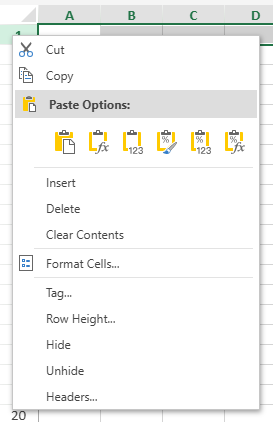
| Context menu for a row header. | worksheet:<br>![image](https://cdn.mescius.io/document-site-files/images/7719ad0a-f083-46d7-aff6-f63e2e187c15/image.aef10a.png?width=300)<br>others:<br>![image](https://cdn.mescius.io/document-site-files/images/7719ad0a-f083-46d7-aff6-f63e2e187c15/image.946997.png) |
| Context menu for a comment. | ![](https://cdn.mescius.io/document-site-files/images/8d606653-16a0-474d-b9dc-e2b4d01c2446/images/designercomment.png) |

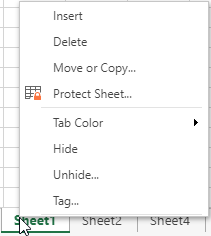
You can access various sheet-related operations in the sheet context menu by right-clicking a sheet name.

|  |  |
| --- | --- |
| Context menu for a sheet. | ![](https://cdn.mescius.io/document-site-files/images/8d606653-16a0-474d-b9dc-e2b4d01c2446/images/designersheets.png?width=225) |
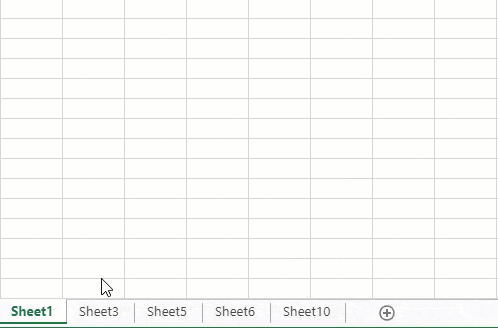
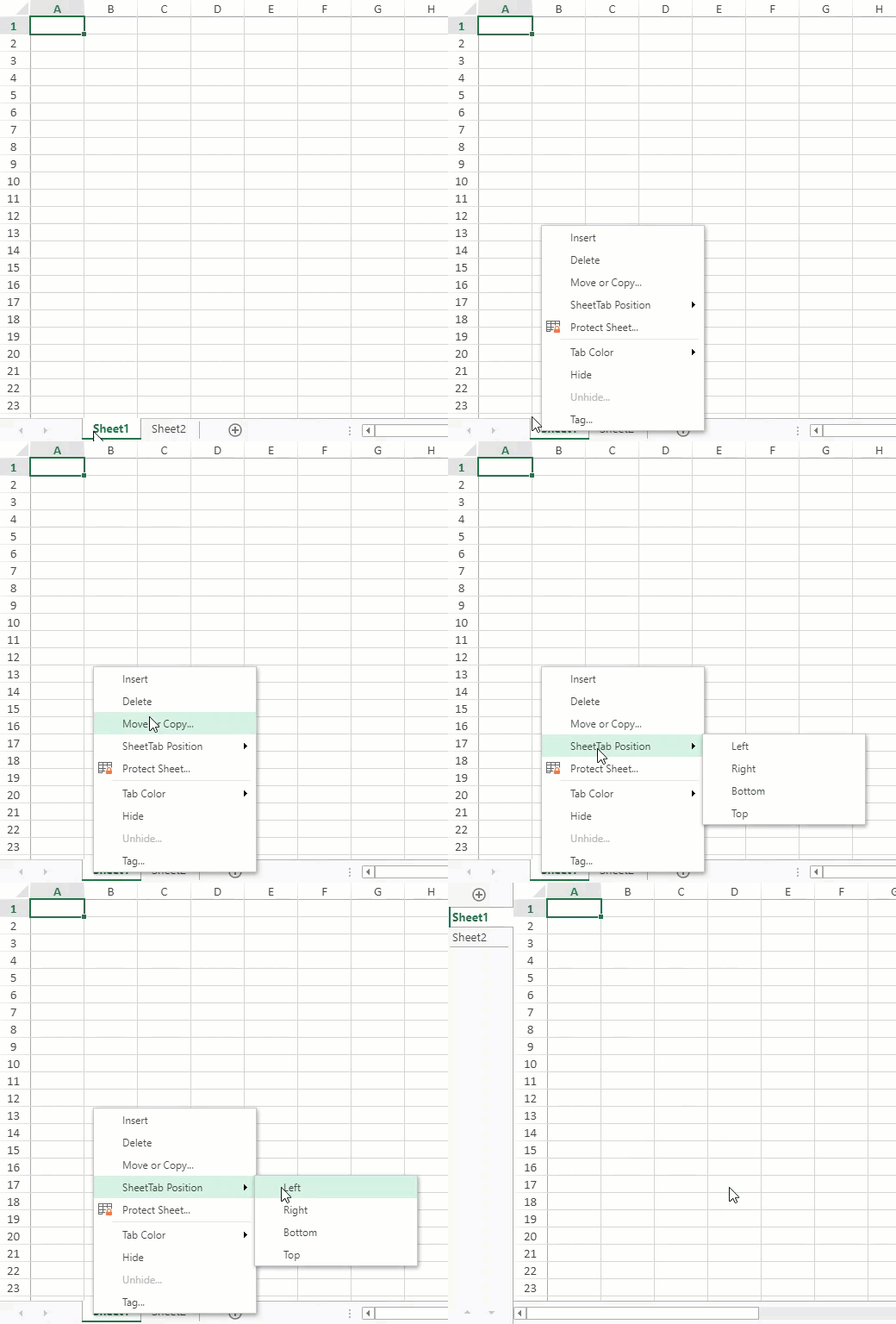
| "SheetTab position" operation in the sheet context menu | ![](https://cdn.mescius.io/document-site-files/images/8d606653-16a0-474d-b9dc-e2b4d01c2446/images/sheetposition.gif?width=450) |
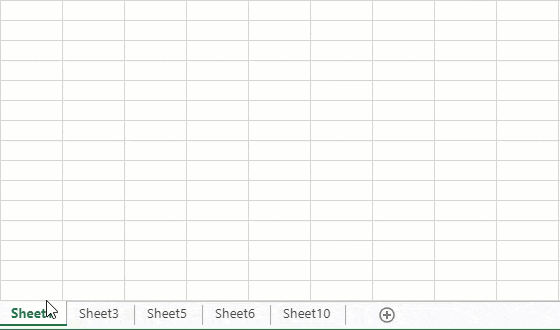
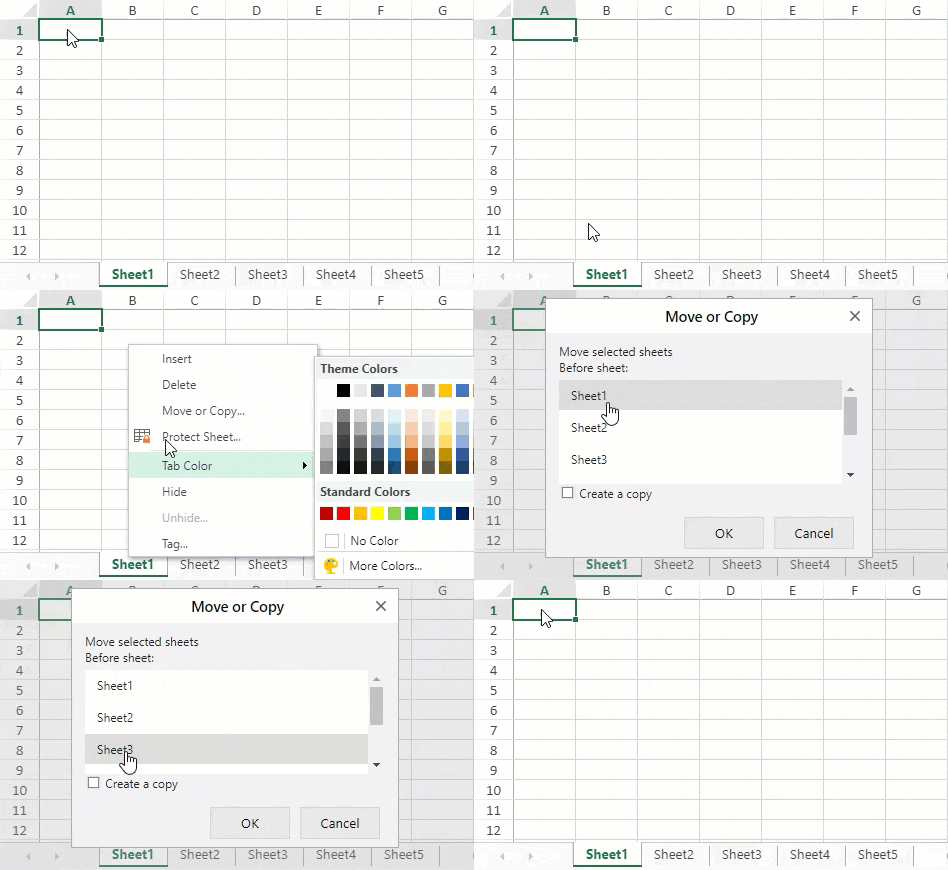
| "Move" operation in the sheet context menu. | ![](https://cdn.mescius.io/document-site-files/images/8d606653-16a0-474d-b9dc-e2b4d01c2446/images/move-action.gif?width=450) |
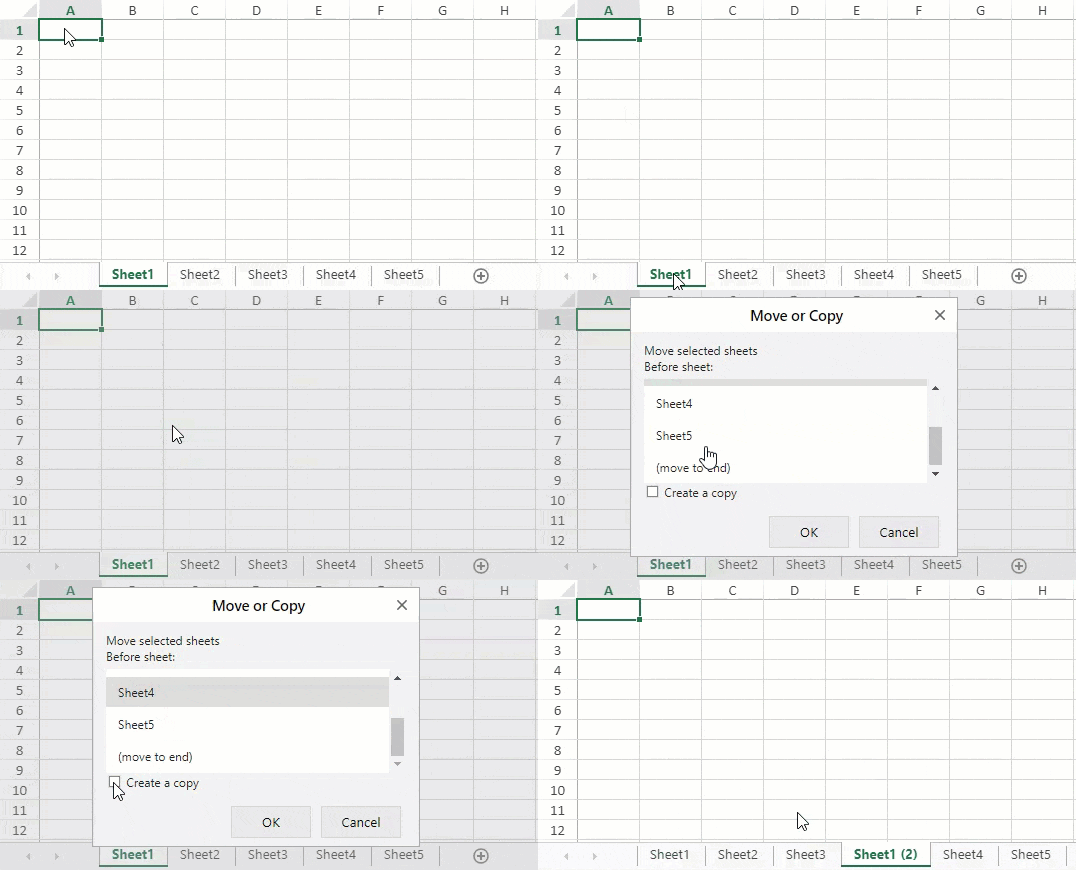
| "Copy" operation in the sheet context menu. | ![](https://cdn.mescius.io/document-site-files/images/8d606653-16a0-474d-b9dc-e2b4d01c2446/images/copy-action.gif?width=450) |
| "Unhide" operation in the sheet context menu. | Unhide multiple sheets using any of the following methods:<ul><li>Press and hold Ctrl and click on items to select them.![image.png](https://cdn.mescius.io/document-site-files/images/8d606653-16a0-474d-b9dc-e2b4d01c2446/image.d61542.png?width=450)</li><li>Press and hold Shift and click or use up/down arrows to select a range.![image.png](https://cdn.mescius.io/document-site-files/images/8d606653-16a0-474d-b9dc-e2b4d01c2446/image.6e02ad.png?width=450)</li></ul> |