# SpreadJS with React
How to use SpreadJS in a React web application
## Content
SpreadJS supports React, allowing developers to build powerful spreadsheet interfaces in React applications. This guide demonstrates how to integrate SpreadJS using functional components and hooks in a Vite-based React application, but you can use SpreadJS with other React-supported frameworks too.
> type=note
> **Note** : SpreadJS supports React versions 16, 17, 18, and 19.
## Project Setup with Vite
### 1\. Create a Vite React Project
*Select React + TypeScript for framework and variant.*
```bash
npm create vite@latest spreadjs-vite-app
cd spreadjs-vite-app
npm install
```
### 2\. Install SpreadJS React Modules
```bash
npm install @mescius/spread-sheets @mescius/spread-sheets-react
```
## Basic Setup
### 1\. Import SpreadJS CSS
In the `src/App.tsx` file, import the SpreadJS CSS using the following code.
```javascript
import { useState } from 'react';
import { SpreadSheets, Worksheet } from '@mescius/spread-sheets-react';
import * as GC from '@mescius/spread-sheets';
import './App.css'
import '@mescius/spread-sheets/styles/gc.spread.sheets.excel2013white.css';
//Enter a valid license key.
// GC.Spread.Sheets.LicensKey = 'YOUR_LICENSE_KEY';
function App() {
let spread: GC.Spread.Sheets.Workbook;
const [spreadBackColor, setSpreadBackColor] = useState('aliceblue');
const [sheetName, setSheetName] = useState('My Sheet');
const [hostStyle, setHostStyle] = useState({
width: '800px',
height: '600px'
});
const initSpread = function (spreadObj: GC.Spread.Sheets.Workbook) {
spread = spreadObj;
const sheet = spread.getActiveSheet();
sheet.setValue(0, 0, "Hello SpreadJS");
}
return (
<>
initSpread(spread)}>
)
}
export default App
```
### 2\. Use SpreadJS in React application and license SpreadJS
Modify the `src/App.tsx` file as per your requirements. Changes will be reflected when the browser window is refreshed. You can enter a valid SpreadJS license key before initializing the component. As an example, you can use the sample code given below:
```bash
npm run dev
```
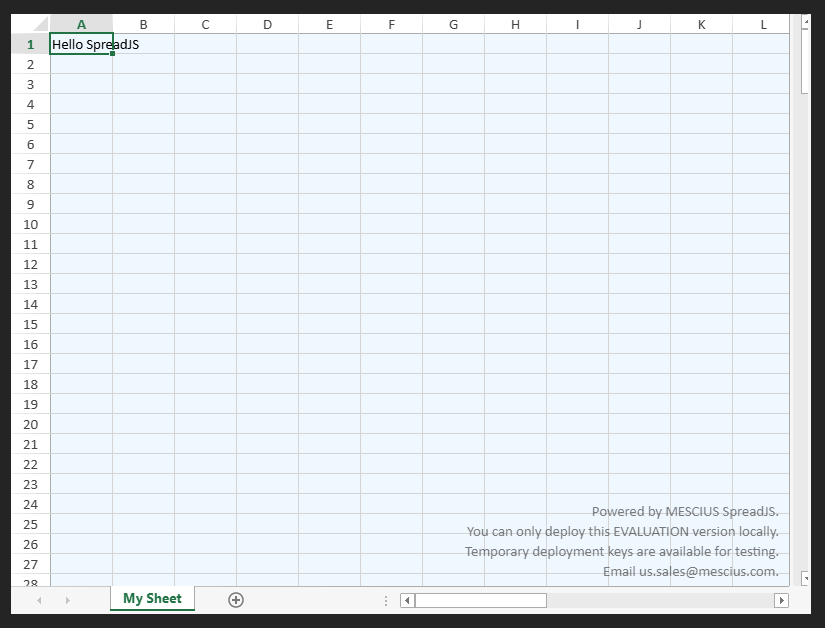
### 3\. Run the Project\.
The SpreadSheets, Worksheet, and Column are the basic elements of tag hierarchy. Other elements work by setting them. The main tag hierarchy is:
```xml
...
...
```
The following topics list the element directives.
1. [Using SpreadSheets Element](https://developer.mescius.com/spreadjs/docs/javascript-frameworks/UsingSpreadSheetswithReact/UsingtheSpreadSheetsElement "https://developer.mescius.com/spreadjs/docs/javascript-frameworks/UsingSpreadSheetswithReact/UsingtheSpreadSheetsElement")
2. [Using Worksheet Element](https://developer.mescius.com/spreadjs/docs/javascript-frameworks/UsingSpreadSheetswithReact/UsingtheWorksheetElement "https://developer.mescius.com/spreadjs/docs/javascript-frameworks/UsingSpreadSheetswithReact/UsingtheWorksheetElement")
3. [Using Column Element](https://developer.mescius.com/spreadjs/docs/javascript-frameworks/UsingSpreadSheetswithReact/UsingtheColumnElement "https://developer.mescius.com/spreadjs/docs/javascript-frameworks/UsingSpreadSheetswithReact/UsingtheColumnElement")
4. [Chart Element](https://developer.mescius.com/spreadjs/docs/javascript-frameworks/UsingSpreadSheetswithReact/UsingtheChartElement "https://developer.mescius.com/spreadjs/docs/javascript-frameworks/UsingSpreadSheetswithReact/UsingtheChartElement")
5. [Spread-sheets-io Element](https://developer.mescius.com/spreadjs/docs/javascript-frameworks/UsingSpreadSheetswithReact/UsingtheExcelIOElement "https://developer.mescius.com/spreadjs/docs/javascript-frameworks/UsingSpreadSheetswithReact/UsingtheExcelIOElement")
6. [Shape Element](https://developer.mescius.com/spreadjs/docs/javascript-frameworks/UsingSpreadSheetswithReact/UsingtheShapeElement "https://developer.mescius.com/spreadjs/docs/javascript-frameworks/UsingSpreadSheetswithReact/UsingtheShapeElement")