# Context Menu

An explanation of the different context menu options that are available when accessing different areas of a SpreadJS Pivot Table, including the UI for each

## Content

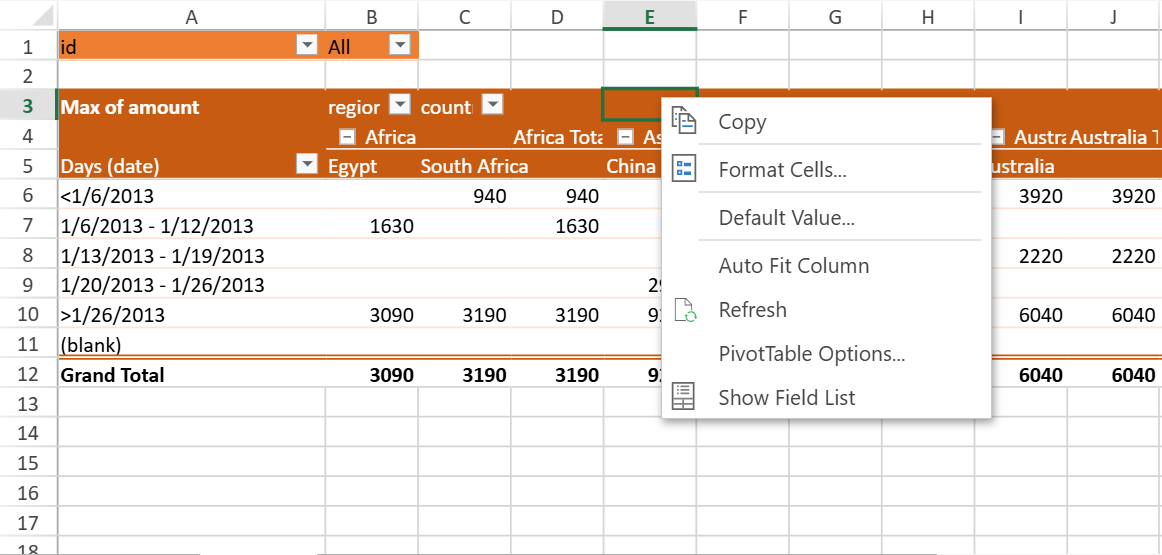
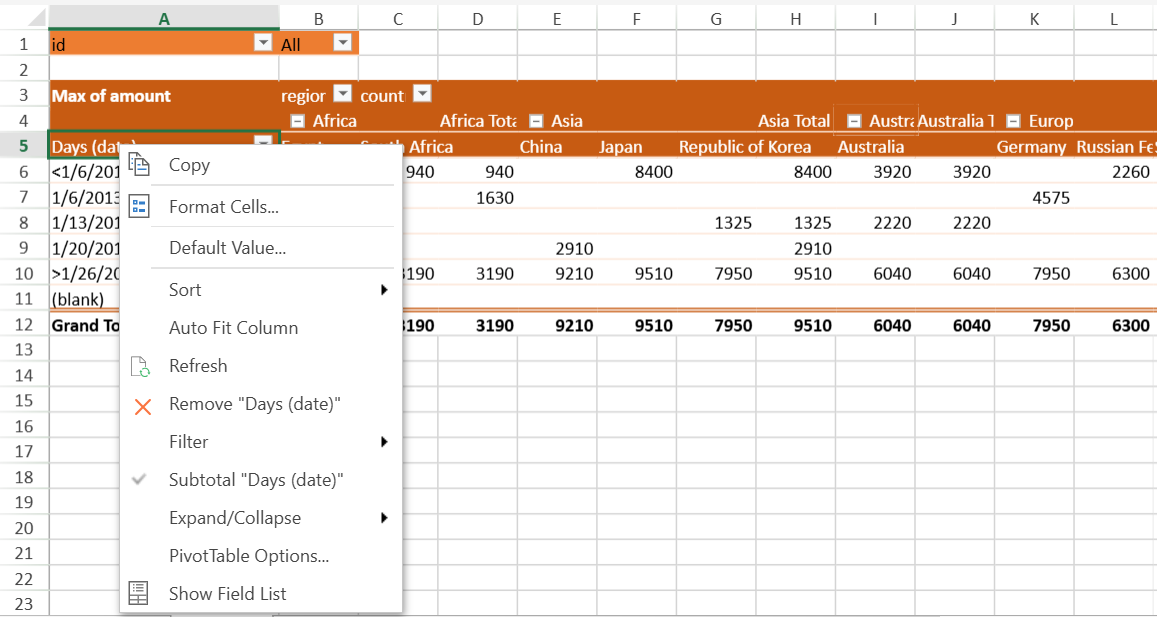
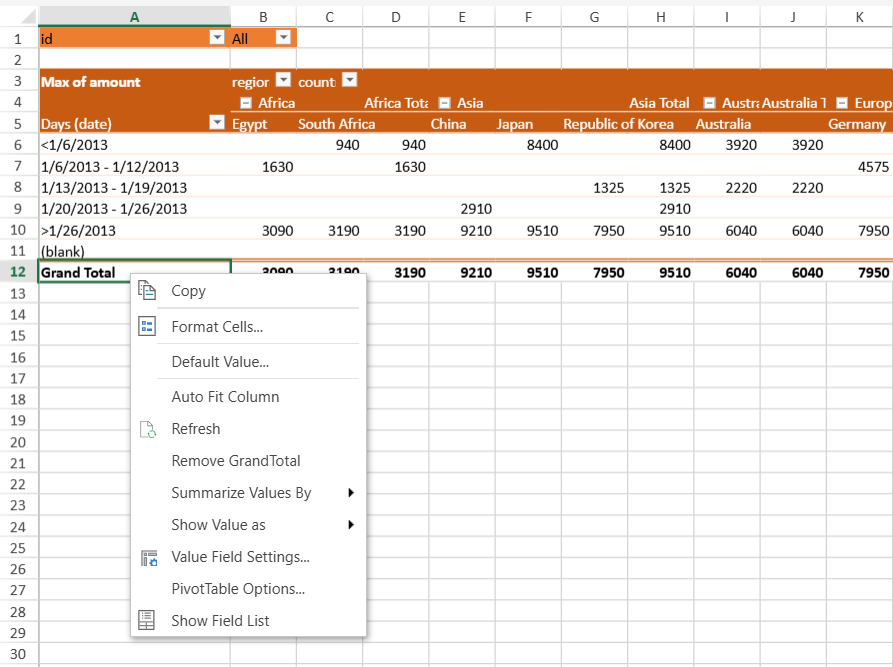
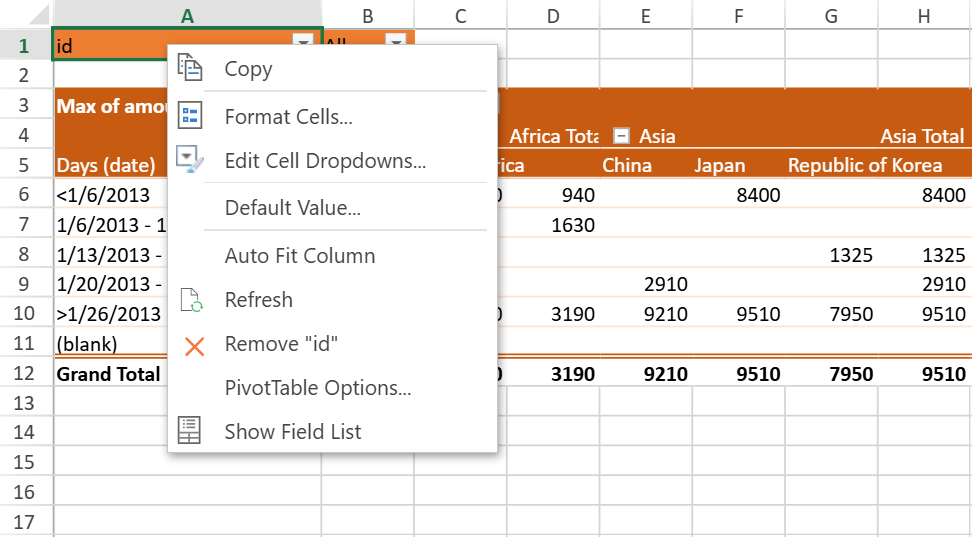
SpreadJS provides different context menu options while accessing different areas of a pivot table. These options allow you to quickly execute the common or repetitive operations in the pivot table. The context menu appearing for different areas of a pivot table, when right-clicked, is shown below:

1. The page area
<br>
    ![image](https://cdn.mescius.io/document-site-files/images/b2223940-43c2-44cf-8eda-f5ab9acd84f0/image.91b47b.png?width=600)
2. Any empty area
<br>
    ![image](https://cdn.mescius.io/document-site-files/images/b2223940-43c2-44cf-8eda-f5ab9acd84f0/image.7f9a12.png?width=600)
3. The header area
<br>
    ![image](https://cdn.mescius.io/document-site-files/images/b2223940-43c2-44cf-8eda-f5ab9acd84f0/image.a081d0.png?width=600)
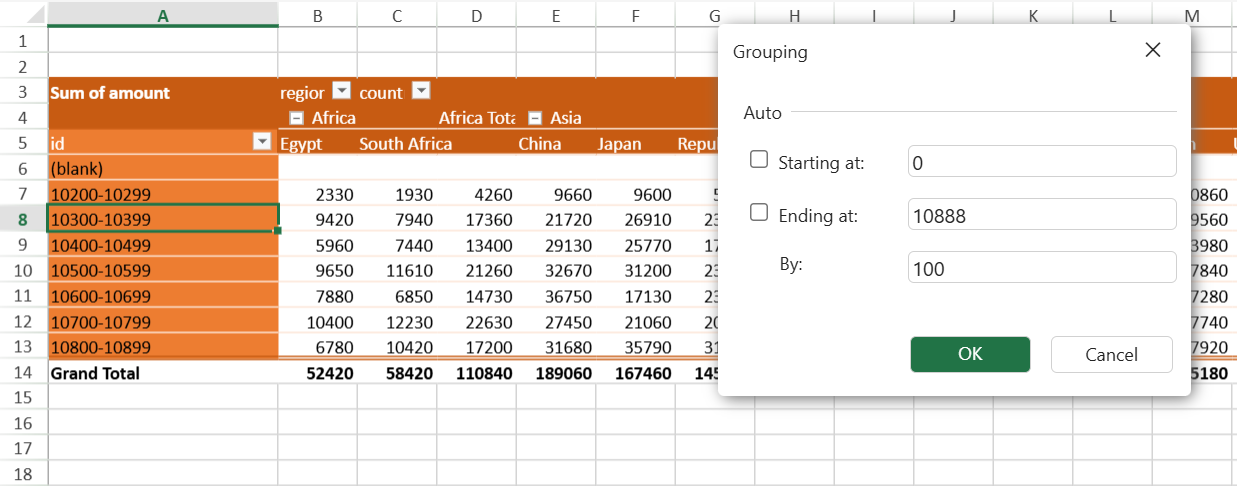
4. The data type (number) and select the 'Group' option
<br>
    ![image](https://cdn.mescius.io/document-site-files/images/b2223940-43c2-44cf-8eda-f5ab9acd84f0/image.64e026.png?width=600)
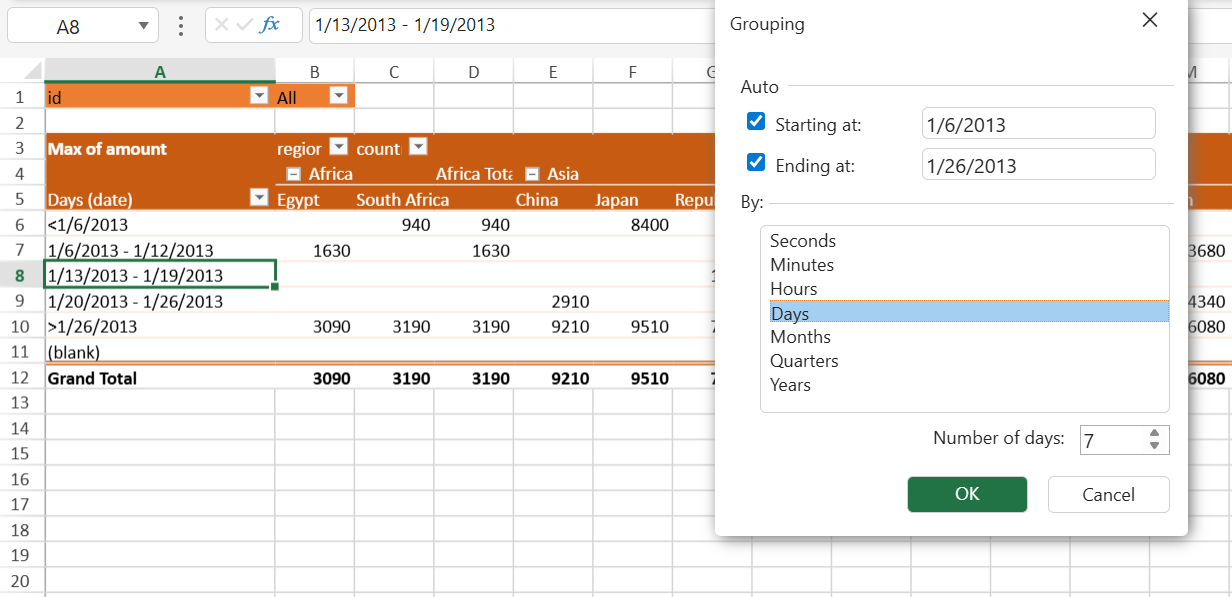
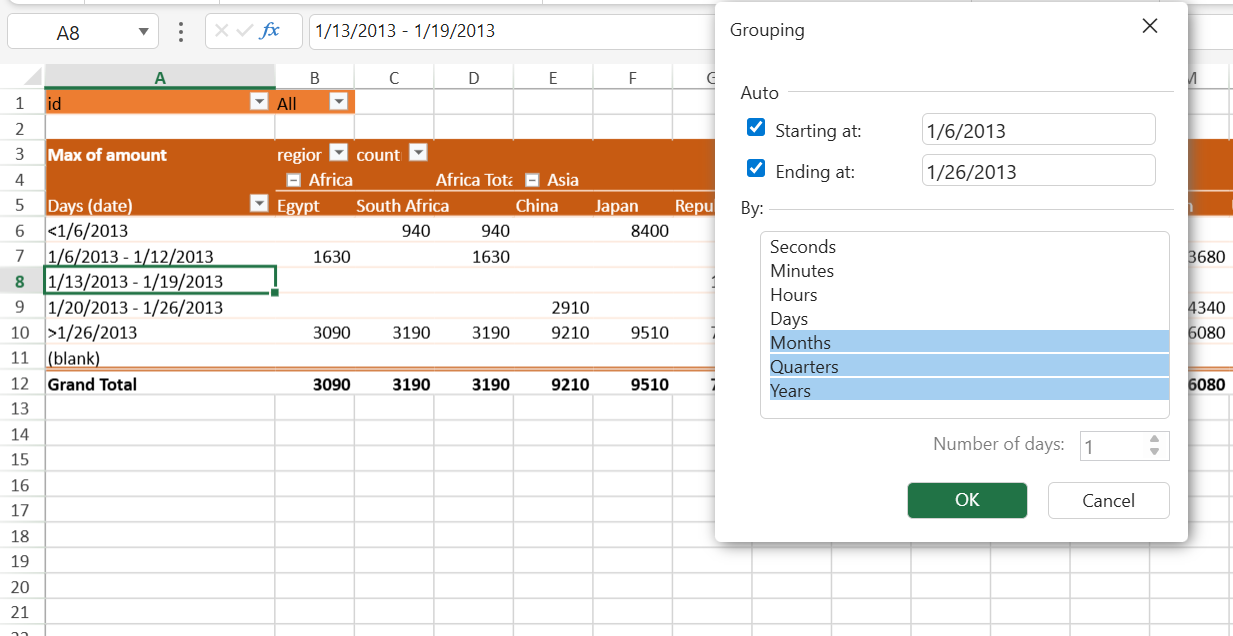
5. The data type (date) and select the 'Group' option
<br>
    ![image](https://cdn.mescius.io/document-site-files/images/b2223940-43c2-44cf-8eda-f5ab9acd84f0/image.8938fe.png?width=600)
<br>
    ![image](https://cdn.mescius.io/document-site-files/images/b2223940-43c2-44cf-8eda-f5ab9acd84f0/image.907535.png?width=600)
<br>
    >type=note
> **Note:**
    > The *Number of days* option applies only when **Days** is selected as the **only** grouping interval. When Days is combined with other intervals (for example, Months, Quarters, or Years), the option is disabled and appears grayed out.
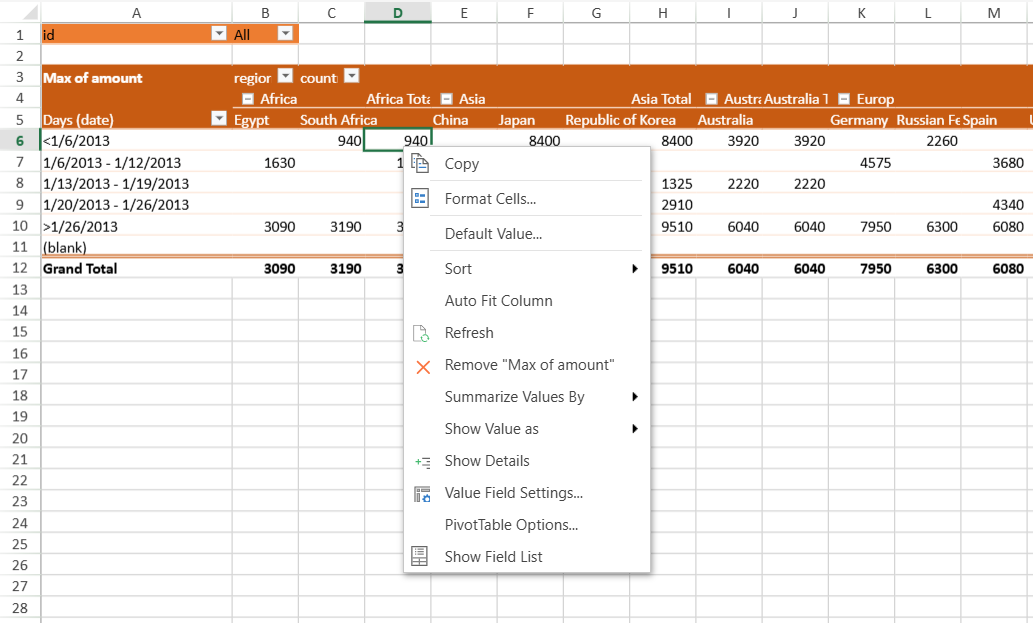
6. The data area
<br>
    ![image](https://cdn.mescius.io/document-site-files/images/b2223940-43c2-44cf-8eda-f5ab9acd84f0/image.fdd716.png?width=600)
7. The Grand Total area
<br>
    ![image](https://cdn.mescius.io/document-site-files/images/b2223940-43c2-44cf-8eda-f5ab9acd84f0/image.867b05.png?width=600)

## Custom Format in Value Fields

SpreadJS supports custom formats for value fields in a pivot table.
When you operate the PivotTable Panel in the SpreadJS Designer,

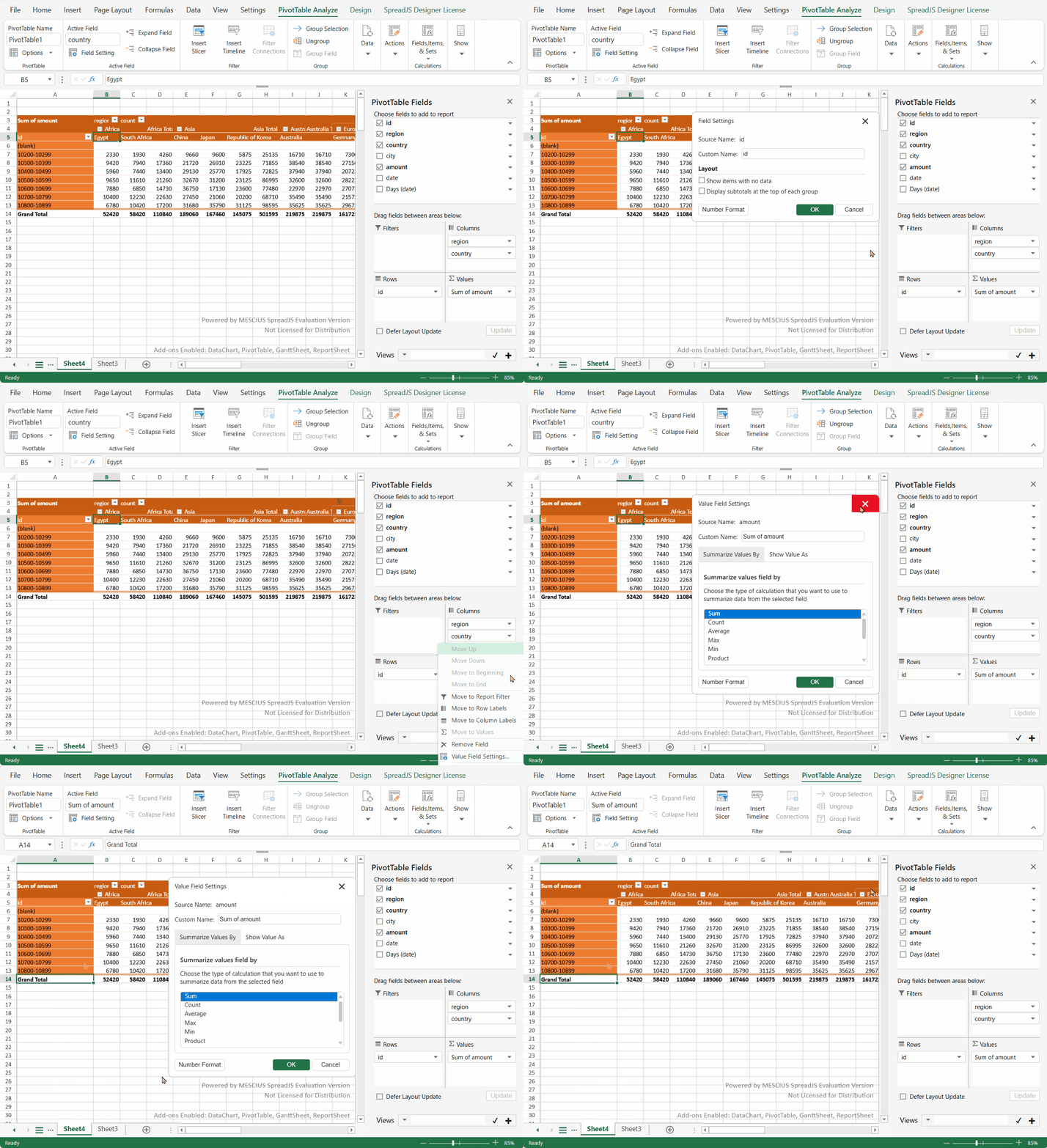
1. Choose the "Value Field Settings..." option from the data area or the grand data area context menu to open the dialog window.
<br>
    ![filterSetting.gif](https://cdn.mescius.io/document-site-files/images/b2223940-43c2-44cf-8eda-f5ab9acd84f0/filterSetting.5be285.gif?width=800)
<br>
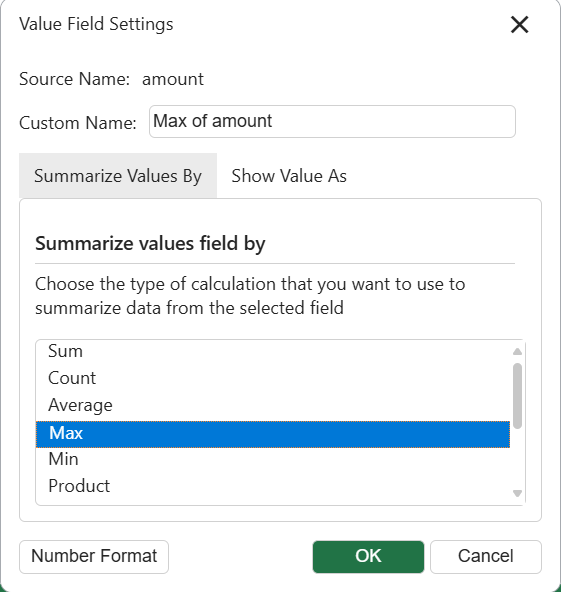
    The "Number Format" button is shown on the dialog if the field type is either Number or Date.
<br>
    ![image](https://cdn.mescius.io/document-site-files/images/b2223940-43c2-44cf-8eda-f5ab9acd84f0/image.c98cce.png?width=400)
<br>
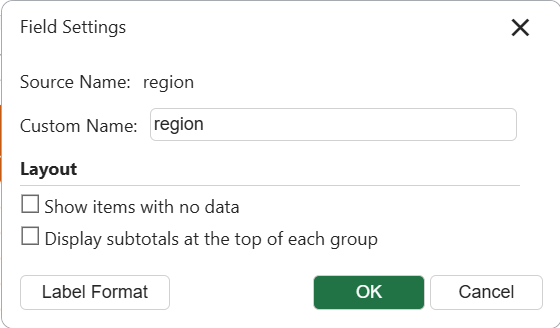
    The "Label Format" button is shown on the dialog if the field typeis not Number or Date.
<br>
    ![image](https://cdn.mescius.io/document-site-files/images/b2223940-43c2-44cf-8eda-f5ab9acd84f0/image.c7c8d7.png?width=400)
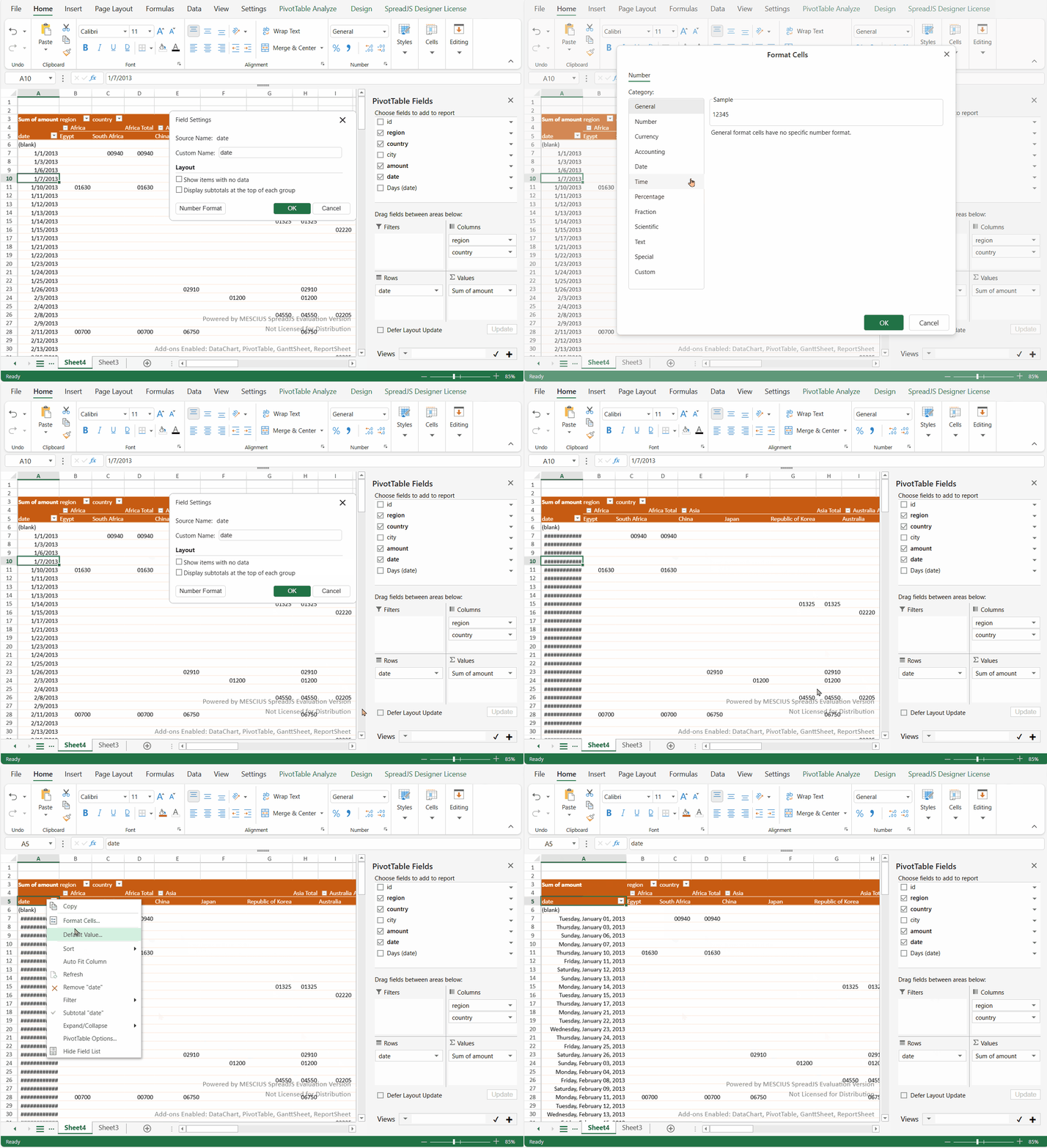
2. Click the **Number Format** or **Label Format** button, a designer Number Format dialog with richer settings will pop up.
    ![format.gif](https://cdn.mescius.io/document-site-files/images/b2223940-43c2-44cf-8eda-f5ab9acd84f0/format.cb2053.gif?width=800)