# Incremental Calculations
An explanation of the incremental calculation that divides the entire calculation into segments during execution in SpreadJS, including code examples
## Content
SpreadJS provides support for incremental calculation that divides the entire calculation into segments during execution by setting the `incrementalCalculation` option of the [Workbook](/spreadjs/api/classes/GC.Spread.Sheets.Workbook) class to true. This allows for responsiveness to user actions when the calculation task is huge.
You can calculate the cells incrementally and respond to UI events. It prevents the UI from freezing when the workbook contains many formulas. When cells are updated while there are cells pending for calculation, the updated cells along with their dependent cells are added to the calculation tasks. However, the pending calculations are discarded if you insert or delete rows/columns or sheets and the following calculation uses the adjusted formulas.
The `incrementalCalculation` option, when set to true allows you to track progress updates using the `CalculationProgress` event.
The following code sample shows how to track progress in the `CalculationProgress` event.
```javascript
// This example uses the CalculationProgress event, to log the calculation progress.
spread.options.incrementalCalculation = true;
spread.bind(GC.Spread.Sheets.Events.CalculationProgress, function (e, info) {
var msg = "Calculate ";
if (info.pendingCells === 0) {
msg += "finished";
} else if (info.iterate >= 0) {
msg += info.pendingCells + " cells in iterative calculation round " + info.iterate;
} else {
msg += (info.totalCells - info.pendingCells) + "/" + info.totalCells + "cells";
}
console.log(msg);
});
```
## Add Status Bar Item
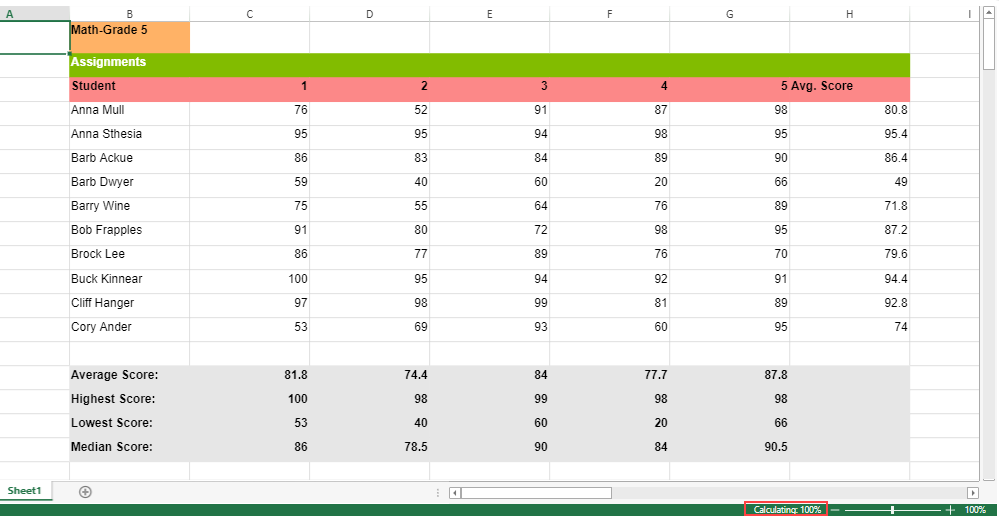
Incremental calculation is also displayed in the status bar to depict the calculation progress when `incrementalCalculation` option is set to true.
The following code sample shows how to bind the spread to the status bar, which will automatically display the calculation progress.
```javascript
// Initialize the status bar and bind it to spread.
var statusBar = new GC.Spread.Sheets.StatusBar.StatusBar(document.getElementById('statusBar'));
statusBar.bind(spread);
```
**For Non-Circular Reference Cells**: The progress of calculation is displayed in the percentage format as displayed in the following image:
**For Circular Reference Cells**: Iterative calculation is implemented by setting `iterativeCalculation` to true and the progress of calculation is displayed in the iterative rounds as shown in the following GIF.
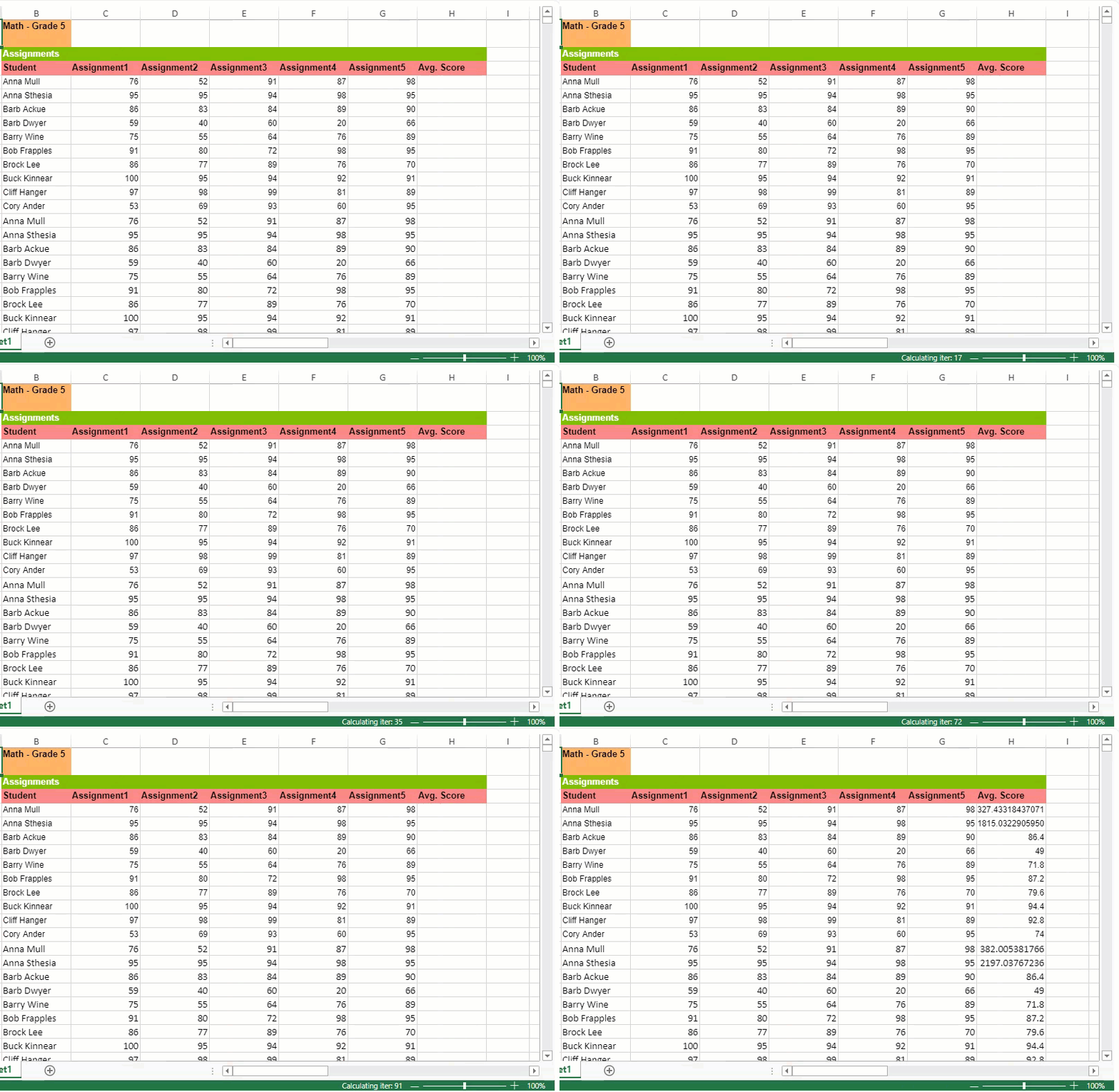
The following code sample shows how to set `iterativeCalculation` for Circular Reference.
```javascript
// Enable IterativeCalculation.
spread.options.iterativeCalculation = true;
spread.options.iterativeCalculationMaximumIterations = 24;
```
## Running Incremental Calculation in a Web Worker (calcWorker Plugin)
The **calcWorker** Plugin offloads spreadsheet calculations to a Web Worker, keeping the main thread responsive during intensive recalculation.
Enable this plugin to improve performance and avoid UI freezing when working with large or formula‑heavy workbooks.
>type=note
> Available since version 19.
**Enable Options:**
**Option 1 – Using Script Files**
1. Import the plugin in your HTML file.
2. Set the `incrementalCalculation` option to `true`.
```html
```
**Option 2 – Using NPM Packages**
1. Install the plugin:
```bash
npm install @mescius/spread-sheets-calc-worker
```
2. Import and enable it in your code:
```javascript
import '@mescius/spread-sheets-calc-worker';
spread.options.incrementalCalculation = true;
```
**Verification**
When enabled successfully, calculation tasks will run asynchronously in the browser’s background thread. You can confirm the worker is active by checking for a `calcWorker.js` thread in your browser’s DevTools.
**Feature**
* When `incrementalCalculation` is enabled, SpreadJS performs formula recalculation inside a Web Worker instead of the main thread.
* This allows incremental cell updates to occur smoothly during ongoing user interactions.
* Calculations run asynchronously, and the results are returned to the main thread once completed.
* When `incrementalCalculation` is disabled, all calculations run directly on the main thread.
>type=note
> **Note**:
> You can use the `waitForAllCalculations()` method to wait until all pending calculations are completed. This API returns a Promise and also works for main thread `incrementalCalculation`.
**Behavior and Limitations**
* **Calculation Priority** - `calcOnDemand` has lower priority than `incrementalCalculation`. When `incrementalCalculation` is enabled, the `calcOnDemand` option is automatically disabled.
* **Suspending Calculations** \- Use `spread.suspendCalcService()` to temporarily pause all worker‑based calculations.
* **Manual Calculation Mode** \- When the calculation mode is set to “**manual**,” CalcWorker does not run automatic recalculations.
* **Data Transfer Limits** \- Values passed to a worker must be serializable\. Functions or complex objects \(e\.g\.\, closures\) are not supported as cell values\.
```javascript
sheet.setValue(1,1,{a:1,f:()=>{return 2;}}); // invalid in worker mode
```
* **APIs Dependent on Calculated Values** \- Before running operations that depend on up‑to‑date calculation results \(e\.g\.\, sorting\, exporting\, summarizing\)\, call await `waitForAllCalculations()` to ensure all worker tasks are completed.
```javascript
sheet.suspendPaint();
for (let i = 0; i < 100; i++) {
sheet.setFormula(i, 0, `=${100 - i}`);
}
sheet.resumePaint();
await spread.waitForAllCalculations();
sheet.sortRange(0, 0, 100, 1, true, [{ index: 0, ascending: true }]);
```
* **Custom Functions** \- Custom functions run on the main thread\. When a formula in CalcWorker encounters a custom function\, the evaluation is delegated to the UI thread and the result returned to the worker\.
* **Conditional Formatting** **and Visual Elements** \- Conditional formatting\, shapes\, and charts are always processed and refreshed in the main thread using the latest results from CalcWorker\.
**Example: Performance Comparison**
The following example demonstrates how the calcWorker plugin improves responsiveness during heavy recalculations.
This workbook contains **10,000 rows** of data that generate random values using the `RAND()` function and perform statistical calculations such as probability and standard deviation.
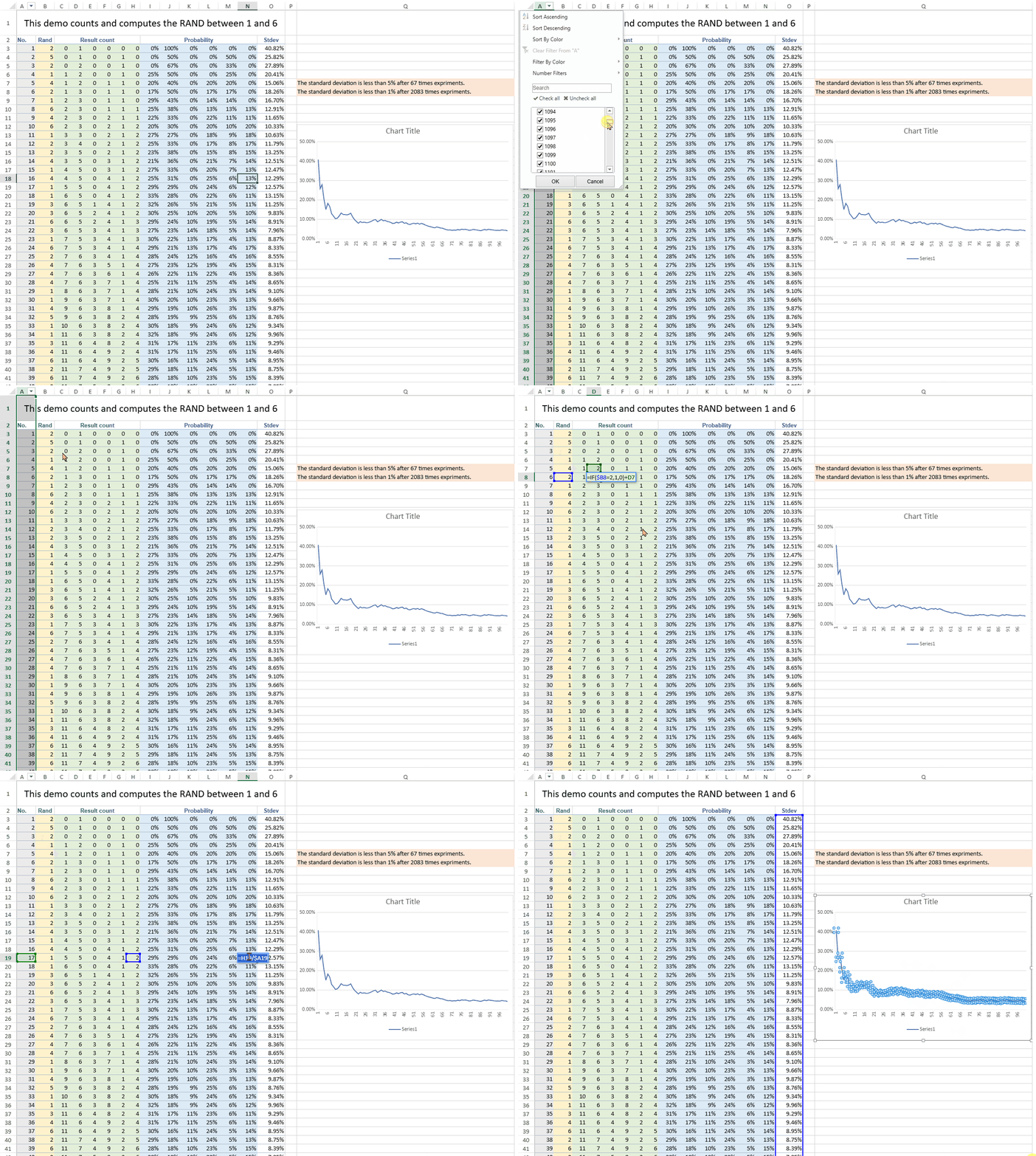
When performing a recalculation — for example, by editing one of the base formulas or updating a random input — the spreadsheet triggers thousands of dependent formula updates and chart refreshes.
| **Mode** | **Result** | **Description** |
| ---- | ------ | ----------- |
| Without CalcWorker (main thread) | 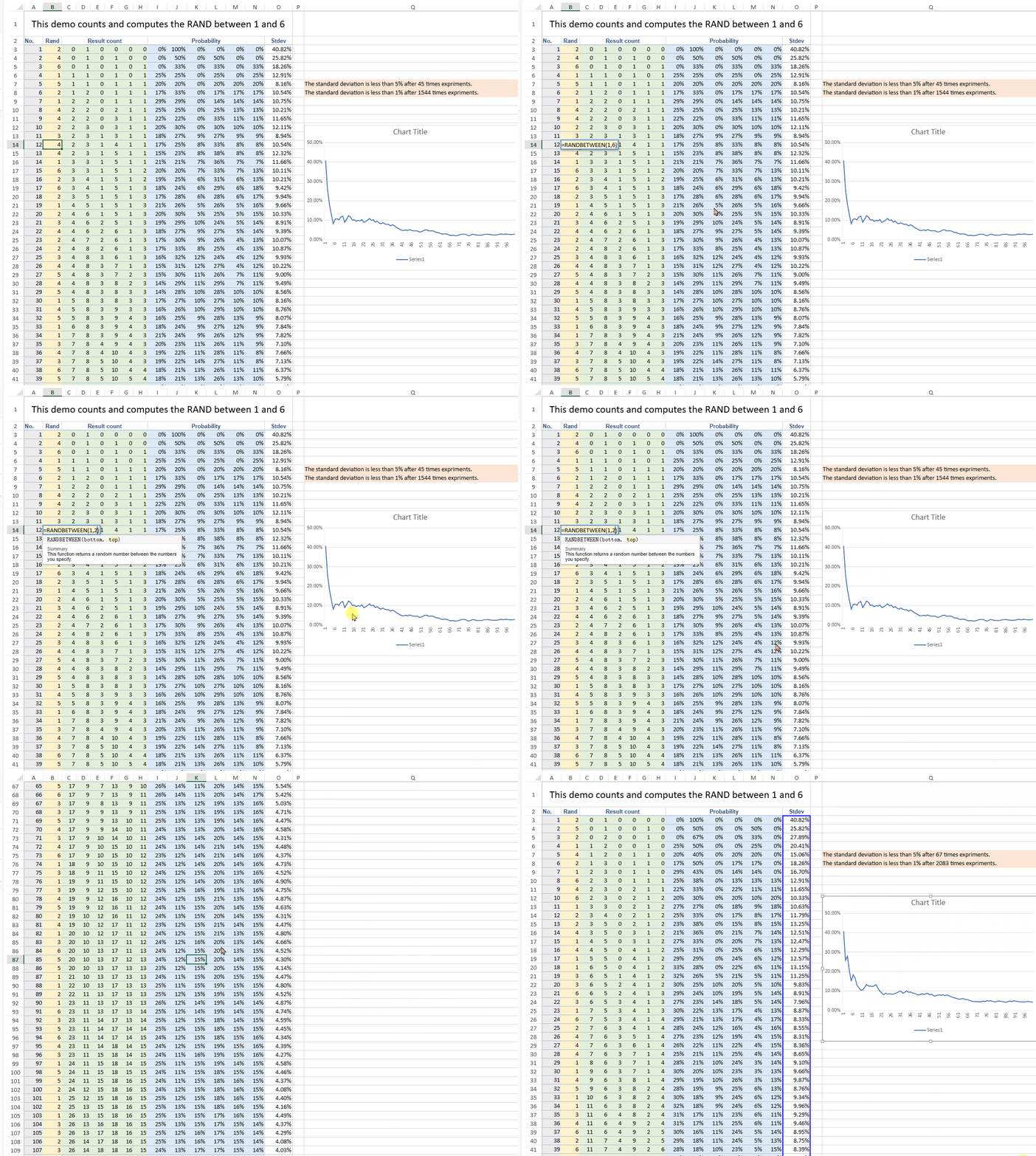 | The UI freezes momentarily until all calculations are complete. Scrolling or selecting cells becomes unresponsive. |
| With CalcWorker enabled (Web Worker) | 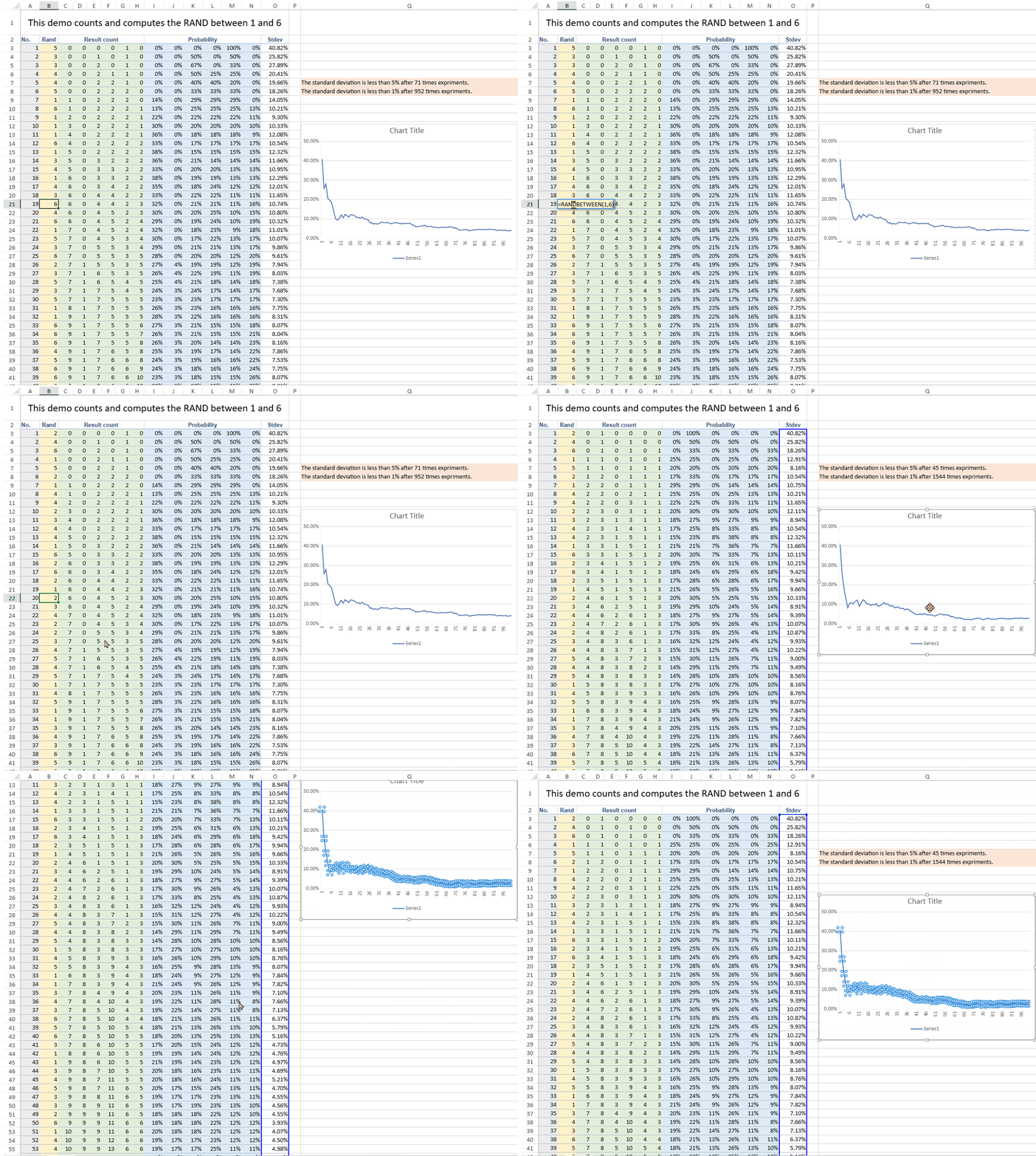 | Calculations run asynchronously in the background, keeping the interface smooth — you can move, scroll, and inspect results while the sheet continues updating. |