# Web Browser
## Content
Updated 3/06/2026.
## Using DsPdfJS in the Browser
### What is the Browser Environment?
In the browser environment, **DsPdfJS** (`@mescius/ds-pdf`) runs entirely client-side using WebAssembly.
* No server processing required
* No native installation
* Works in modern browsers with WebAssembly support
* PDF files are generated fully in the browser
## Prerequisites
* **Node.js (version 16 or higher)**
* **npm (version 7 or higher)**
* A **modern browser with WebAssembly support** (Chrome, Edge, Firefox, Safari)
* A **code editor** (VS Code recommended)
* Basic knowledge of **HTML and JavaScript**
## Working Example
***
### Step 1 — Create a Project
```auto
mkdir dspdf-browser-demo
cd dspdf-browser-demo
npm init -y
```
### Step 2 — Install DsPdfJS
```auto
npm install @mescius/ds-pdf
```
***
### Step 3 — Run a Dev Server (Vite example)
Modern browsers require a web server to load WASM files due to security restrictions (CORS and module loading rules).
To run the project locally, install a lightweight development server such as Vite:
```auto
npm install vite --save-dev
```
Add this to your `package.json`:
```auto
"scripts": {
"dev": "vite",
"build": "vite build",
"preview": "vite preview"
},
```
***
### Step 4 — Create `index.html`
```html
DsPdfJS Browser Example – npm + Vite
Create a PDF in the Browser with DsPdfJS
This example shows how to generate a PDF file in the browser using
DsPdfJS (@mescius/ds-pdf) installed via npm.
```
### Step 5 — Run the Project
```plaintext
npm run dev
```
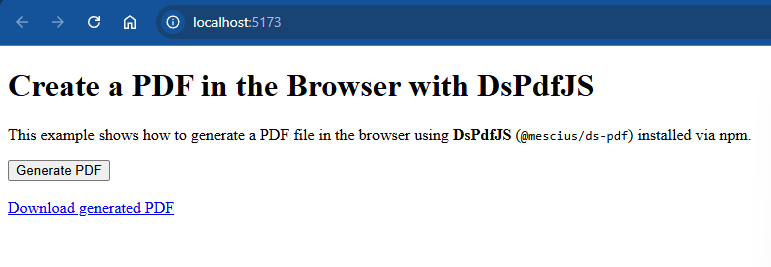
Open:
```bash
http://localhost:5173
```
### Expected Result
* Click **Generate PDF**
* A download link appears
* The generated file contains the text:
```auto
Hello from DsPdfJS!
```
### Result screenshot
### Project Structure
```auto
dspdf-browser-demo/
├── node_modules/
├── package.json
├── package-lock.json
└── index.html
```