# Customizing Selection
## Content
You can customize the default behavior of the calendar control to select specific dates. For instance, consider a scenario where you wish to select only weekdays on tapping two dates in different workweeks. For this, you simply need to subscribe the **OnSelectionChanging** event and apply selection condition in the handler.
The following image shows a calendar that only selects weekdays and deselects weekends on tapping two different dates in different workweeks.
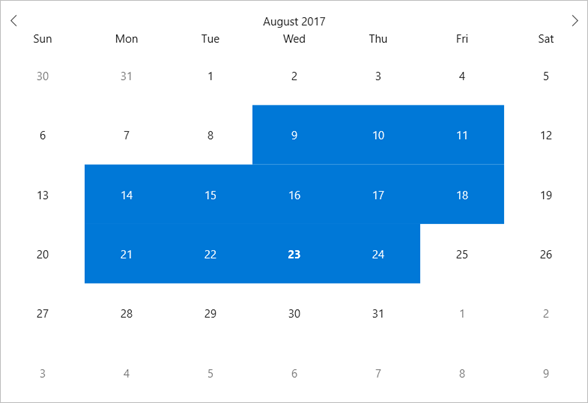
The following code example demonstrates how to customize selection in C# and XAML. This code example uses the sample created in the [Quick start](/componentone/docs/xamarin/online-forms/controls/CalendarOverview/CalendarQuickStart) section.
### In Code
1. Subscribe the SelectionChanging event in XAML between the \\ tags as depicted below.
```xml
```
2. Switch to the code view and add the following code to select only weekdays between two dates in two different weeks.
```csharp
private void OnSelectionChanging(object sender, CalendarSelectionChangingEventArgs e)
{
foreach (var date in e.SelectedDates.ToArray())
{
if (date.DayOfWeek == DayOfWeek.Saturday || date.DayOfWeek == DayOfWeek.Sunday)
e.SelectedDates.Remove(date);
}
}
```