# Tab Overlapping
## Content
You can control the overlapping of tabs by setting the [TabStripOverlap](/componentone/api/wpf/online-tabcontrol5/dotnet-api/C1.WPF.TabControl/C1.WPF.TabControl.C1TabControl.TabStripOverlap.html) property and the [TabStripOverlapDirection](/componentone/api/wpf/online-tabcontrol5/dotnet-api/C1.WPF.TabControl/C1.WPF.TabControl.C1TabControl.TabStripOverlapDirection.html) property. The **TabStripOverlap** property controls how many pixels of the tab overlap, and the **TabStripOverlapDirection** direction property allows you to select an enumeration value that sets the direction of the overlap. The **TabStripOverlapDirection** property has three enumeration values – **Right**, **Left**, and **RightLeftFromSelected**.
> type=note
> **Note**: The **TabStripOverlap** property for each of the following examples has been set to a value of 10.
| **Right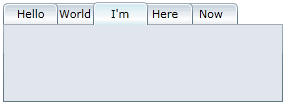**
The rightmost tabs are in the back while the selected tab is in the front. | **Left** 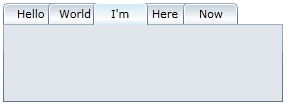 The leftmost tabs are in the back while the selected tab is in the front. |
| --- | --- |
| **RightLeftFromSelected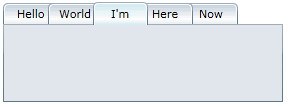**
Leftmost tabs are in the back, rightmost tabs are in the back, and the selected tab is in the front. | |