# How to integrate Rules Manager with C1ListView

## Content


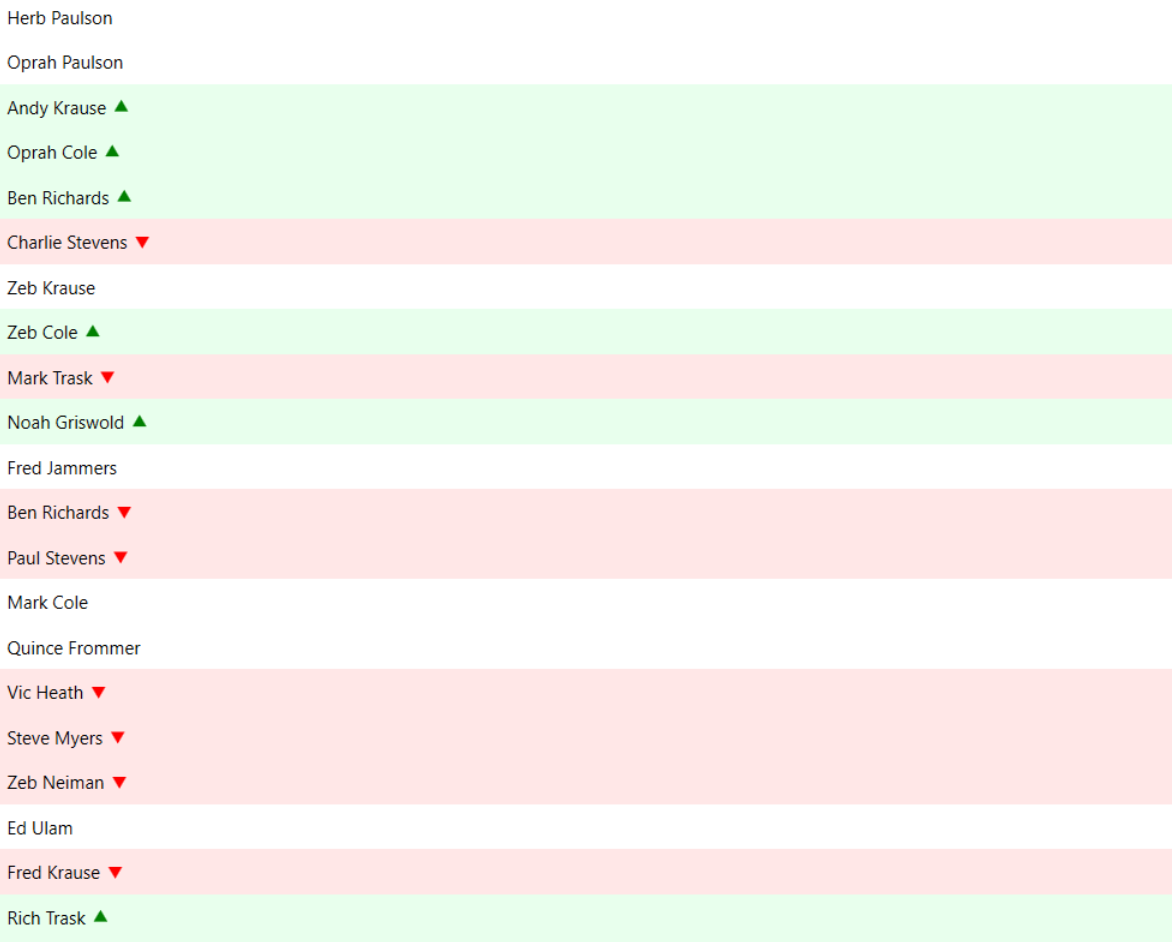
This is a step-by-step guide for applying conditional formatting to **C1ListView** by integrating the **Rules Manager** control.
![](https://cdn.mescius.io/document-site-files/images/ac639fbf-046b-4a70-872a-c6393c366bf1/images/listview-integration.png)

### Set Up Application

1.  Create a WPF application
2.  Drag and drop **ListView** and **Rules Manager** on the form
3.  Bind the data using **ItemsSource** property

### Define Value Converters

Use the following code to implement value converter.

*   **ScoreConverter**
    
    ```xml
    <local:ScoreToIconConverter x:Key="scoreConverter"/>
    ```
    

The **ScoreConverter** converts numeric scores to icons.

### Integrate Rules Manager

Use the following code to integrate Rules Manager with **ListView** and add/edit the rules.

```xml
<c1:C1RulesEngine x:Key="rulesEngine" RulesChanged="C1RulesEngine_RulesChanged">
    <c1:RulesEngineSegmentsRule Ranges="[Score]">
        <c1:RulesEngineSegment ValueType="Percent" Value="0.33">
            <c1:RulesEngineStyle IconTemplate="{x:Static c1:C1IconTemplate.TriangleSouth}" IconBrush="Red" Foreground="Black" Background="#FFE7E7"/>
        </c1:RulesEngineSegment>
        <c1:RulesEngineSegment ValueType="Percent" Value="0.66"/>
        <c1:RulesEngineSegment>
            <c1:RulesEngineStyle IconTemplate="{x:Static c1:C1IconTemplate.TriangleNorth}" IconBrush="Green" Foreground="Black" Background="#E8FFED"/>
        </c1:RulesEngineSegment>
    </c1:RulesEngineSegmentsRule>
</c1:C1RulesEngine>
```

Use the following code to apply cell styling based on rules applied.

```xml
<c1:C1ListView x:Name="listView" Grid.Column="0">
    <c1:C1ListView.ItemTemplate>
        <DataTemplate>
            <StackPanel Orientation="Horizontal" >
                <TextBlock Text="{Binding Name}" />
                <ContentPresenter Height="12" Width="12" Margin="4 0" VerticalAlignment="Center">
                    <ContentPresenter.ContentTemplate>
                        <MultiBinding Converter="{StaticResource scoreConverter}">
                            <Binding />
                            <Binding RelativeSource="{RelativeSource Mode=FindAncestor, AncestorType=c1:C1ListView}" />
                            <Binding Source="{StaticResource rulesEngine}" />
                            <Binding RelativeSource="{RelativeSource self}" />
                            <Binding RelativeSource="{RelativeSource Mode=FindAncestor, AncestorType=ContentControl}" />
                        </MultiBinding>
                    </ContentPresenter.ContentTemplate>
                </ContentPresenter>
            </StackPanel>
        </DataTemplate>
    </c1:C1ListView.ItemTemplate>
</c1:C1ListView>
```

Use the following code to add a collapsible panel using **C1Expander** to show the Rules Manager control.

```xml
<c1:C1Expander Header="RulesManager" ExpandDirection="Left" ExpandIconAlignment="Left" HorizontalContentAlignment="Right" BorderThickness="0" Grid.Column="1">
    <c1:C1RulesManager Engine="{StaticResource rulesEngine}" Width="400"/>
</c1:C1Expander>
```