# Tag Editor
## Content
TagEditor for WPF is a control that provides options to display the selected items either as strings or as tags so that you can easily give your application an Office365 Outlook-like interface. Not just this, this control is smart enough to wrap and display the text or tags within the specified area. The TagEditor control is a part of Input Library and is represented by the C1TagEditor class.
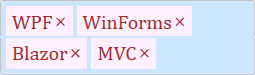
Make the most of TagEditor by taking advantage of the following key features:
* **Editable control**
TagEditor supports text input which makes the selected tags editable in both the appearances – comma separated strings and tags. To change an item, you can simply double click on it to edit.
* **Use placeholder**
TagEditor allows you to add placeholder so that you can show text as a hint when the control is empty.