# Inserting Worksheets in FlexSheet
## Content
**FlexSheet for WPF** is not limited to a single sheet. Multiple worksheets, with an Excel-like tabbed interface, can be added to the [C1FlexSheet](/componentone/api/wpf/online-flexsheet/dotnet-framework-api/C1.WPF.FlexSheet.4.6.2/C1.WPF.FlexGrid.C1FlexSheet.html) control by using [AddSheet](/componentone/api/wpf/online-flexsheet/dotnet-framework-api/C1.WPF.FlexSheet.4.6.2/C1.WPF.FlexGrid.C1FlexSheet.AddSheet.html) method. The following lines of codes illustrate how to add worksheets to the [C1FlexSheet](/componentone/api/wpf/online-flexsheet/dotnet-framework-api/C1.WPF.FlexSheet.4.6.2/C1.WPF.FlexGrid.C1FlexSheet.html) control:
1. Add C1FlexSheet control to the application using the following code in **XAML View**:
```xml
```
2. Add multiple sheets to the **C1FlexSheet** control by adding the following lines of codes just after the **InitializeComponent()** method in Code view: **vbnet**
```vbnet
flex.AddSheet("Sheet1", 50, 10)
' Sheet 1 with 50 rows and 10 columns
flex.AddSheet("Sheet2", 20, 10)
flex.AddSheet("Sheet3", 50, 10)
```
**csharp**
```csharp
flex.AddSheet("Sheet1", 50, 10);// Sheet 1 with 50 rows and 10 columns
flex.AddSheet("Sheet2", 20, 10);
flex.AddSheet("Sheet3", 50, 10);
flex.AddSheet("Sheet4", 50, 10);
```
Here's how a Multi-tabbed FlexSheet looks like:
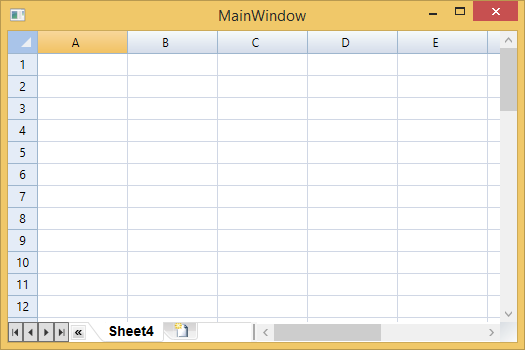
You can also insert sheets or add tabs in [C1FlexSheet](/componentone/api/wpf/online-flexsheet/dotnet-framework-api/C1.WPF.FlexSheet.4.6.2/C1.WPF.FlexGrid.C1FlexSheet.html) control at runtime by clicking the **Tab** button on the **Tab Strip**, as shown in the image below:
