# Creating Radial Menus
## Content
Using the [C1RadialMenu](/componentone/api/wpf/online-basiclibrary/dotnet-framework-api/C1.WPF.4.6.2/C1.WPF.C1RadialMenu.html) control, you can create both top-level menus and submenus. Creating either type of menu is easy with **C1RadialMenu**:
### Top-Level Menus
Complete the following steps to create a top-level menu:
1. Place the following XAML between the **\** and **\** tags:
```xml
```
The **C1RadialMenu** control is within a **ContextMenuService**. When you run your application, the menu will appear when you right-click or right-tap.
2. Place the following XAML between the **\** and **** tags. This will create three top-level menu items:
```xml
```
3. Run the program and observe the following:
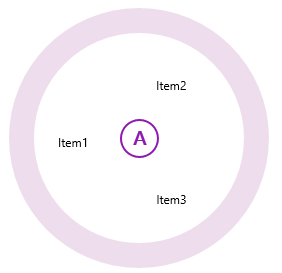
Your top-level menu should resemble the following image:
### Submenus
Complete the following steps to create a submenu that's attached to one of a **C1RadialMenu**'s items:
1. Create a **C1RadialMenu**:
```xml
```
2. Place the following XAML between the **\** and **** tags:
```xml
```
3. Run the program.
This is the **C1RadialMenu** control after you tap or click the Tap Here item: