# Quick Start
## Content
The following quick start guide is intended to get you up and running with the Menu control. In this quick start, you start with creating a new application, adding the Menu control to it and then adding the MenuItems to the Menu control.
| 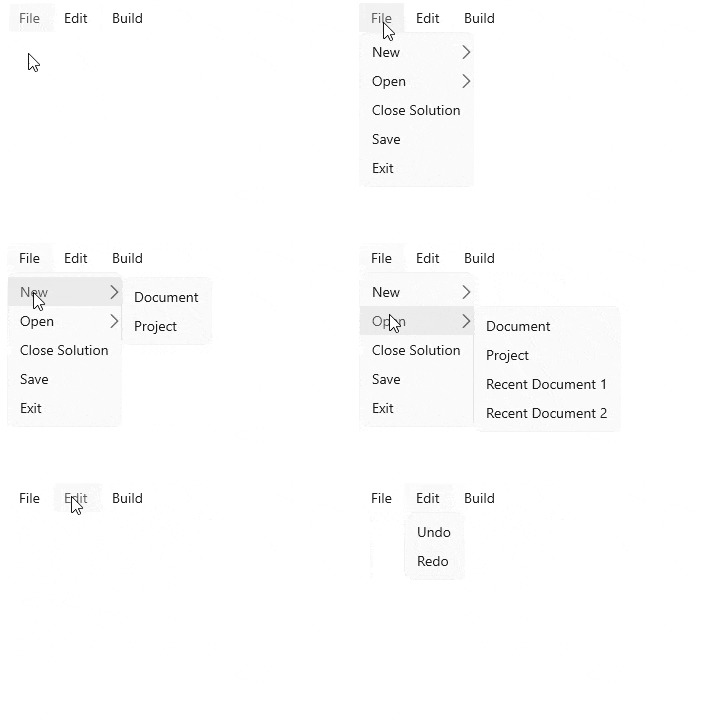 |
| --- |
## Create a WinUI Application and add References
1. In Visual Studio, create a new WinUI App. For detailed steps, see [Configure WinUI Application](/componentone/docs/winui/online-winui/configuring-winui-app).
2. In the **Solution Explorer**, right click **Dependencies** and select **Manage NuGet Packages**.
3. In **NuGet Package Manager**, select **nuget.org** as the **Package source**.
4. Search and select the following package and click **Install**.
* **C1.WinUI.Menu**
## Configure the Menu control
1. Declare the namespace using the following code in XAML:
```xml
xmlns:c1 ="using:C1.WinUI.Menu"
```
2. Place the cursor between the \\ tag and add the following code to create a menu using the [C1Menu](/componentone/api/winui/online-winui/dotnet-api/C1.WinUI.Menu/C1.WinUI.Menu.C1Menu.html) class, set its orientation and alignment.
```xml
```
3. Add items to the menu using [C1MenuItem](/componentone/api/winui/online-winui/dotnet-api/C1.WinUI.Menu/C1.WinUI.Menu.C1MenuItem.html) class using the following code.
```xml
```
## Build and Run the Project
1. Click **Build | Build Solution** to build the project.
2. Press **F5** to run the project.