# Appearance and Styling

## Content

The C1ListView control derives from `ItemsControl` and supports standard WinUI styling and templating features.

### Basic Styling

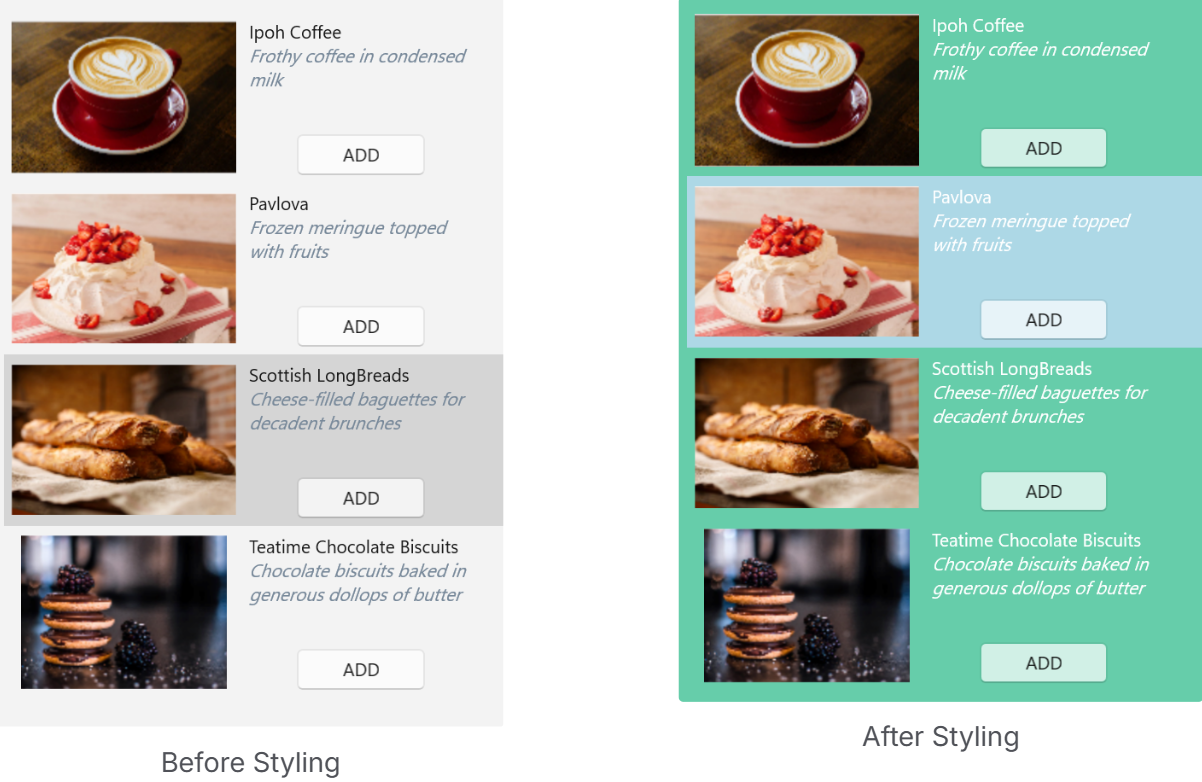
Visual properties such as `Background`, `Foreground`, and `SelectedBackground` define the appearance of the control.
`XML`

```auto
<c1:C1ListView 
  x:Name="listView"
  Background="MediumAquamarine"
  Foreground="White"
  SelectedBackground="LightBlue" />
```

![image](https://cdn.mescius.io/document-site-files/images/2d49eac2-0942-4770-99ef-52b14e6815bd/image-20260513.fa4a50.png?width=500)

### Item Styling

Item appearance and container behavior can be customized using the following properties:

* `ItemContainerStyle`
* `ItemContainerStyleSelector`
* `GroupStyle`
* `GroupStyleSelector`

These properties enable consistent styling, conditional styling, and customization of grouped data presentation.
`XML`

```auto
<Window xmlns:local="clr-namespace:ListViewExplorer">
  <Window.Resources>
      <local:MyStyleSelector x:Key="MyStyleSelector">
          <local:MyStyleSelector.Resources>
              <ResourceDictionary>
                  <Style x:Key="TeamA" TargetType="{x:Type c1:ListViewItemView}">
                      <Setter Property="FontWeight" Value="Bold"/>
                      <Setter Property="VerticalAlignment" Value="Center"/>
                      <Setter Property="ContentTemplate">
                          <Setter.Value>
                              <DataTemplate>
                                  <TextBlock Text="{Binding Name}" Foreground="Red" TextWrapping="Wrap" FontFamily="Arial" FontSize="12" VerticalAlignment="Center" />
                              </DataTemplate>
                          </Setter.Value>
                      </Setter>
                  </Style>
              </ResourceDictionary>
          </local:MyStyleSelector.Resources>
      </local:MyStyleSelector>
  </Window.Resources>
  <c1:C1ListView
    x:Name="C1ListView"
    Grid.Row="1"
    SelectionMode="Extended"
    ItemContainerStyleSelector="{StaticResource MyStyleSelector}"
    ZoomMode="Enabled"
    Orientation="Vertical"
    ShowCheckBoxes="True"/>
</Window>
```

>type=note
> ### Guidance
>
> * Use `ItemContainerStyle` for uniform item styling
> * Use `ItemContainerStyleSelector` for condition-based styling
> * Use `GroupStyle` and `GroupStyleSelector` when grouping is applied


<br>
<br>
<br>
<br>
<br>
<br>
<br>
<br>
<br>