# Hamburger Menu
## Content
The hamburger menu helps provide a consistent navigational experience in FlexViewer, enhancing the overall user experience. It includes the following options:
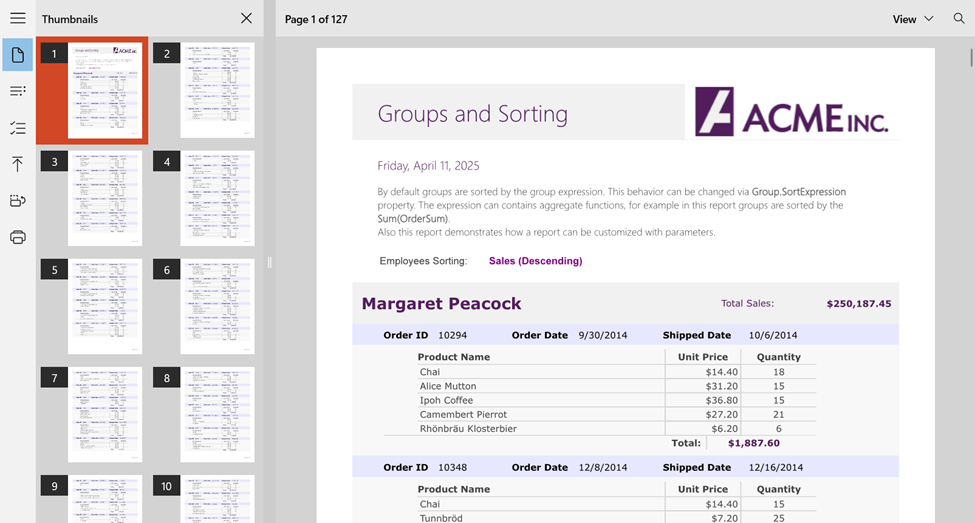
## **Thumbnails**
Displays thumbnails of all the pages available in the displayed report, making navigating through pages easier.
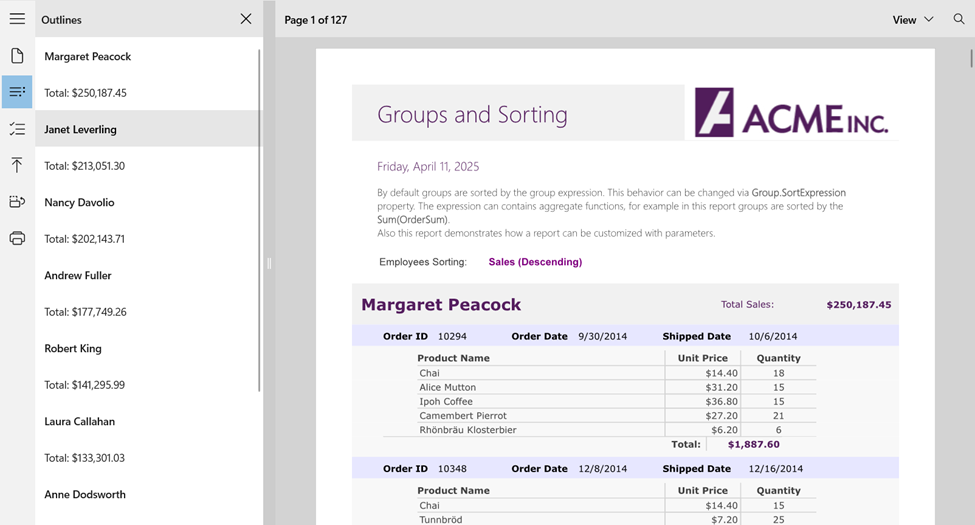
## **Outlines**
Displays the outline of report pages, making navigating through sections easier.
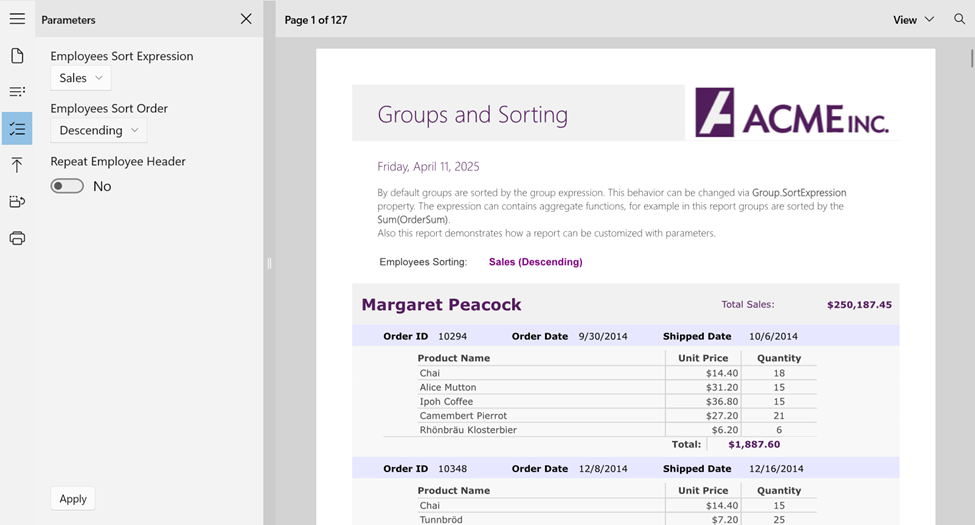
## Parameters
FlexViewer lets you load and render reports with parameters and invoke Parameters in the left side pane. This lets you apply parameters to the loaded report in the FlexViewer.
>type=note
> **Note**: Parameters only work with FlexReport and SSRS.
## **Page Settings**
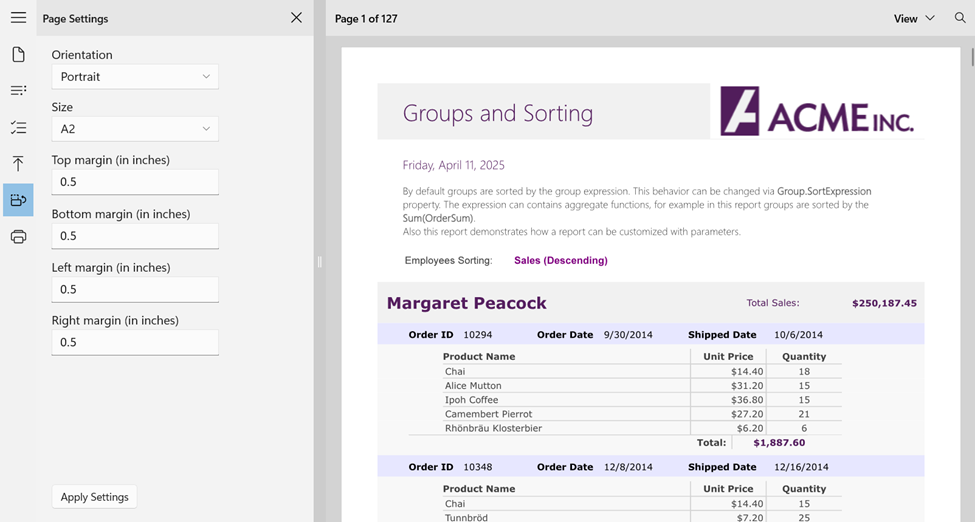
This feature allows users to set the orientation, size, and margins of the report pages before exporting or printing, ensuring layout compatibility with different output requirements.
## **Print**
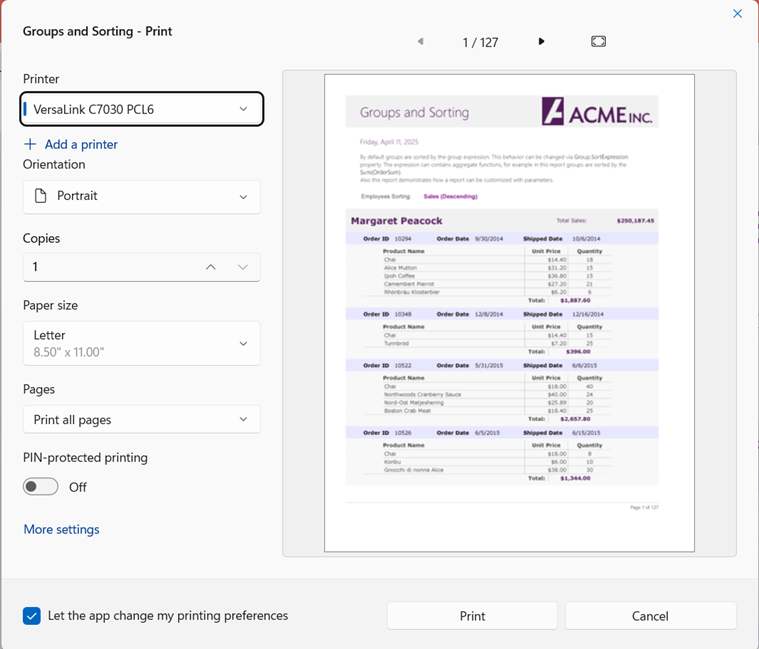
FlexViewer supports printing with a built-in print preview and customizable settings, including printer selection, orientation, paper size, copies, page range, and PIN-protected printing. This allows users to generate secure, well-formatted physical documents.
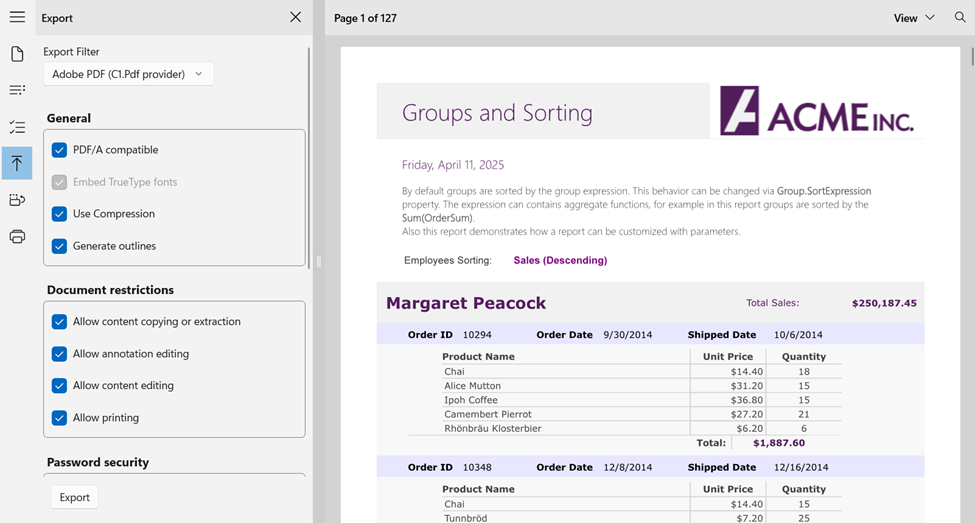
## **Export**
FlexViewer lets you export reports as digital files for sharing with coworkers or clients, eliminating the need to print. Users can choose formats like PDF, HTML, RTF, Excel Open XML, Word Open XML, ZIP, TIFF, BMP, PNG, JPEG, and GIF. After selecting the format and clicking the **Export** button, the Save As dialog box opens that allows you to export a report to different formats.