# Bound Mode
## Content
The [FlexGrid](/componentone/api/winui/online-winui/dotnet-api/C1.WinUI.Grid/C1.WinUI.Grid.FlexGrid.html) class provides the [ItemsSource](/componentone/api/winui/online-winui/dotnet-api/C1.WinUI.Grid/C1.WinUI.Grid.FlexGrid.ItemsSource.html) property to populate data in the grid. The ItemsSource property binds FlexGrid to IEnumerable interface, or to DataCollection interface.
The following image shows a bound FlexGrid.
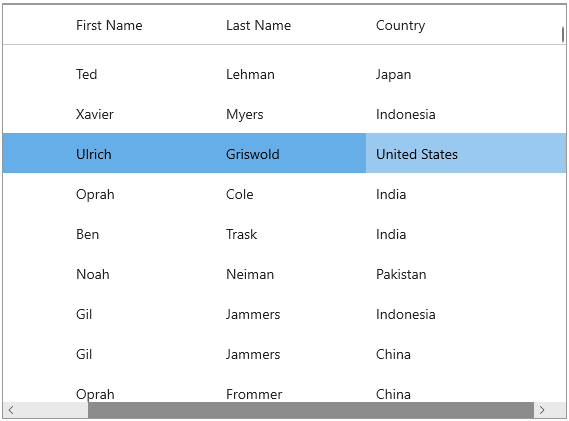
The following code examples illustrate how to bind FlexGrid control with a datasource. Refer to the [QuickStart](/componentone/docs/winui/online-winui/winui-controls/flexgrid/flexgrid-quickstart) for creating the data source. In this case, the **Customer** class is used as a data source.
```csharp
var data = Customer.GetCustomerList(1000);
flexGrid1.ItemsSource = data;
```
Further, you can bind a list of customer objects and customize automatically created columns using code, or disable automatic column generation altogether and create custom columns through code as given below:
```xml
```
## Display Bitmap Image in Field
In most of the scenarios, grid directly fetches the images from the data source. However, if the grid is bound to a database which stores images as OLE objects such as Microsoft Access, a little bit of extra processing is required to fetch bitmap images.
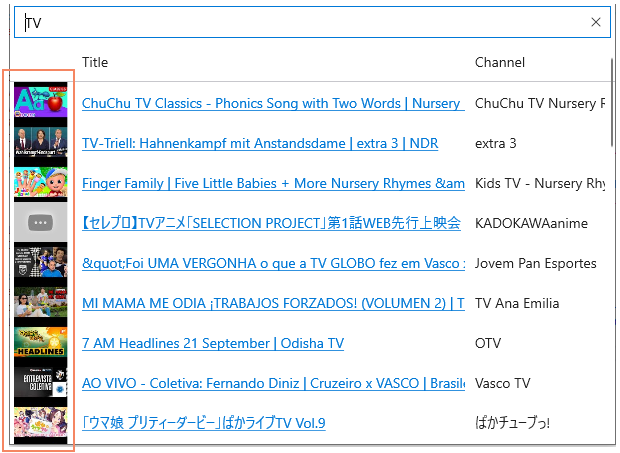
As shown in the XAML code below, you just have to bind the column of type GridImageColumn of WinUI FlexGrid, and if the database has weblinks of images then it will display images in GridImageColumn on rendering.
```xml
```
The [GridImageColumn](/componentone/api/winui/online-winui/dotnet-api/C1.WinUI.Grid/C1.WinUI.Grid.GridImageColumn.html) class represents a column whose cells are an image, and the [PlaceHolder](/componentone/api/winui/online-winui/dotnet-api/C1.WinUI.Grid/C1.WinUI.Grid.GridImageColumn.Placeholder.html) property gets or sets the placeholder image used when an image could not be downloaded.