# Highlighting the Current Row or Cell
## Content
The term _marquee_ refers to the highlighted area that represents the current grid cell or row. The [MarqueeStyle](/componentone/docs/win/online-truedbgrid/) property can be set to several possible presentations, all enumerations of the [MarqueeEnum](/componentone/docs/win/online-truedbgrid/) object, illustrated as follows.
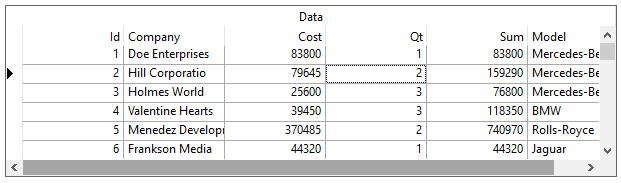
* **MarqueeEnum.DottedCellBorder**
The current cell is highlighted by a dotted border.
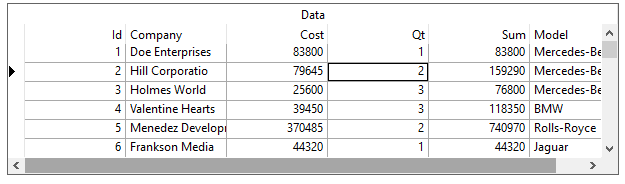
* **MarqueeEnum.SolidCellBorder**
This is a more distinctive form of cell highlighting, often useful when a different background color is used (since the dotted rectangle is often difficult to spot).
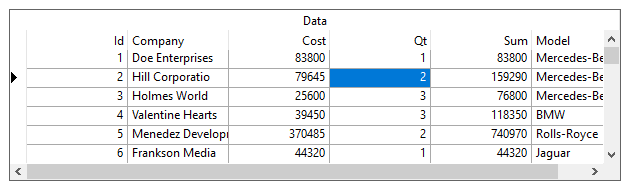
* **MarqueeEnum.HighlightCell**
This style inverts the current cell completely, making it very visible. Values of the [BackColor](/componentone/docs/win/online-truedbgrid/) and [ForeColor](/componentone/docs/win/online-truedbgrid/) properties of the Edit Style should be chosen carefully to make a pleasing effect if the grid is editable.
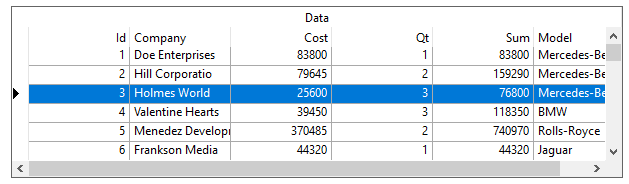
* **MarqueeEnum.HighlightRow**
The entire row will be highlighted, but it will not be possible to tell which cell is the current cell in the row. To change highlight colors, edit the built-in **HighlightRow** style. See [Highlighting the Row of the Selected Cell](/componentone/docs/win/online-truedbgrid/customization/highlighting-current-row-cell#highcell) for more information. This style is most useful when the grid is not editable and users would view the data one record at a time.
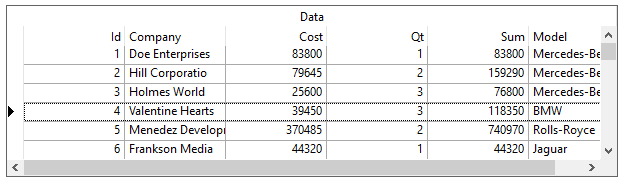
* **MarqueeStyleEnum.DottedRowBorder**
This setting highlights the entire row with a dotted rectangle. Use this setting instead of **HighlightRow** if a more subdued highlight is preferred.
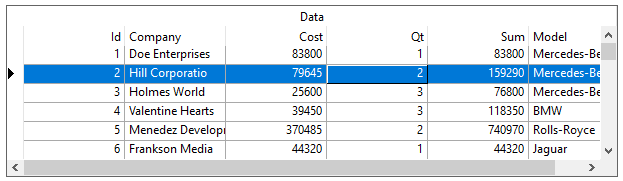
* **MarqueeEnum.HighlightRowRaiseCell**
This value should only be used if 3D lines are used in the grid, since cell highlighting is accomplished using a "raised" appearance for the current cell.
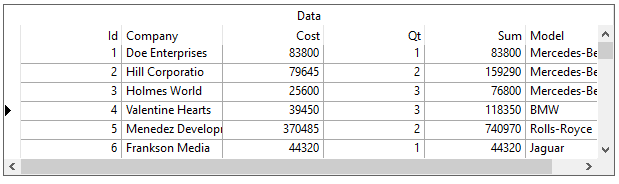
* **MarqueeEnum.NoMarquee**
This setting will make the marquee disappear completely. Often this setting is useful for cases where the current row is irrelevant, or where you do not want to draw the user's attention to the grid until necessary.
\>
* **MarqueeEnum.FloatingEditor**
This is the default marquee style of the grid. The cell text (the actual text only, **not** the entire cell) is highlighted and there is a blinking text cursor (caret) at the end of the text.
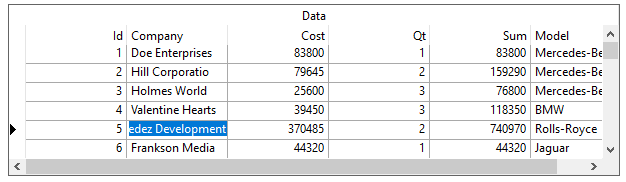
The color of the highlight is your system's highlight color. The floating editor style simulates the look and feel of the Microsoft Access datasheet. The blinking text cursor indicates that the cell is _edit-ready_, hence the name floating editor for this marquee style. Since no other marquee style places the cell in a similar edit-ready mode, the behavior of the grid with the floating editor is sometimes different from the other marquee styles. The following list summarizes the differences when the [MarqueeStyle](/componentone/docs/win/online-truedbgrid/) property is set to [MarqueeEnum.FloatingEditor](/componentone/docs/win/online-truedbgrid/):
1. The following properties are ignored by the floating editor: [EditDropDown](/componentone/docs/win/online-truedbgrid/) and [EditorStyle](/componentone/docs/win/online-truedbgrid/).
2. When using the [AddCellStyle](/componentone/docs/win/online-truedbgrid/) and [AddRegexCellStyle](/componentone/docs/win/online-truedbgrid/) methods with the floating editor, the grid ignores the current cell bit ([CellStyleFlag.CurrentCell](/componentone/docs/win/online-truedbgrid/)) and highlighted row bit ([CellStyleFlag.MarqueeRow](/componentone/docs/win/online-truedbgrid/)) of the _Condition_parameter.
3. The floating editor will not be displayed in a cell with radio buttons or a picture, as described in [Automatic Data Translation with ValueItems](/componentone/docs/win/online-truedbgrid/translate#autodatatranslate). A dotted cell marquee will be used instead. The floating editor highlight will return when the current cell is changed to one with normal text display.
4. The [CycleOnClick](/componentone/docs/win/online-truedbgrid/) property (applies to [ValueItemCollection](/componentone/docs/win/online-truedbgrid/)) has no effect when the [MarqueeStyle](/componentone/docs/win/online-truedbgrid/) property is set to [MarqueeEnum.FloatingEditor](/componentone/docs/win/online-truedbgrid/).
5. The **DoubleClick** event of the [C1TrueDBGrid](/componentone/docs/win/online-truedbgrid/) control does not fire when the user double-clicks a non-current cell within the grid. This is because the first click is used by the floating editor to begin editing, placing the cell into edit mode at the character on which the click occurred. Double-clicking the current cell of the grid fires the **DoubleClick** event normally, however.