# Collection Editors
## Content
**TreeView for WinForms** includes two major collection editors- TreeNodes Editor and C1TreeColumn Collection Editor.
### TreeNodes Editor
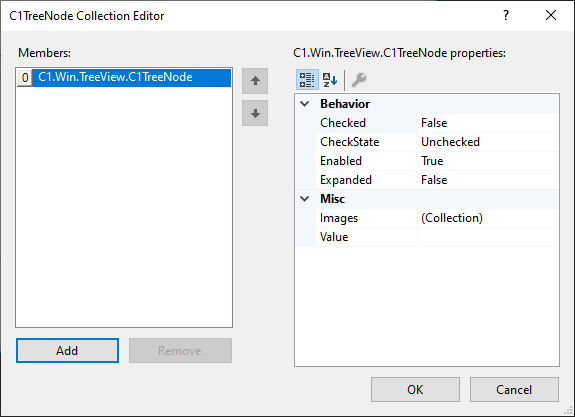
TreeNodes Editor enables you to add, remove parent nodes and child nodes in or from the Nodes collection of C1TreeView and C1TreeNode easily. Using TreeNodes Editor allows you to not only modify the behavior of the nodes, but also reorder them as per the requirement.
Following are the ways to access TreeNodes Editor:
**Using Smart Tag and Context Menu**
Refer to [Design-Time Support](/componentone/docs/win/online-treeview/concepts/DesignTimeSupport) for more information.
**Through the Properties Window**
Perform the following steps to access TreeNodes Editor through the Properties window:
1. Right-click on the **TreeView** control.
The context menu appears.
2. Select **Properties**.
3. Navigate to the **Nodes** field in the **Properties** window.
4. Click the **Ellipsis** button next to the **Nodes** field.
**TreeNodes Editor** appears.
### C1TreeColumn Collection Editor
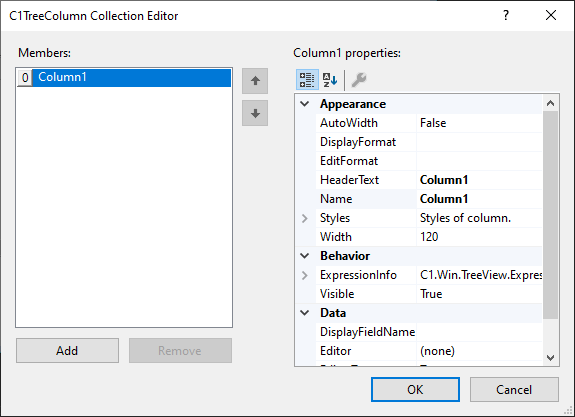
C1TreeColumn Collection Editor allows you to add and remove columns in or from TreeView seamlessly. The editor lets you customize the appearance and modify the behavior and data for the added columns.
The editor can be accessed in the following ways:
**Using Smart Tag and Context Menu**
Refer to [Design-Time Support](/componentone/docs/win/online-treeview/concepts/DesignTimeSupport) for more information.
**Through the Properties Window**
Perform the following steps to access TreeNodes Editor through the Properties window:
1. Right-click on the **TreeView** control.
The context menu appears.
2. Select **Properties**.
3. Navigate to the **Columns** field in the **Properties** window.
4. Click the **Ellipsis** button next to the **Columns** field.
**C1TreeColumn Collection Editor** appears.