# Increasing the Size of a Specific Tile
## Content
A Tiles size can be increased using the HorizontalSize and VerticalSize properties.
### Design-Time
To increase the Tiles size at design-time, complete the following:
1. Select the Group and click on **Edit Tiles** from the C1TileControl Group Tasks menu.
2. In the **Group.Tiles Collection Editor** select **tile1[Tile 1\]** and set the **HorizontalSize** to **2** and the **VerticalSize** to **2**.
3. Click **OK** to save and close the **Group.Tiles Collection Editor**.
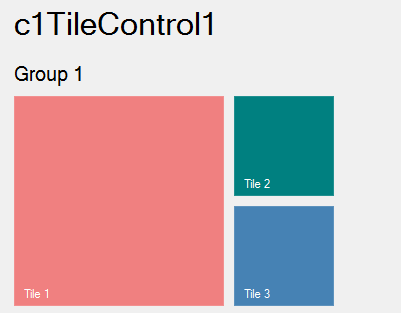
**This topic illustrates the following**:
Tile 1s size in increased so it appears twice as large as the other two tiles.