# Changing the Border Color
## Content
By default, the color of the [C1SplitContainer](/componentone/docs/win/online-splitcontainer/) border is determined by its visual style; however, you can change the color of that border using the **BorderColor** property. In this topic, you will learn how to set the **BorderColor** property in design view and in code.
### In Design View:
Complete the following steps:
1. Add the C1SplitContainer to the form.
2. In the C1SplitContainer Properties window set the **BorderColor** property to “Black”.
The border color is updated on the C1SplitContainer control.
### In Code View:
Complete the following steps:
1. Add the **C1.Win.C1SplitContainer.dll** reference to your project.
2. Declare the following **C1.Win.C1SplitContainer** namespace at the top of your code page:
```vbnet
Imports C1.Win.C1SplitContainer
```
```csharp
using C1.Win.C1SplitContainer;
```
3. Add the following code in the **Form\_Load** event:
```vbnet
Private Sub Form1_Load(sender As Object, e As EventArgs)
'create new splitcontainer
Dim split As New C1SplitContainer()
'set splitcontainer border color to black
split.BorderColor = Color.Black
'add the splitcontainer
Controls.Add(split)
End Sub
```
```csharp
private void Form1_Load(object sender, EventArgs e)
{
//create new splitcontainer
C1SplitContainer split = new C1SplitContainer();
//set splitcontainer border color to black
split.BorderColor = Color.Black;
//add the splitcontainer
Controls.Add(split);
}
```
4. Run the program.
**This Topic Illustrates the Following**:
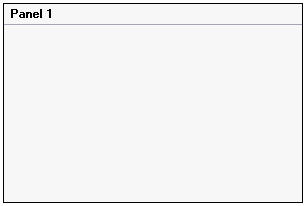
The image below shows the C1SplitContainer with a black border.
## See Also
[Changing the Visual Style](/componentone/docs/win/online-splitcontainer/splitcontainerforwin3/changingthec1splitco/changingthevisualsty)