# Scheduler Run-Time Context Menu
Learn how to add appointments, navigate the calendar, print, preview, import and export in the C1Scheduler application.
## Content
Using the run-time context menu, you can add appointments, navigate the calendar, print or preview the schedule, and import or export data.
If you are in the [DayView](/componentone/docs/win/online-schedule/) or [WorkWeekView](/componentone/docs/win/online-schedule/) views, the following menu will appear when you right-click within the [C1Schedule](/componentone/docs/win/online-schedule/) control:
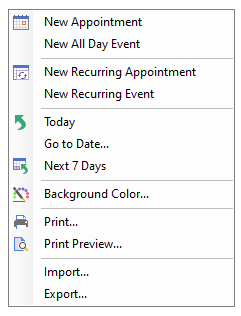
The following items operate as follows:
* **New Appointment**
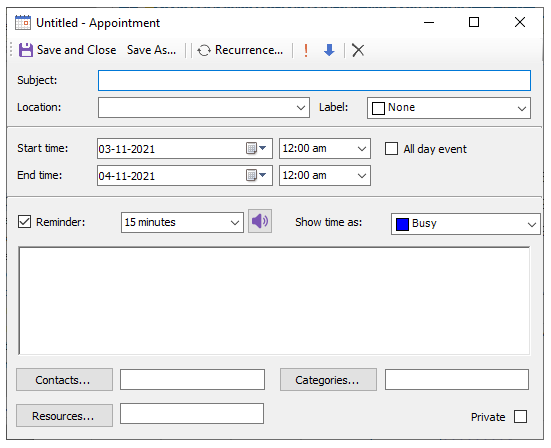
Clicking this item opens the **Appointment** dialog box which appears like the following:
* **New All Day Event**
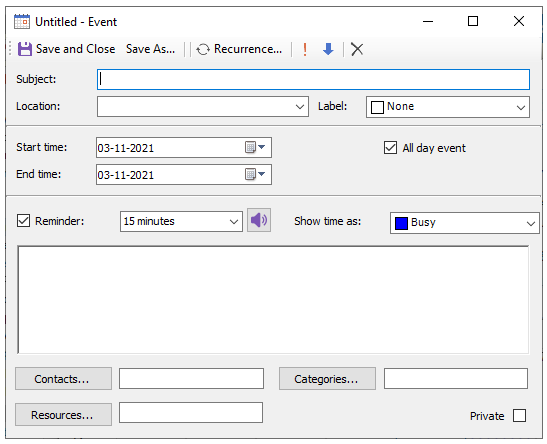
Clicking this item opens the **Event** dialog box which appears like the following:
* **New Recurring Appointment**
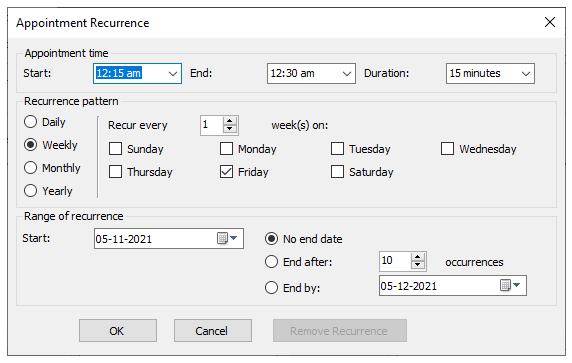
Clicking this item opens the **Appointment** dialog box which appears like the following:
* **New Recurring Event**
Clicking this item opens the **Appointment** dialog box.
* **Today**
Clicking on the Today highlights today's date on the calendar and opens the schedule for today's date appear
* **Go to Date**
Clicking on the Go to Date item opens the Go to Date dialog box where you can select the date in the dropdown listbox and the view from the dropdown listbox.
* **Next 7 Days**
Clicking this item forces C1Schedule to show 7 days starting from the current date. If the currently shown view is not **TimeLine**, the 7 days will be shown in the **DayView** mode.
> type=note
> **Note**: if you use localized resources, make sure that you added translation for this item.
* **Import**
Clicking on the Import item opens the Import dialog box where you can select the .xml file you wish to import.
* **Export**
Clicking on the Export item opens the Export dialog box where you can select the .xml to export. The WeekView and the MonthView views have an added navigation option, **Go to this date**, when you right-click within the [C1Schedule](/componentone/docs/win/online-schedule/).