# C1Editor Modes
C1Editor for WinForms provides three editor modes; Design, Source and Preview. Learn more about these three Modes in C1Editor for WinForms documentation.
## Content
The [C1Editor](/componentone/api/win/online-richtexteditor/dotnet-framework-api/C1.Win.C1Editor.4.8/C1.Win.C1Editor.C1Editor.html) control features three editor modes: **Design**, **Source**, and **Preview**. You can determine which of these views users will see initially by setting the [Mode](/componentone/api/win/online-richtexteditor/dotnet-framework-api/C1.Win.C1Editor.4.8/C1.Win.C1Editor.C1Editor.Mode.html) property.
* **Design** **View**
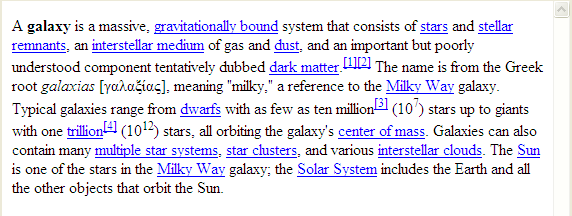
This view displays the text editor's content in a What-You-See-Is-What-You-Get (WYSIWYG) format. Here you can add content without markup. The following image shows the C1Editor in **Design** view:
* **Source View**
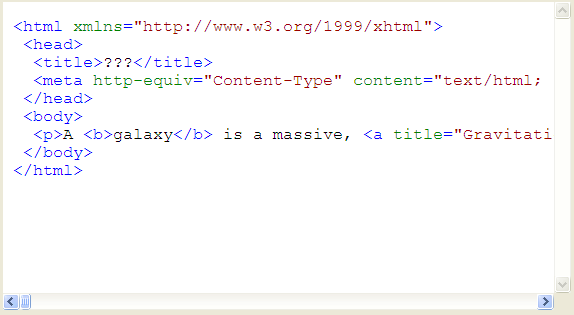
This view provides a hand-coding environment for writing and editing HTML markup. The following image shows the text editor in **Source** view:
* **Preview** **View**
In this mode, no editing is allowed; **Preview** mode is strictly for viewing the content. The following image shows the text editor in **Preview** mode:

You can set the initial run-time view of the text editor by setting the Mode property. The [EditorMode](/componentone/api/win/online-richtexteditor/dotnet-framework-api/C1.Win.C1Editor.4.8/C1.Win.C1Editor.EditorMode.html) enumeration can be set to one of three settings: **Design**, **Source**, or **Preview**. For more information on how to set the editing mode, see [Changing the C1Editor Mode](/componentone/docs/win/online-richtexteditor/editorforwinformstas/changingthec1editorm).
Scrollbars will automatically appear if content added to the text editor exceeds the available screen space.