# Cell Properties
Cell Properties Dialog Box in C1Editor control allows you to specify the Vertical or Horizontal alignment, Span and set up the Style value.
## Content
Right-click a table and select **Cell Properties** to access this dialog box.
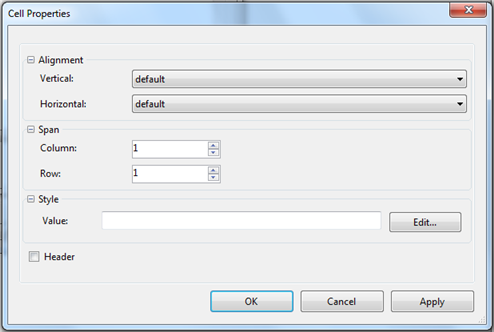
### Alignment
| **Vertical** | Click the drop-down arrows to specify the vertical alignment: top, middle, or bottom. |
| --- | --- |
| **Horizontal** | Click the drop-down arrows next to **Horizontal** to specify the alignment: left, center, or right. |
### Span
| **Column** | Enter a number to determine how many columns the property changes should affect. |
| --- | --- |
| **Row** | Enter a number to determine how many rows the property changes should affect. |
### Header
Select this checkbox format the text in a cell as a header, or centered and bold.